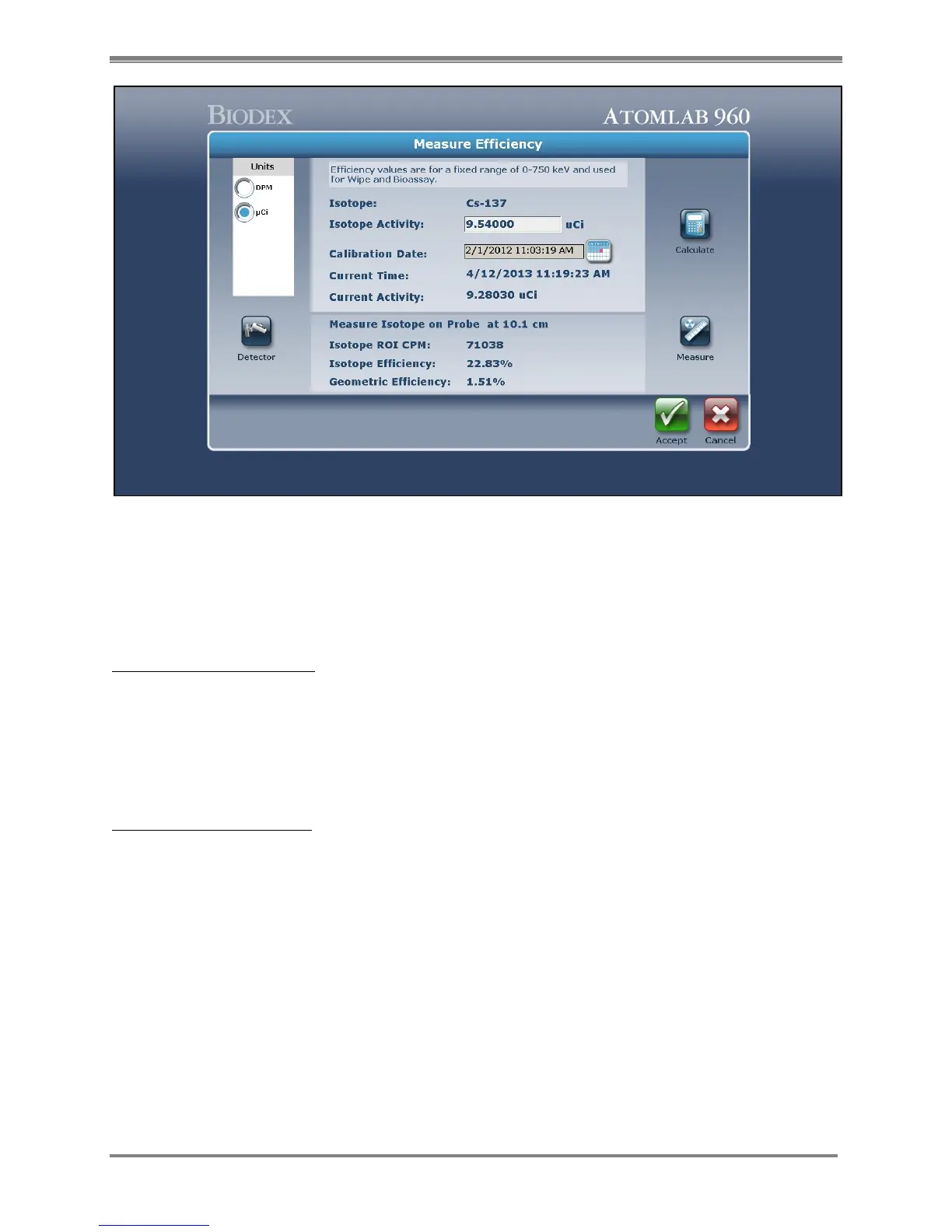
Figure 4.20. The Measure Efficiency screen with the isotope efficiency shown.
NOTE: Total efficiency for an isotope is the isotope efficiency x the geometric efficiency. This
procedure allows the user to create one standard for an isotope. If you change the geometry,
you do not have to create a new standard.
Use Factory-Defined Value:
1. From the Select An Isotope list, highlight the desired isotope and then select <Efficiency>.
The Detector Efficiency Options screen is now displayed. The selected isotope is displayed at
the top of the screen, along with the selected detector.
2. Select <Use Factory Defined Value> and <Accept>. The system returns to the Select An
Isotope screen with the factory default value selected.
Enter Efficiency In Percent:
1. From the Select An Isotope list, highlight the desired isotope and then select <Efficiency>.
The Detector Efficiency Options screen is now displayed. The selected isotope is displayed at
the top of the screen, along with the selected detector.
2. Select <Enter Efficiency In Percent>.
3. Enter the desired percent value in the <Isotope Efficiency % field>.
4. Select <Accept>. The system returns to the Select An Isotope screen. The percent value just
entered now appears in the Efficiency % field of the selected isotope on the Select An Isotope
list.
5. Select <Back> to return to the Utilities screen when you are done with the options available
on the Select An Isotope screen.



 To Next Page