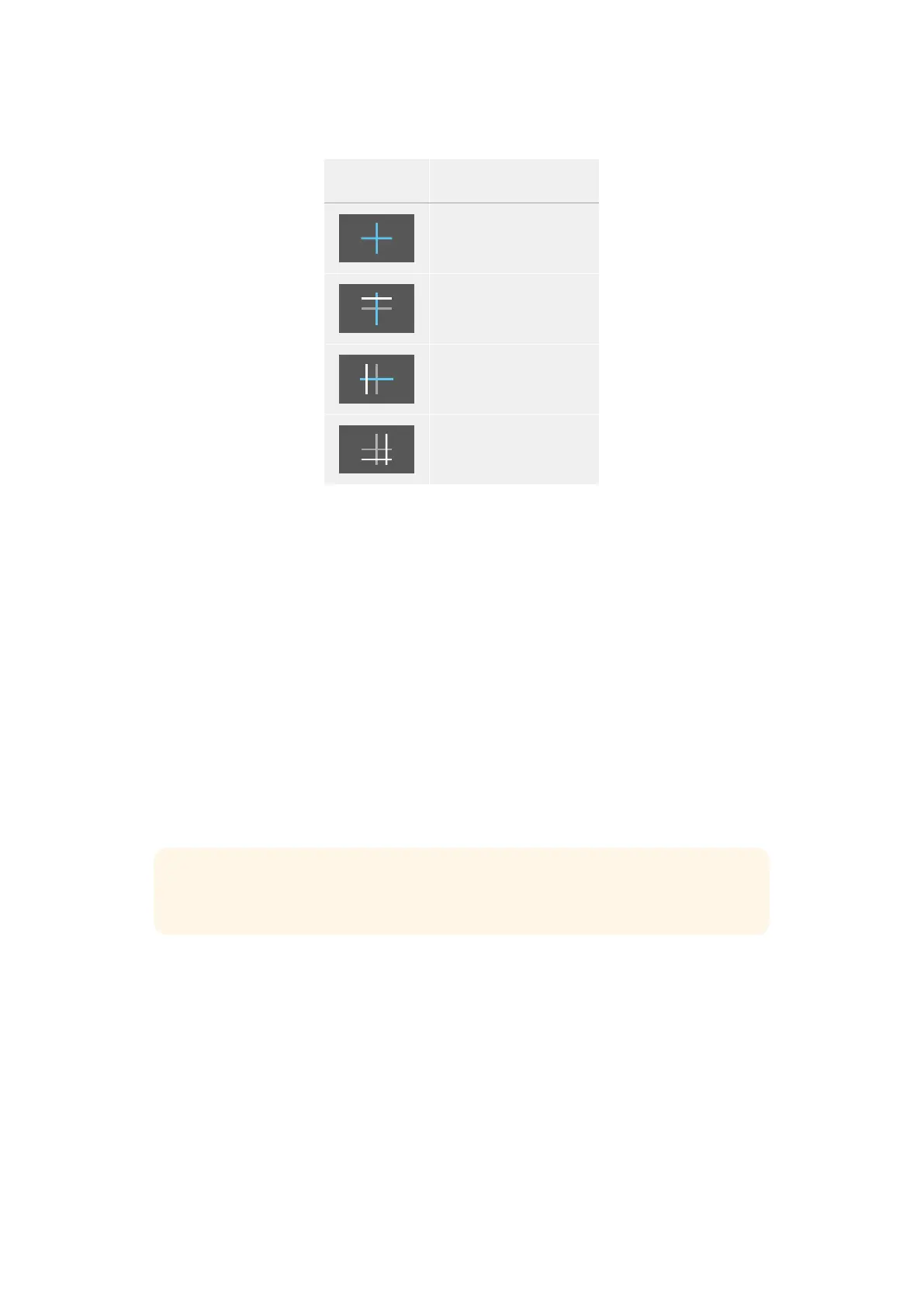
This table shows examples of the horizon meter indicating tilt and roll of the camera.
Horizon meter Description
Straight and level
Tilted down and level
Straight and rolled left
Tilted up and rolled right
For normal use, calibrate the horizon meter for straight and level operation. If you want to use
the horizon meter to help maintain a consistent ‘dutch angle’ or a consistent tilt for a low or high
shot, you can calibrate the horizon meter at an incline. For information on how to calibrate the
horizon meter, see the ‘motion sensor calibration’ section.
Crosshair
The ‘crosshair’ setting places a crosshair in the center of the frame. Like thirds, the crosshair is
a very useful compositional tool, making it easy to frame the subject of a shot in the very center
of a frame. This is sometimes used when filming scenes that will be assembled using very fast
cuts. Keeping viewers’ eyes focused on the center of a frame can make rapid editing easier
to follow.
Center Dot
The ‘center dot’ setting places a dot in the center of the frame. This works in exactly the same
way as the ‘crosshair’ setting, albeit with a smaller overlay that you may find lessintrusive.
You can enable a combination of ‘thirds’ and ‘crosshairs’ or ‘thirds’ and ‘center dot’ by tapping
both options in the ‘grids’ menu. ‘Crosshairs’ and ‘center dot’ cannot be selected together.
TIP For information on enabling grids on your URSA Cine’s outputs, see the ‘monitor
settings’ section in this manual.
Safe Area Guides
The ‘safe area guides’ setting toggles the safe area guides on or off the LCDtouchscreen,
aswell as setting the size of safe area guides for all outputs on your URSA Cine.
Safe areas can be used in broadcast production to ensure that the most important parts of
a shotcan be seen by viewers. By keeping the most important parts of your shot within a
central ‘safearea,’ you can avoid cropping on some televisions, as well as leaving space for
abroadcaster to add bugs, news tickers and other overlays along the edges of the screen.
Manybroadcasters require footage to be submitted within a 90% safe area.
85Touchscreen Controls



 To Next Page