59 S850 Operation & Maintenance Manual
DRIVE RESPONSE (CONT’D)
Operation (Cont’d)
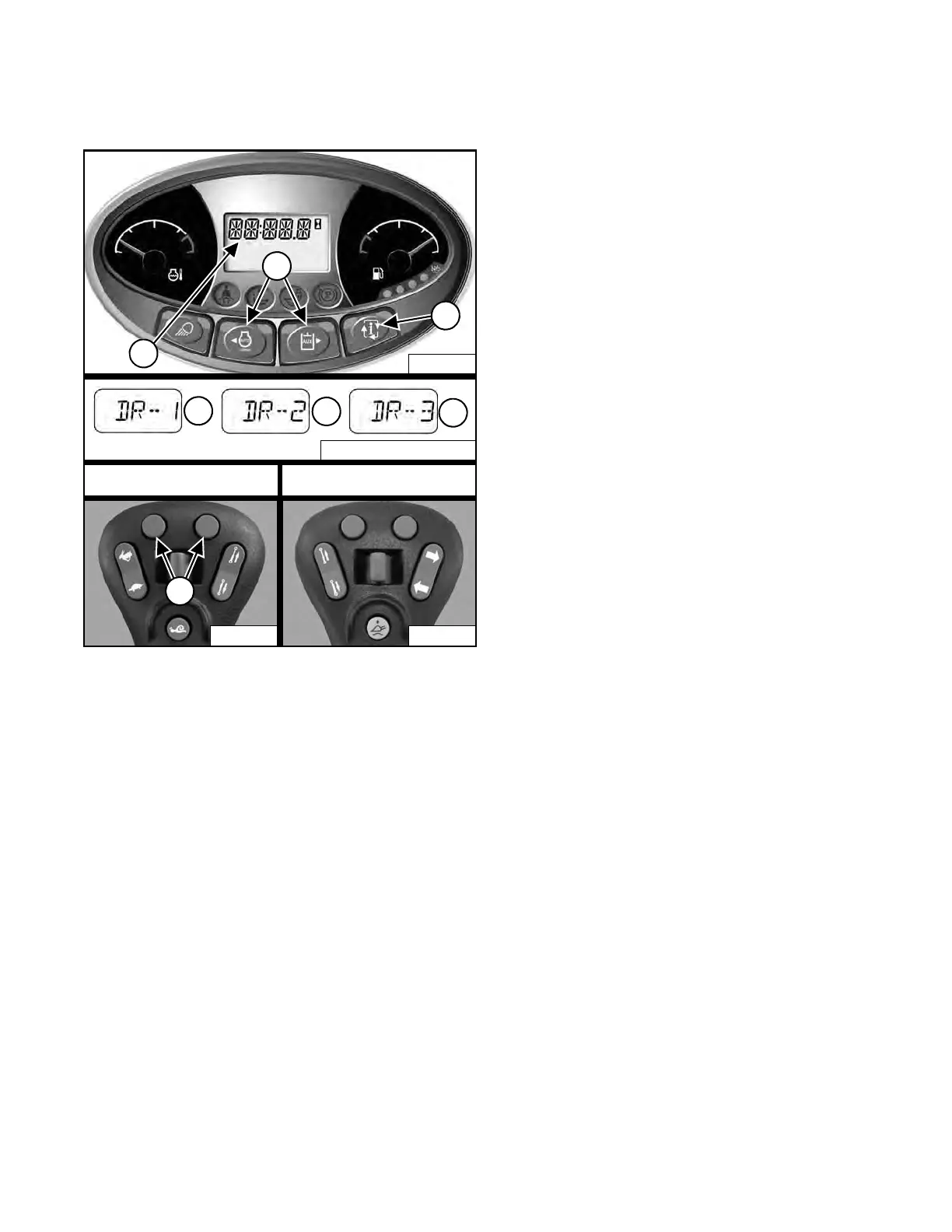
Figure 69
Press the Information button (Item 3) to cycle the data
d
isplay until the drive response menu is displayed. The
current drive response setting will appear in the data
display (Item 1) [Figure 69].
Press the left or right scroll button (Item 2) [Figure 69] on
the left panel to adjust the setting. Adjustments to the
d
rive response are effective immediately.
OR
Press the left or right button (Item 7) [Figure 69] on the
left joystick to adjust the settin
g. Adjustments to the drive
response are effective immediately.
Press the left scroll button on the left panel or the left
b
utton on the left joystick to scroll down through the three
drive response settings (Items 4, 5, and 6). Press the
right scroll button on the left panel or the right button of
the left joystick to scroll up through the three drive
response settings (Items 4, 5, and 6) [Figure 69].
Saving The Drive Response Setting:
The current drive response setting can be saved by
pr
essing the Information button (Item 3) [Figure 69] to
exit from the drive response adjustment menu.
OR
If no buttons are pressed for 10 seconds, the drive
respons
e setting will be saved and the display screen will
change to the hourmeter.
NOTE: Machines equipped with a Deluxe
Instrumentation Panel will save the drive
response setting for each user. Example: If
user 1 saves the setting [DR-2], the machine
will be in [DR-2] the next time user 1 password
is entered.
NA3087 / NA3088 / NA3089
5
6
4
Left Joystick Right Joystick
Dealer Copy -- Not for Resale



 To Next Page