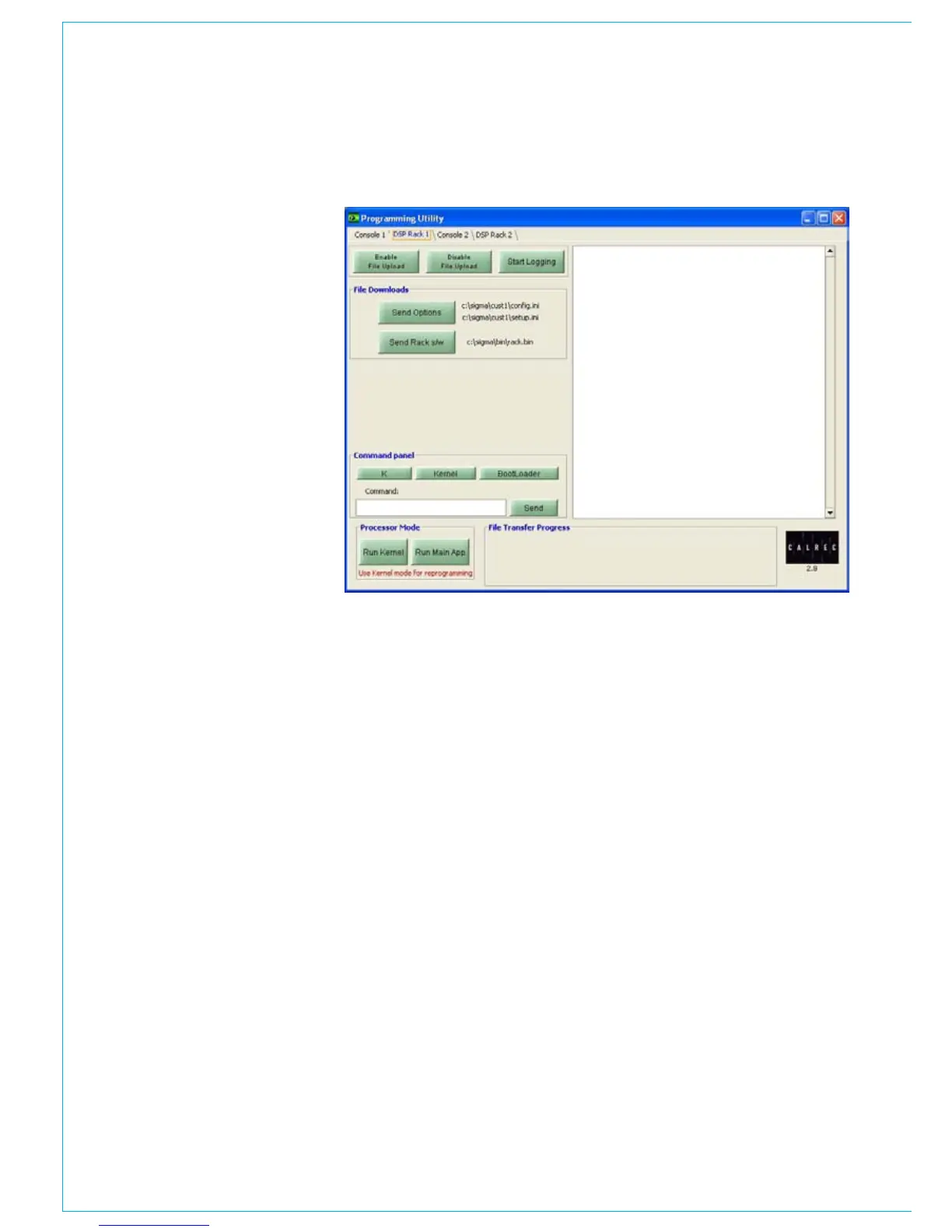
DSP Rack 1
Programming the rack processors - If you
wish to transfer any files from the PC to
the mixer’s processors, select ‘Run Kernel’.
If a processor has successfully entered
kernel mode, the following message, or
one very similar, will be displayed in the
text window on the right of the screen:
Reboot to kernel
Calrec UN4805-8 Bootloader v1.0
DRAM found 0 1 2 3
--!!—
Loading kernel
xxxxxxxxxxxxxxxxxxxxxxxxxxxxxxxxxxx
xxxxxxxxxxx
xxxxxxx CALREC UN4805-8 kernel Rev
1.0 xxxxxxx
xxxxxxxxxxxxxxxxxxxxxxxxxxxxxxxxxxx
xxxxxxxxxxx
If the above message is not displayed
then the processor is not in kernel mode.
In which case you should re-try. If after
repeated attempts the processor will not
enter kernel mode, please see the section,
at the end of this section, called ‘Forcing a
processor into Kernel mode’.
When a processor card is in kernel mode,
the LEDs on the edge of the card will all
flash. The flashing LEDs will alternate
between adjacent LEDs.
Once successfully in kernel mode you
can send data to the processor card. If
changes have been made to the setup
of the mixer, using the setup application,
those changes need to be programmed
into all the mixers processors. To do this
press ‘send options’. The progress of the
file transfer can be seen at the bottom of
the window.
To verify the software of the processor
card, select SEND RACK S/W.
To verify all the files in the secondary/
back-up RACK processor, go to the DSP
Rack 2 page and repeat the above.



 To Next Page