Fax (D1180/D1170/D1150)
6-5
Introduction to Using Fax Functions
FaxOnly
In this mode, the machine receives documents automatically. Select this mode if you use the machine for fax
operations only, and not for voice communications using an external telephone.
Before using this mode
Simply set the receive mode to <FaxOnly>. (See “Selecting the Receive Mode,
” on p. 6-10.)
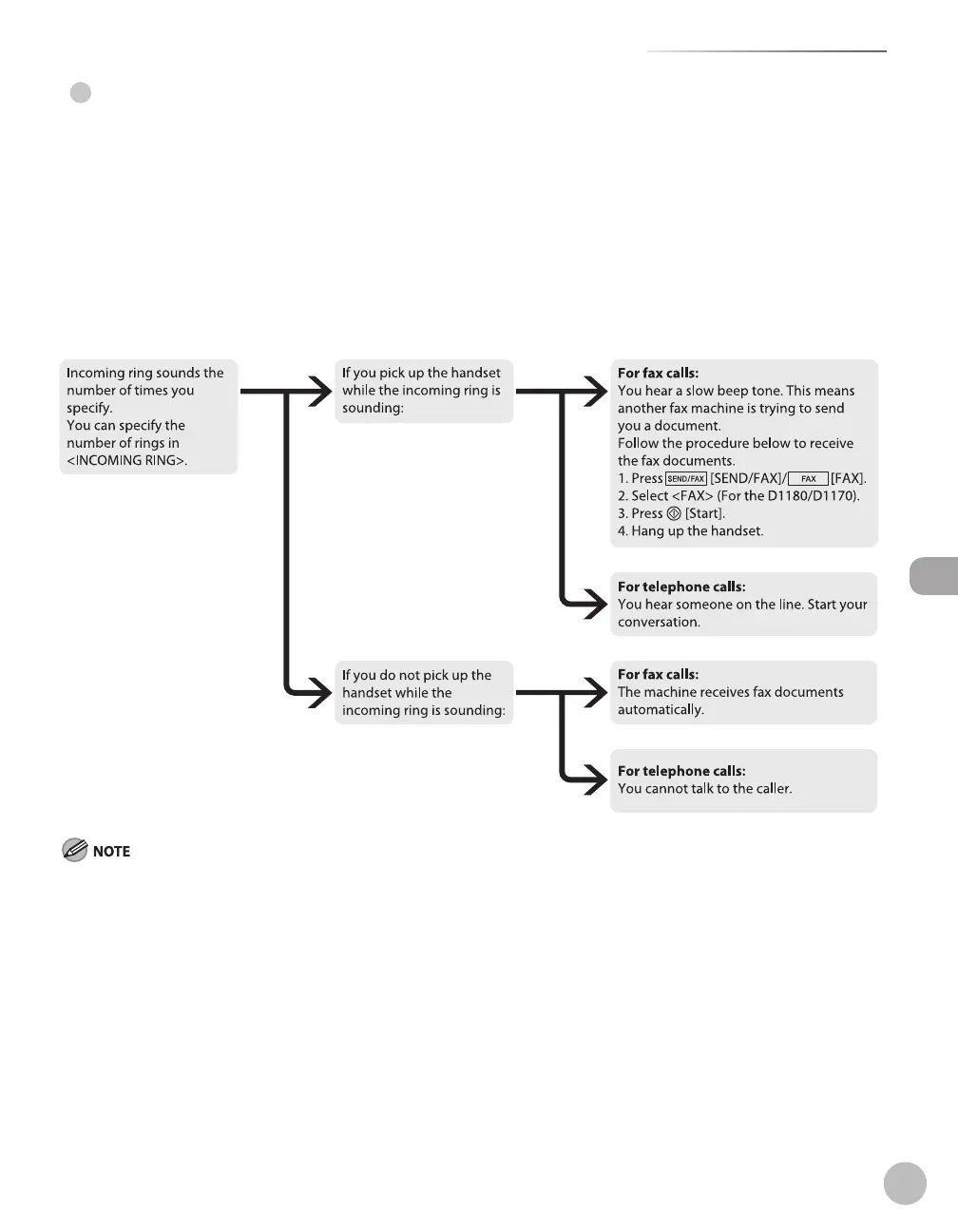
When an incoming call is received
With no external telephone connected to the machine:
For fax calls, the machine receives fax documents automatically.
For telephone calls, you cannot talk to the caller.
With external telephone connected to the machine:
If you want to change <INCOMING RING>, see“Setting the Incoming Ring,” on p. 6-54.
Setting <RX JOB DONE TONE> to <ON> enables the machine to ring for helping you find fax documents are being received. (See
“VOLUME CONTROL,” on p. 13-3.)
●
●
●
–
•
•
–
–
–















 To Next Page