12-6
Troubleshooting
Clearing Jams
6
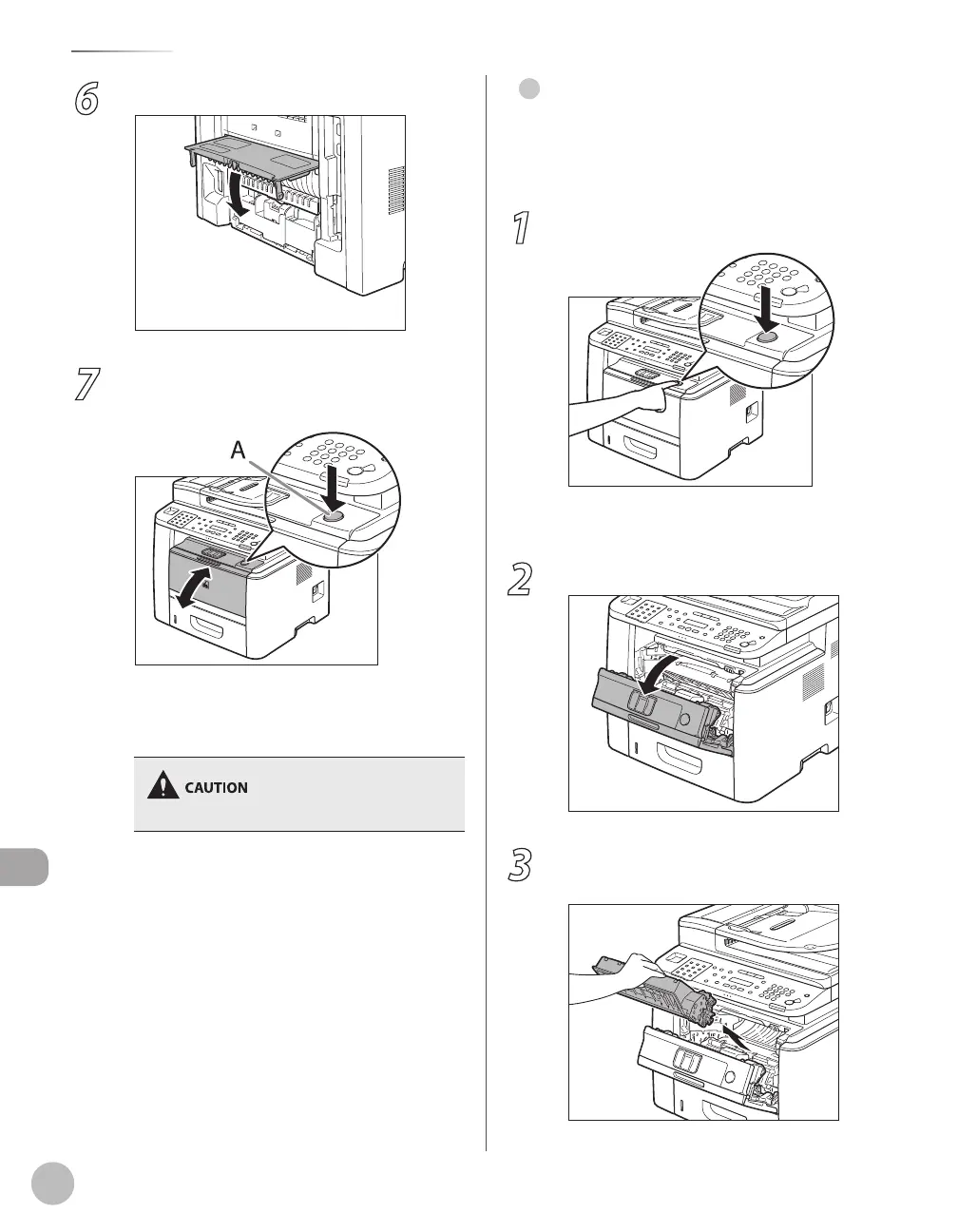
Close the duplex unit cover.
7
Open and close the front cover to reset
the machine.
If you are using the multi-purpose tray, close it
before opening the front cover. To open the
front cover, push the open button (A).
Be careful not to get your fingers caught.
Front Side of the Machine
When <OPEN PRINTER COVER> or <PAPER JAM/LIFT
PANEL TO OPEN> appears on the display, remove
jammed paper from the inside of the machine.
1
Push the open button.
If you are using the multi-purpose tray, close it
before opening the front cover.
2
Open the front cover.
3
Remove the toner cartridge from the
machine.
●















 To Next Page