3
FI002K0018v1530hUK – THS/21 Instruction manual for installation, use and maintenance
INSTALLAZIONE
124 ORIGINAL INSTRUCTION
3.9.8 Ejection check photocell
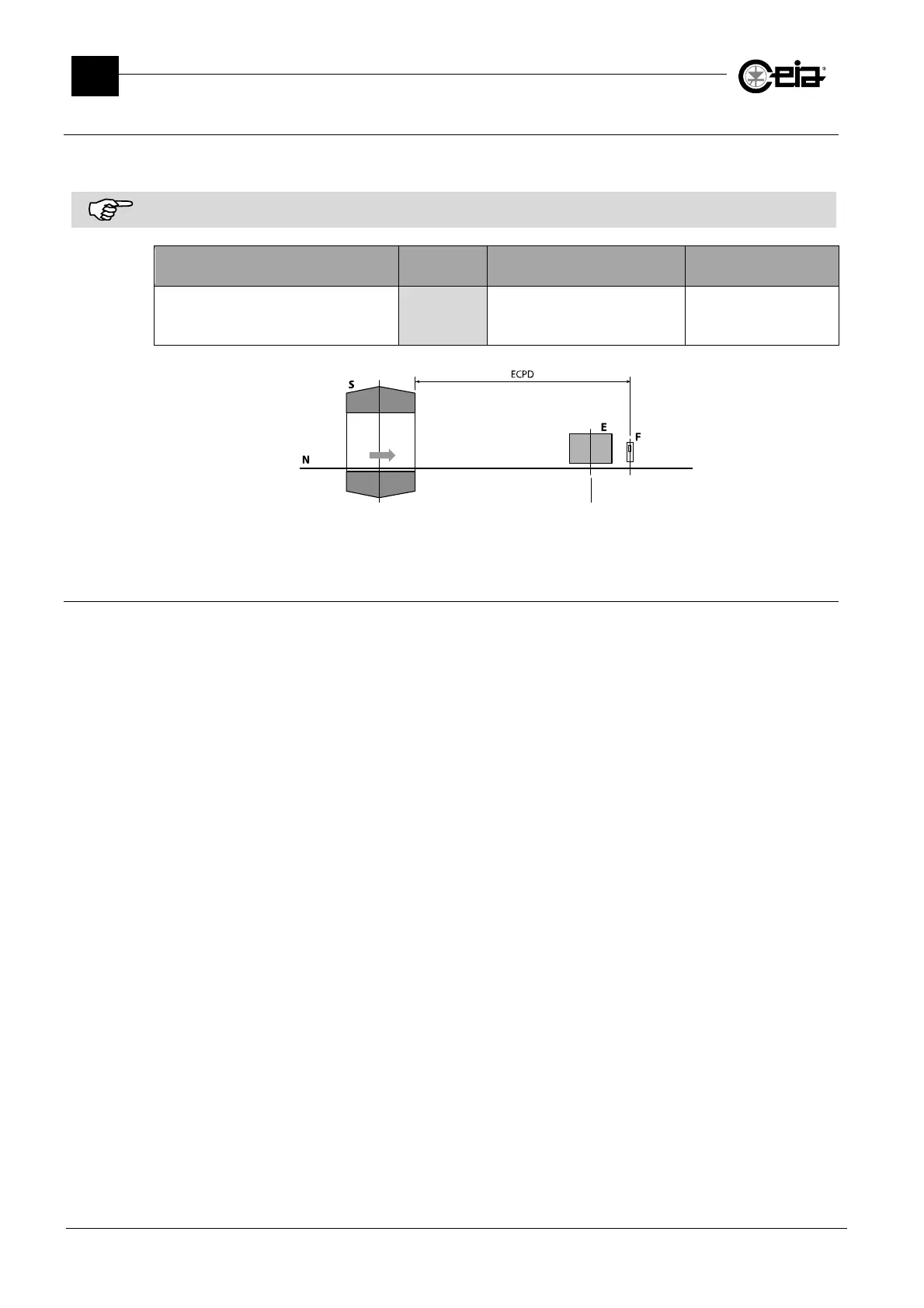
The Ejection Check photocell is needed in cases where it is required to check that, during an ejection,
no product in packs is transiting over the ejection area.
The photocell shall be installed after the ejector and in a position that grant the correct activation by the objects passing
on the conveyor belt, and at the same height (respect to the transit surface) of the synchronization photocell.
Programming menu
Remote
parameter
Description Setting
Configuration(adv) > Check phot.dist
ECPD
Distance between the Metal
Detector and the Ejection Check
photocell
0 - 6000 mm
N: conveyor belt; S: electronics unit; F: photocell; ECPD: distance photocell-Probe;
3.9.9 Ejection mode
The ejection settings enable, after an alarm due to metallic contamination, the manual or automatic
removal of contaminated product.
Select the ejection mode most suited to the application and programme the parameters involved, to
be then verified during the detection verifications with the Test Samples (Programming Manual,
paragraph Programming the Metal Detector according to the kind of product).
On CEIA Integrated Systems, the ejection mode is preconfigured according to the model and its
programming can be adjusted according to the current application.
Enter the Programming phase, on menu Ejection select the parameter Ejection mode and set it
according to the current application. See the following descriptions:



 To Next Page