FI002K0018v1530hUK – THS/21 Instruction manual for installation, use and maintenance
3
INSTALLATION
ORIGINAL INSTRUCTION 85
3.5.6 Connecting to the mains power supply
Only make connections to the internal terminals of the power supply unit when the unit is disconnected from the mains.
If the power supply to the device is different from that specified on the plate, permanent damage may be caused to the
device. CEIA declines all liability for injury to persons and damage to property resulting from failure to follow this
instruction.
Checking that the power supply conforms to the values specified above and to current regulations is the
sole responsibility of the customer.
- Select a cable with wire minimum cross section of 2.5 mm² (AWG14), maximum 4 mm
2
(AWG10) and pass it through the suitably sized cable gland.
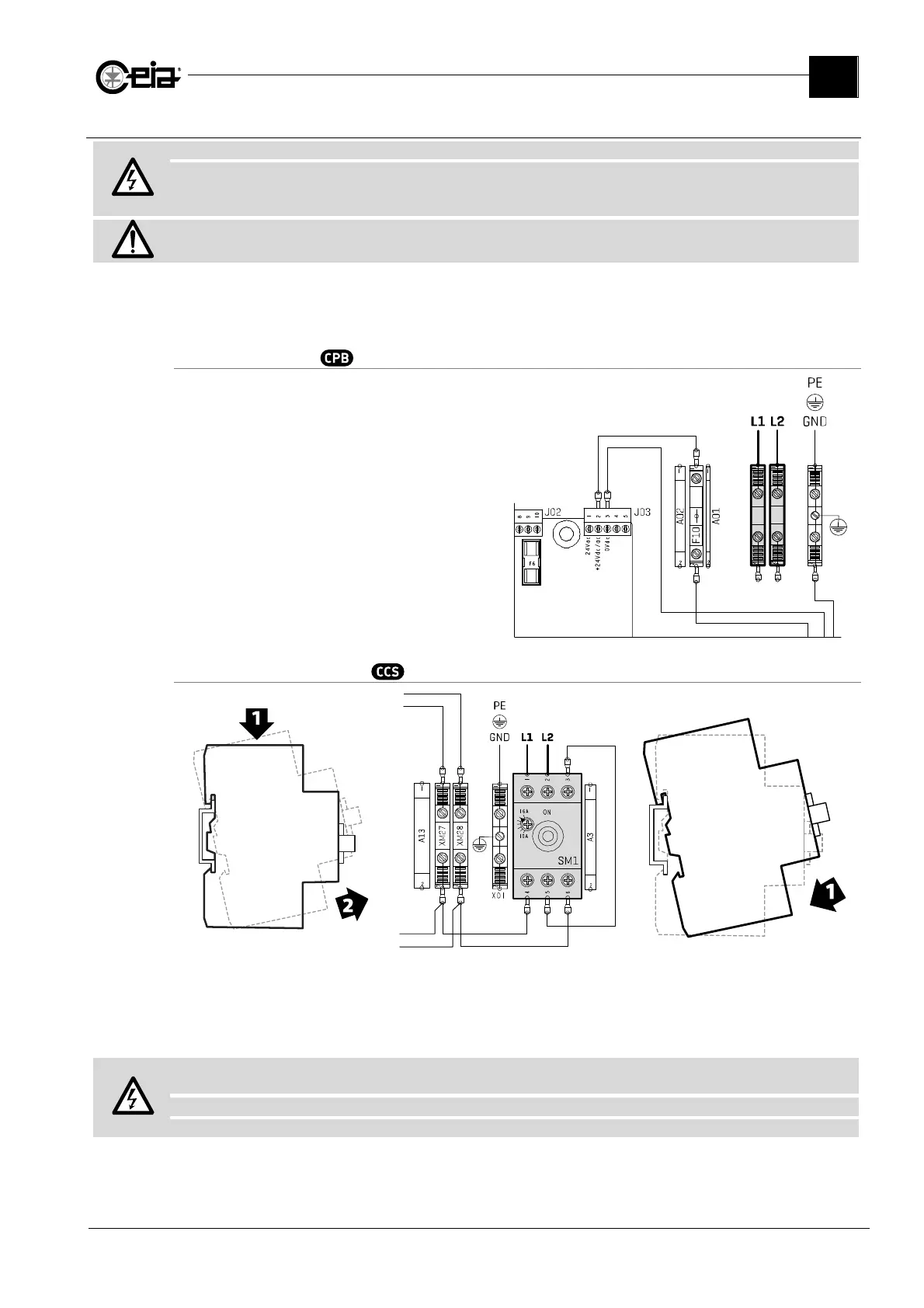
Control Power Box
Connect the mains power supply to the
input (L1 and L2) on the terminal block.
Conveyor Control System
Disconnect the terminal block
from the DIN bar by pressing it
downwards and then rotating it
upwards.
Connect the mains power supply to the
terminals (L1 and L2) of the terminal
block as shown in this figure.
Refit the terminal block to the DIN
bar as shown here. Position the
cable inside the enclosure and close
the door.
Install a magnetothermic switch upstream: 250 VAC, max 16 A (on CE applications)
or class CC fuses, max 15 A (on UL applications).
Insert a differential current switch upstream with intervention current
≥
300 mA
Install a Surge Protective Device (SPD) upstream, with nominal voltage according to the System rating data.



 To Next Page