3
FI002K0018v1530hUK – THS/21 Instruction manual for installation, use and maintenance
INSTALLATION
82 ORIGINAL INSTRUCTION
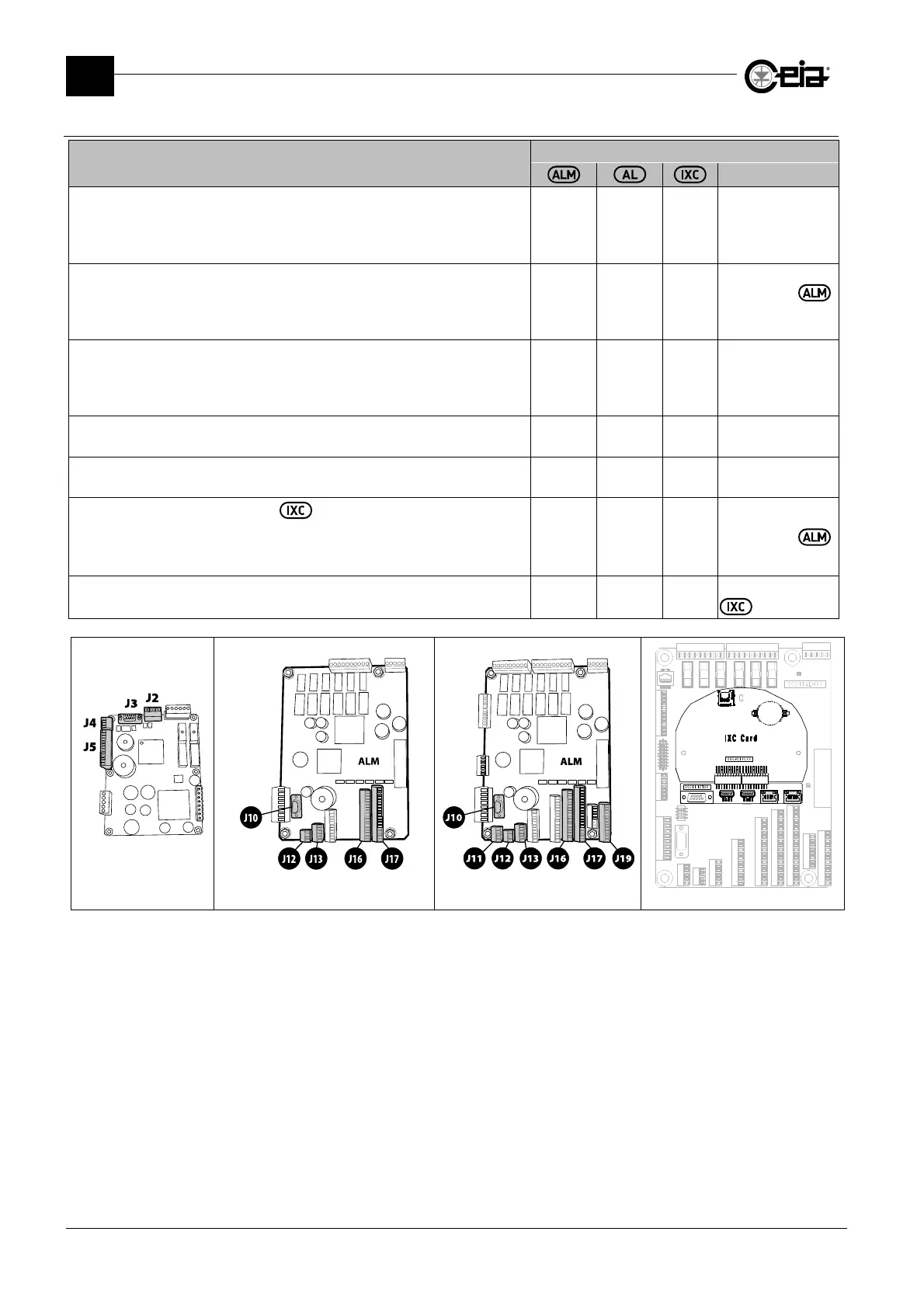
3.5.4 Description of I/O interfaces
I/O INTERFACES
Description
CONNECTION
Note
RS232 Serial interface (sub-D 9p female)
Connection for serial printer or personal computer, used to print or save data,
remote programming and any Metal Detector firmware updates.
Deactivated when BT Wireless connection is active.
J10 J3 -
-
BT Wireless serial interface
Connection with personal computer, used to save data and for remote
programming.
Deactivated when RS232 serial connection is active.
-
- -
Integrated on
card
Barcode reader
Connection to a barcode reader, upstream of the Metal Detector, for automatic
selection of the detection parameters in accordance with the barcode of the
product in transit.
J11
N/A -
-
Auxiliary RS232 serial interface
Connection for OEM integration with other devices (i.e. checkweighers).
J12 J4 -
-
RCU Remote Control Unit
Connection of a remote control unit RCU.
J13 J2 -
-
Ethernet /WiFi interface (only with Network card)
Integrated Web server and connection with LAN network, for remote
programming or production data management through CEIA THS Production
software
- -
ETH1
ETH2
Optional, only
applicable on
card
USB interface
USB key connection for data saving/loading from/to the Metal Detector.
- - USB1
Optional, only with
card
00211AL_ board Standard 00211ALM board Complete 00211ALM board IXC Network card (optional)



 To Next Page