Wheel nut and bearing
1.Check each wheel disc for dents,
deformation, and cracks. Severely damaged
wheel discs should be replaced.
2.Check whether the wheel nuts are tight
and tighten them to the specified torque as
necessary.
Tightening torque:(a):85N·m(8.5kg·m,
61.5ft-lbs)
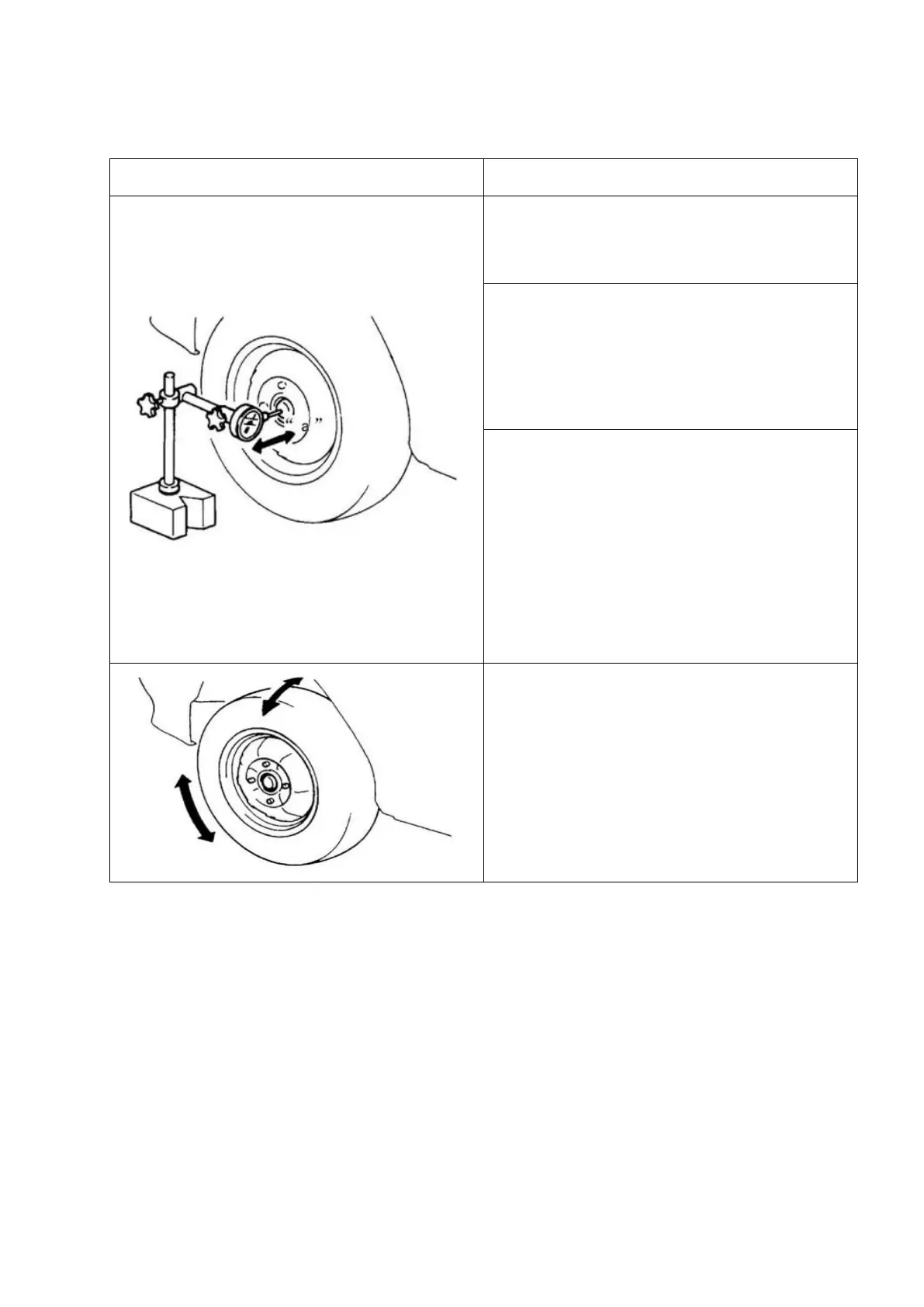
3. Check whether the wheel bearings are
worn. When measuring the axial clearance,
place a dial indicator at the center of the
axle cover.
Axial clearance limit value "a":
0.3mm(0.012in.).
When the measured value exceeds the limit
value, replace the bearing.
4. Rotate the wheel and check whether the
bearing emits noise and rotates smoothly.
If there are any undesirable conditions,
replace the bearing.



 To Next Page