Transmission system
5.1.5 Symptom table
Worn or damaged drive shaft
The dust cover is damaged or
the dust cover clamp is loose
5.1.6 Drive shaft
Removal
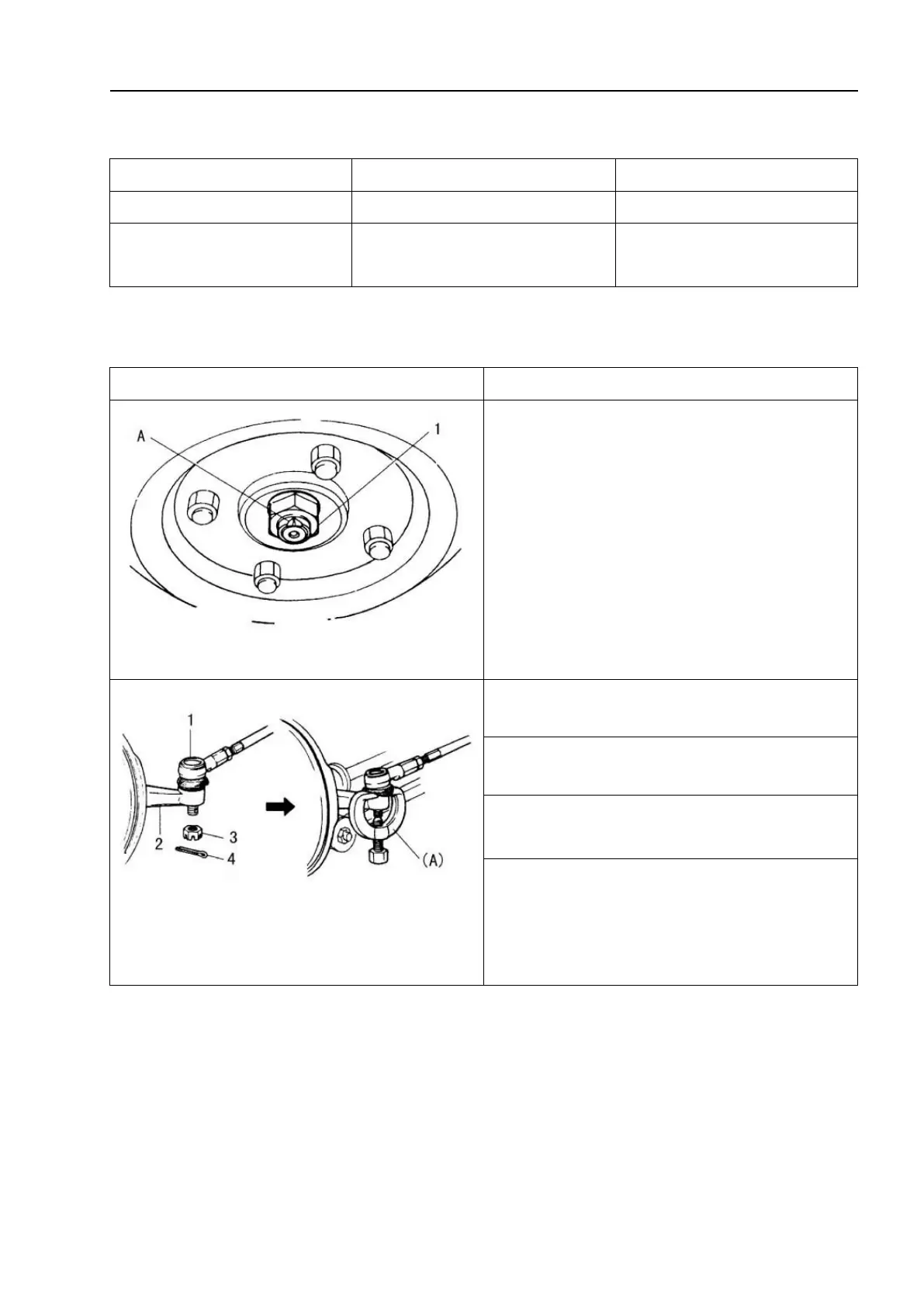
A: Pry off the rivet pin; 1 - Drive shaft nut
1. Pry off the rivet pin and remove the
drive shaft nut and washer.
1 - Steering tie rod joint; 2-Steering knuckle;
3-Slotted nut; 4 – Split pin
4. Remove the split pin and slotted nut of
the steering tie rod joint.
5. Use the special tool to remove the
steering tie rod joint from the steering
knuckle.
Special tool: (A): 09913-65210



 To Next Page