Steering system
10.4.5 Steering wheel
△! Caution
When removing the steering wheel, allow the spiral harness to rotate freely, but do not
rotate the spiral harness (on the combination switch) more than the allowed number of
turns (approximately two and a half turns clockwise or counterclockwise from the center
position, respectively), otherwise the wire coil will break.
Removal
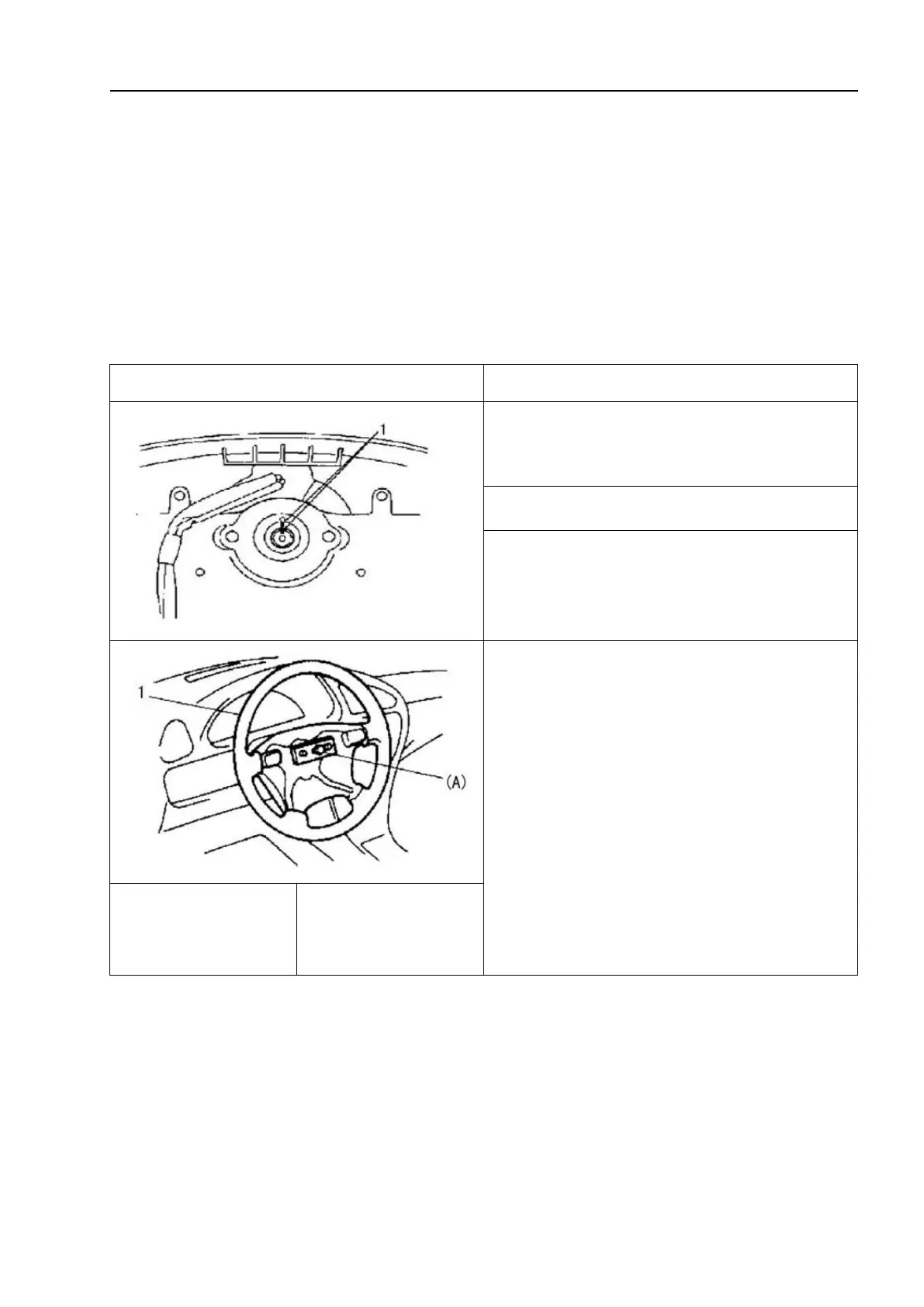
1. Disconnect the negative cable of the
low voltage battery.
2. Remove the steering shaft nut.
3. Make alignment marks on the steering
wheel and shaft for future reinstallation as
a reference.
4. Use the special tool to remove the
steering wheel.
Special tool: (A):09944-36011
△!
Caution
Do not hammer the steering shaft end,
as hammering it will loosen the plastic
shear pins that maintain the length of the
steering column and weaken the collar
design requirements of the steering
column.



 To Next Page