EasyManua.ls Logo

CENNTRO LOGISTAR 100 - Seat

Default Icon
468 pages
Print Icon
To Next Page IconTo Next Page
To Previous Page IconTo Previous Page
Loading...
Interior trim
65
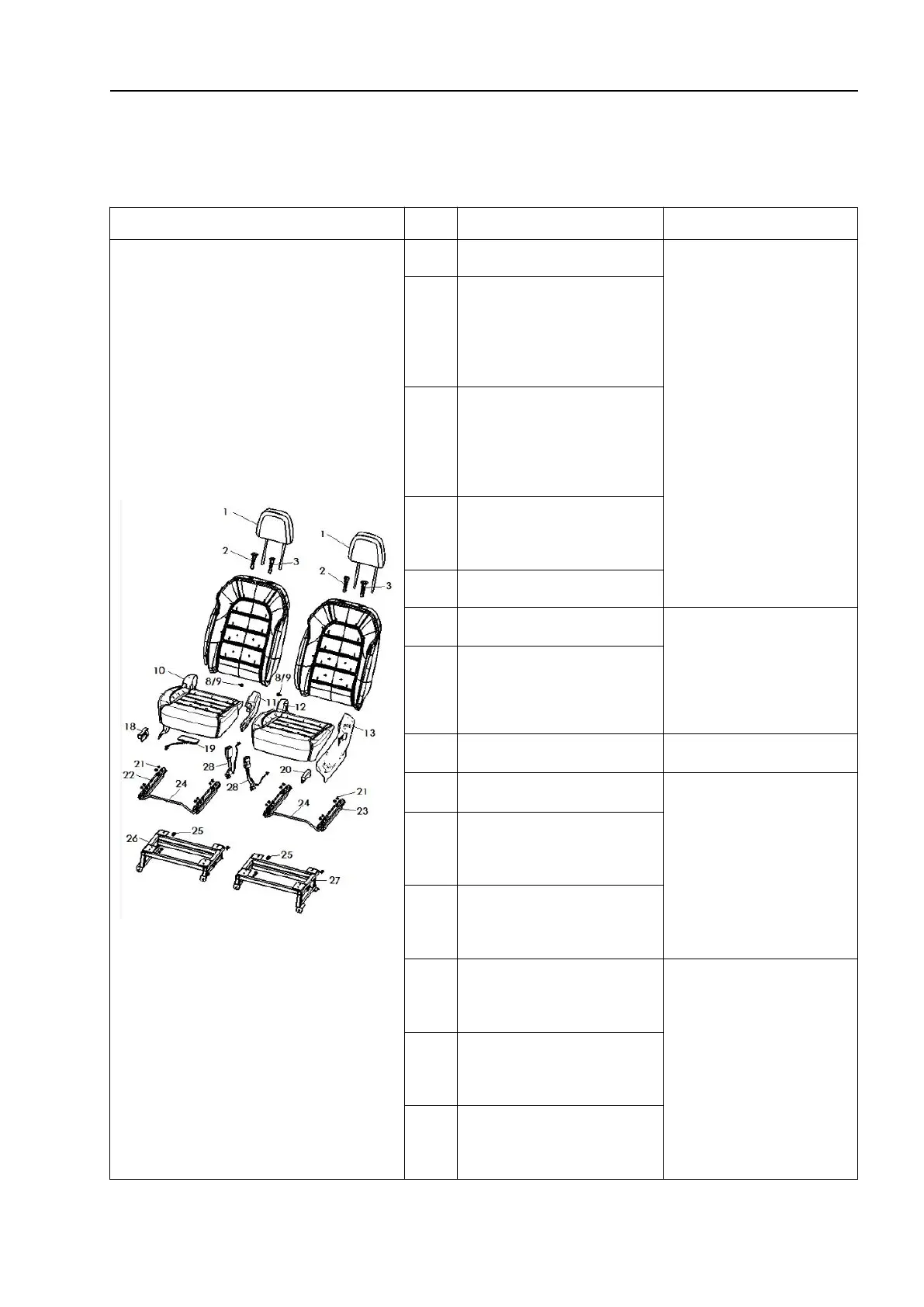
4.2 Seat
4.2.1 Seat
Schematic diagram
S/N
Name
Removal steps
1
Headrest assembly
1. Remove the seat
slide rail mounting
bolts. Then, remove
the seat assembly
(front seat) together
with the seat slide
rail.
2
Headrest height
adjustment sliding
sleeve
3
Headrest height
adjustment limit
sliding sleeve
8
Backrest inner step
mounting bolt
9
Step bolt gasket
10
Outer guard - right
2. If necessary,
remove and
disassemble the
seat.
11
Inner guard - right
12
Inner guard - left
Removal steps
13
Outer guard - left
1. Install the front
seat in the reverse
order of removal.
18
Angle adjuster cover -
right
19
Seat pressure sensor
(SBR)
20
Angle adjuster cover -
left
2. Tighten the bolts
to the torque given
below. Tightening
torque:
(a):35N·m(3.5kg·m,
25.5ft-lbs)
21
Upper slide rail
mounting nut M8
22
Slide rail
assembly-right

Table of Contents