EasyManua.ls Logo

CENNTRO LOGISTAR 100 - Brake Pad

Default Icon
468 pages
Print Icon
To Next Page IconTo Next Page
To Previous Page IconTo Previous Page
Loading...
Braking system
169
9.1.9 Brake pad
Removal
Schematic diagram
Steps
1
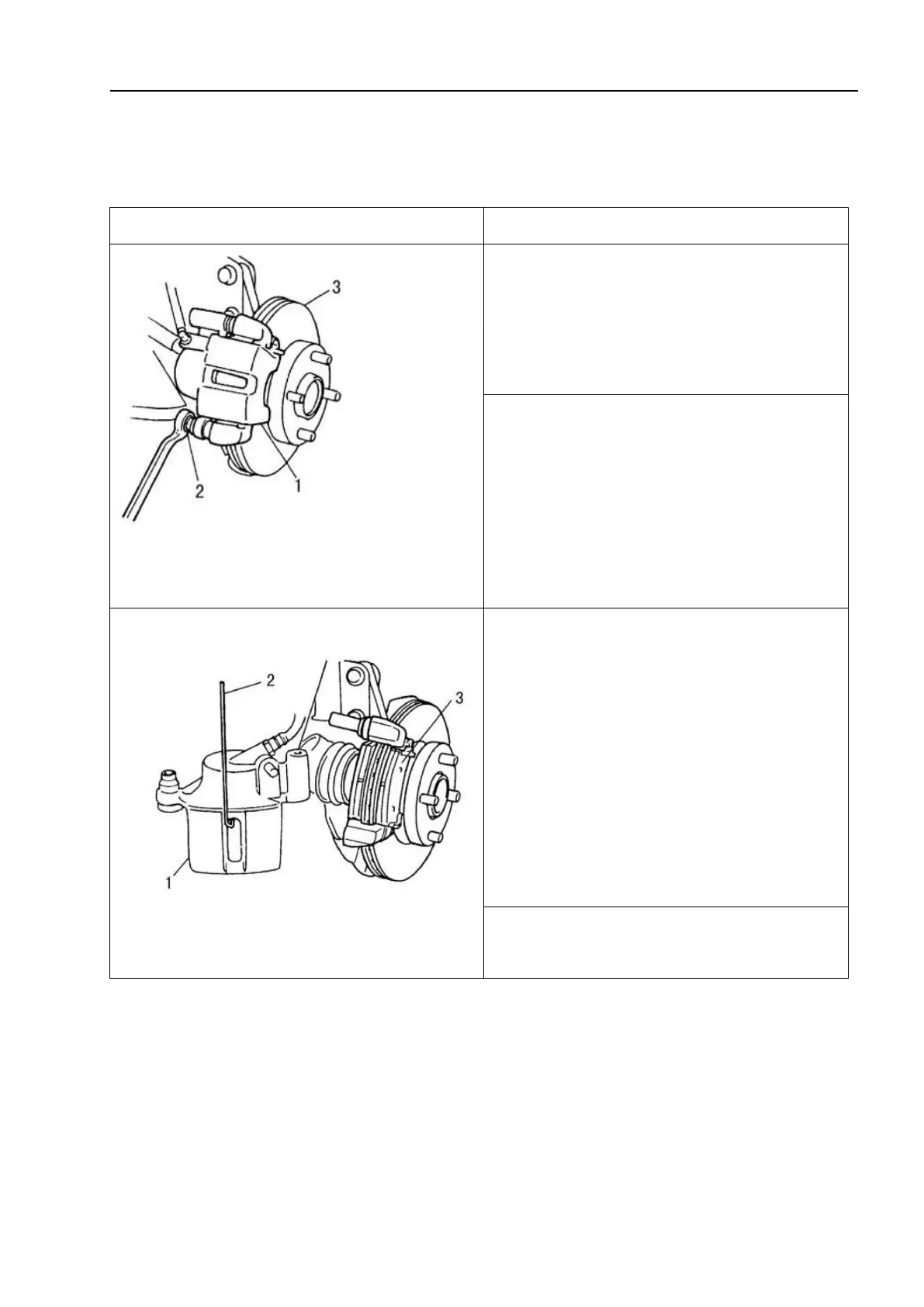
-Brake caliper; 2-Brake mounting bolt; 3-Brake
disc
1. Remove the wheel.
2. Remove the brake caliper bolt pin.
1-Brake caliper; 2-Metal hook; 3-Pad
3. Remove the brake caliper body from
the brake caliper bracket.
! Caution
Hook up the brake caliper body with a
metal hook or use similar methods to
prevent excessive bending, twisting, or
pulling of the brake hose. Do not operate
the brake pedal after removing the brake
pad.

4. Remove the brake pad.

Table of Contents