Air conditioning control system
11.5.3 Condenser assembly
Removal and installation
△
! Tips:
Every time the refrigerant pipeline is removed, all sealing rings on the refrigerant
pipeline must be replaced.
After removing the refrigerant circulation pipeline, pay attention to using sealing plugs
to seal the air conditioning circulation pipeline.
1. Use the air conditioning refrigerant
charging and discharging machine to
extract the refrigerant.
2. Remove the front bumper assembly.
3. Remove the condenser fan assembly.
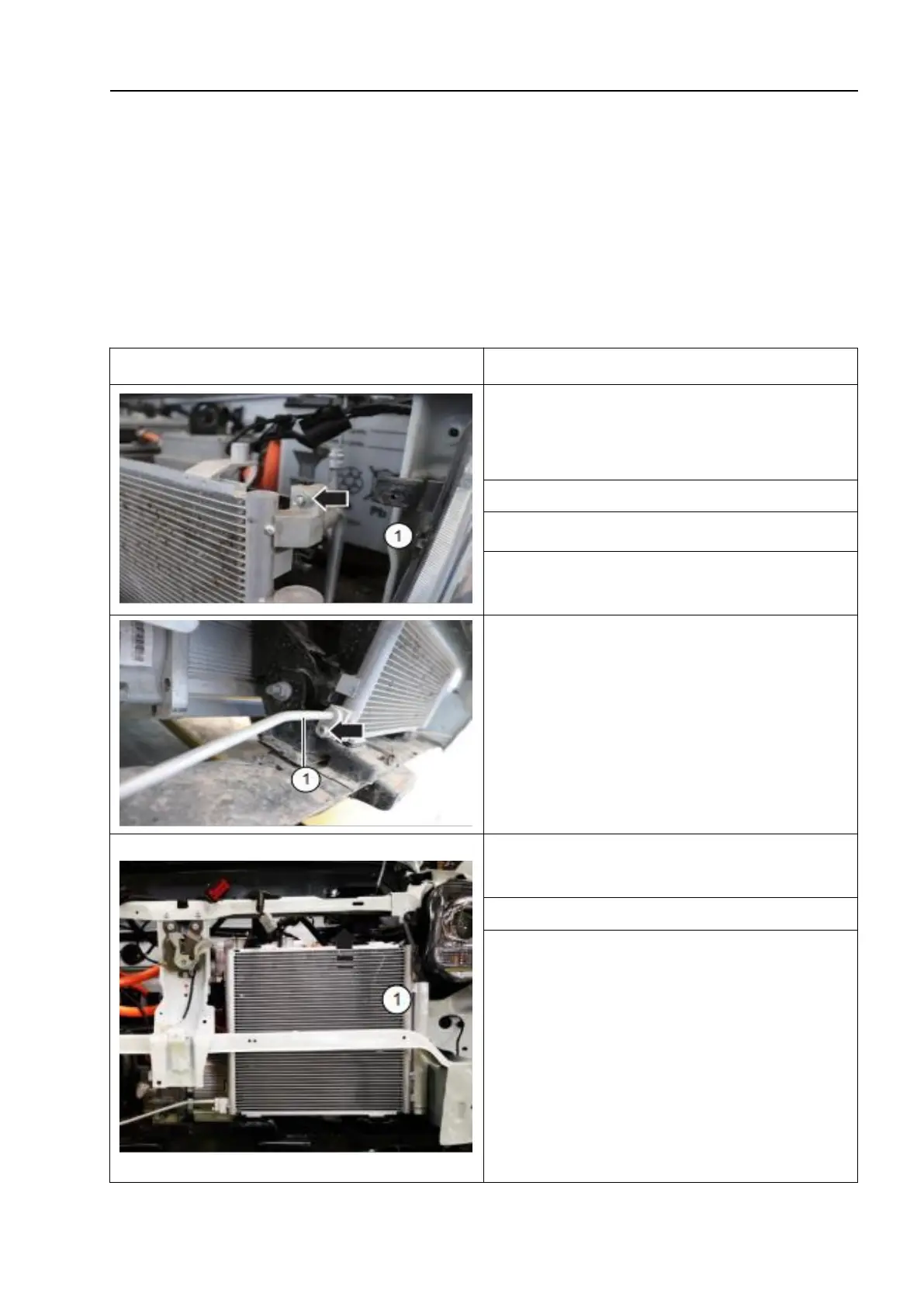
4. Unscrew the fixing nut and disconnect
the compressor discharge pipe - 1 -.
5. Unscrew the fixing bolt and disconnect
the condenser outlet pipe 2 - 1 -.
6. Remove the condenser assembly - 1 - in
the direction of the arrow.
The installation sequence is the reverse of
the removal sequence, noting the following:
△!
Tips:
Fill the air conditioning refrigerant into
the air conditioning refrigerant charging
and discharging machine.
Check the air tightness of the
refrigerant circulation circuit.



 To Next Page