Air conditioning control system
Removal and installation of condenser fan assembly
1 Disconnect the negative battery cable.
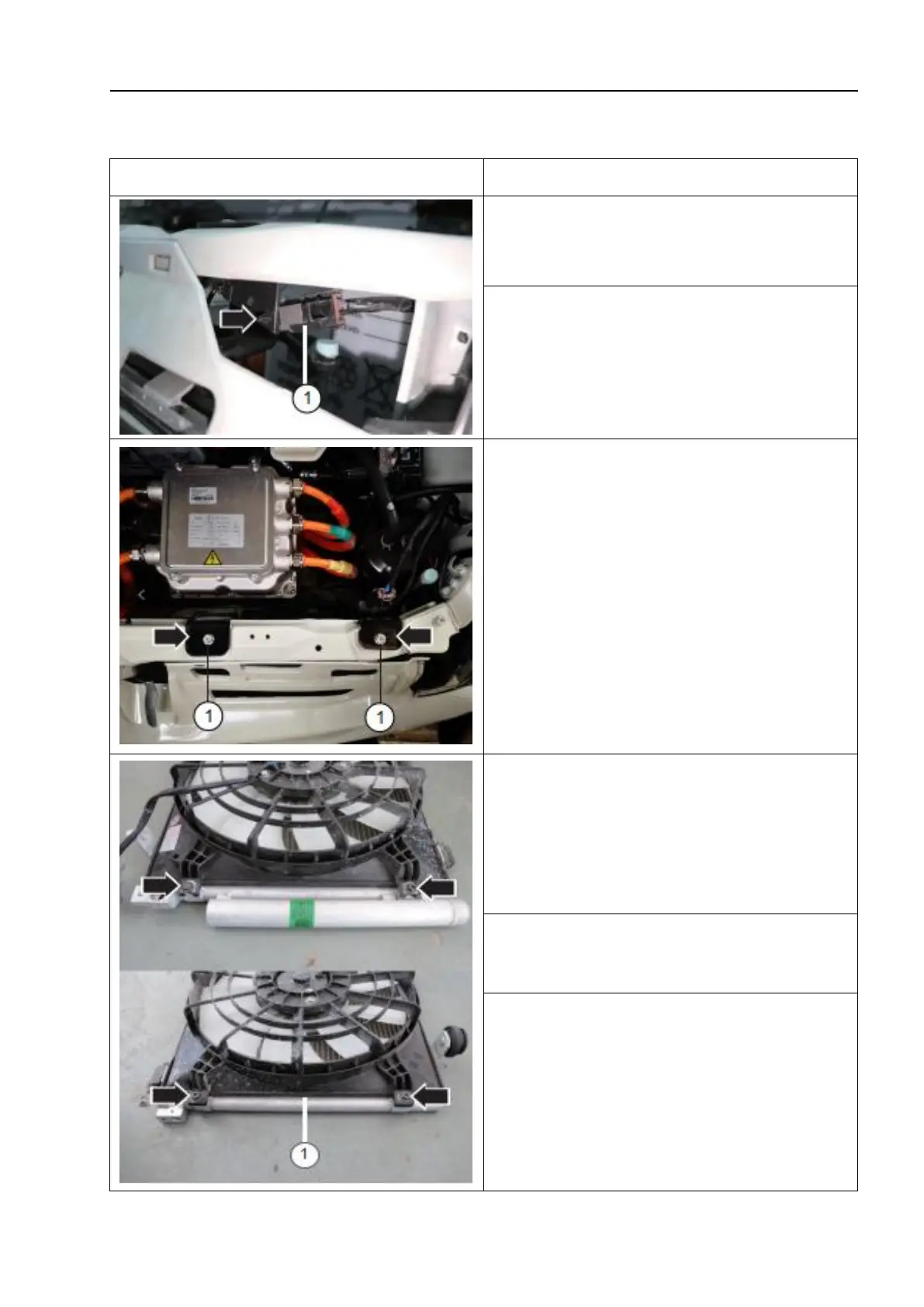
2. Remove the condenser fan plug fixing clip
and disconnect the condenser fan connection
plug - 1 -.
3. Unscrew the fixing bolts of the
condenser bracket and remove the
condenser bracket - 1 -.
4. Unscrew the fixing bolts and remove
the condenser fan assembly - 1 -.
1. The installation sequence is the reverse
of the removal sequence, noting the
following:
After installation, check the function of the
condenser fan assembly.



 To Next Page