Exterior trims
3.8 Bumper
3.8.1 Rear bumper
△! Caution
Fasteners are important accessory components that can affect the performance of
crucial components and systems, and/or can affect major repair costs. If it needs to be
replaced, it must use the components of the same model or equivalent. Do not use low
quality replacement parts or alternative designs.
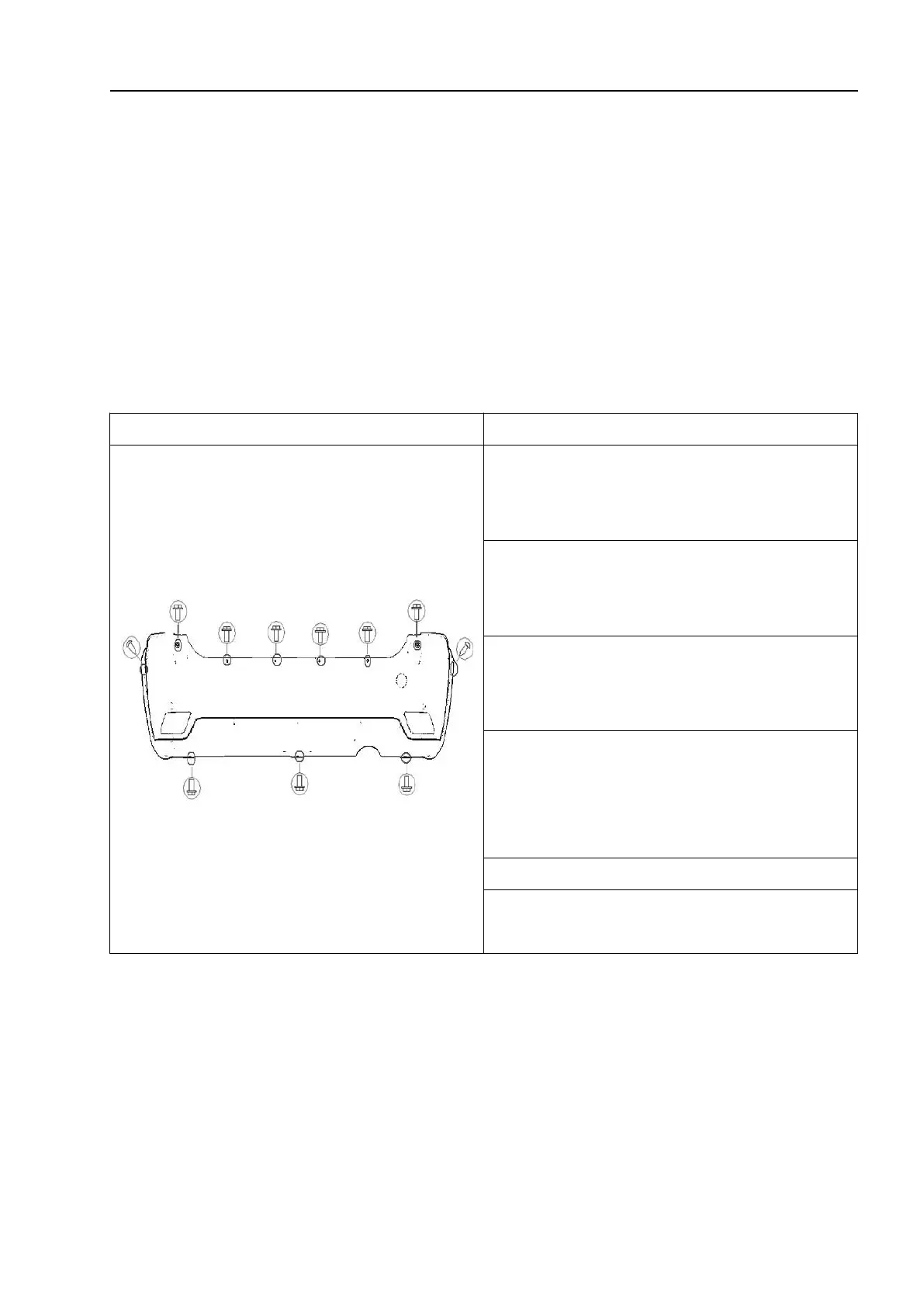
Removal and installation
1. Remove the bolts and screws at the
positions shown in the figure, and remove
them from bottom to top.
2. Remove the side of the bumper from the
slot in the bumper mounting bracket from
both sides.
3. Disconnect the rear fog lamp tail,
reversing camera, and body harness
connectors.
4. Lift the rear bumper down from the rear
end of the rear bumper, and then the rear
bumper will be detached from the vehicle
body.
1. Install the rear bumper in the reverse
order of removal.



 To Next Page