EasyManua.ls Logo

CENNTRO LOGISTAR 100 - Gear Shift System; Shifter Assembly

Default Icon
468 pages
Print Icon
To Next Page IconTo Next Page
To Previous Page IconTo Previous Page
Loading...
Power drive
80
6.2 Gear shift system
6.2.1 Shifter assembly
Schematic diagram
Removal steps
1. Disconnect the negative cable of the
low voltage battery.
2. Remove the center decorative bright
strip assembly.
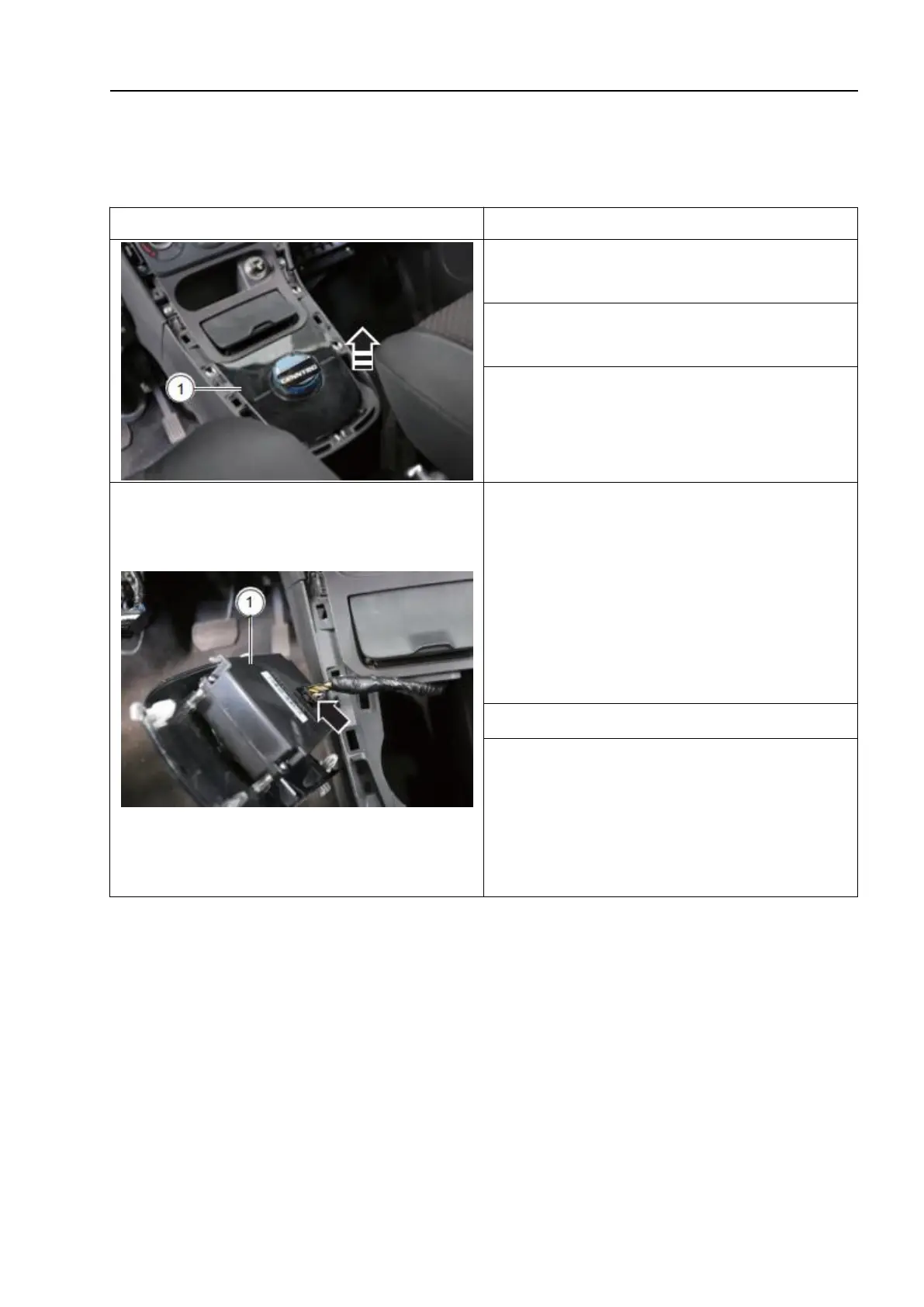
3. Remove the shifter assembly - 1 - in the
direction of the arrow.
△!
Caution:
Carefully take out the shifter assembly
until the shifter assembly connecting plug
can be disconnected.
4. Disconnect the connecting plug - as
shown by the arrow - and remove the shifter
assembly - 1 -.
Installation steps
1. The installation sequence is the reverse
of the removal sequence, noting the
following:
After installation, check the function of the
shifter assembly.

Table of Contents

Related product manuals