Air conditioning control system
11.6 Distribution system
11.6.1 Central vent assembly
Removal and installation
1. Disconnect the negative battery cable.
2. Remove the center decorative bright
strip assembly (upper).
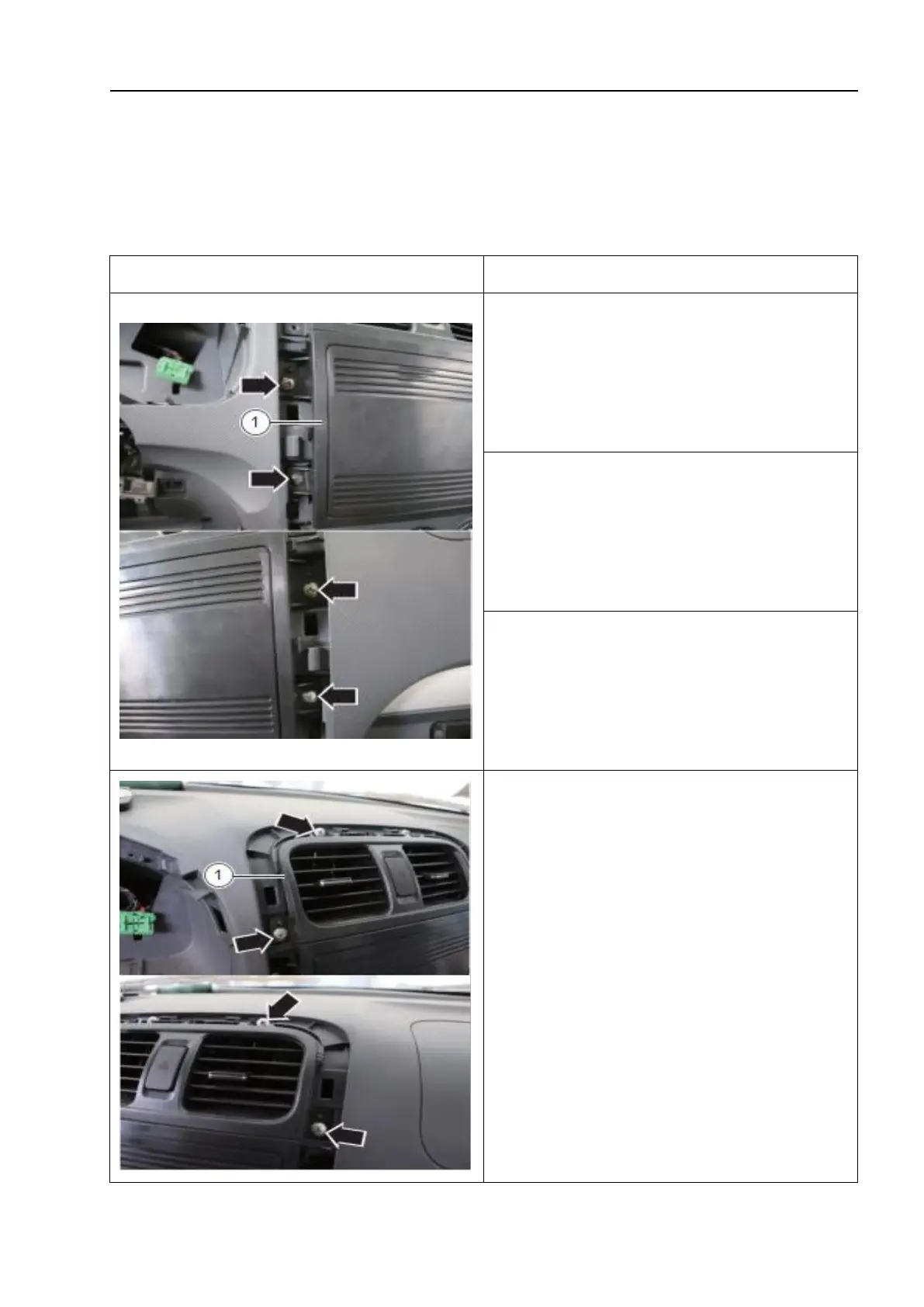
3. Unscrew the fixing screws and remove
the central upper panel - 1 -.
4. Unscrew the fixing screws and remove the
central vent assembly - 1 -.
△!
Tips:
Carefully take out the central vent
assembly until the hazard warning switch
connection plug can be disconnected.



 To Next Page