EasyManua.ls Logo

Cessna 182 1978 - Page 444

Cessna 182 1978
680 pages
Print Icon
To Next Page IconTo Next Page
To Previous Page IconTo Previous Page
Loading...
MODEL
182
&
T182
SERIES
SERVICE
MANUAL
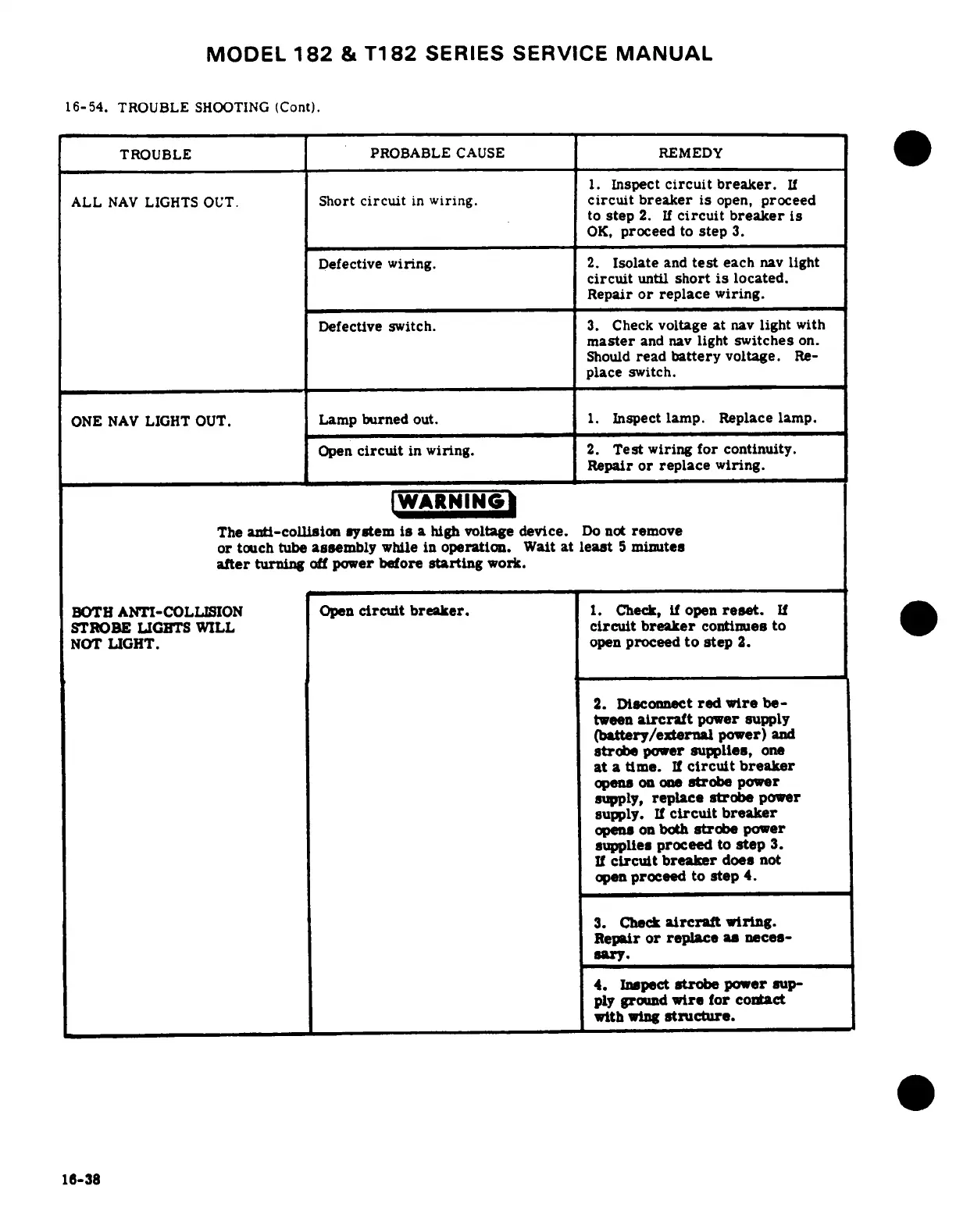
16-54.
TROUBLE
SHOOTING
(Cont).
TROUBLE
PROBABLE
CAUSE
REMEDY
1.
Inspect
circuit
breaker.
If
ALL
NAV
LIGHTS
OUT.
Short
circuit
in
wiring,
circuit
breaker
is
open,
proceed
to
step
2.
If
circuit
breaker
is
OK,
proceed
to
step
3.
Defective
wiring.
2.
Isolate
and
test
each
nav
light
circuit
until
short
is
located.
Repair
or
replace
wiring.
Defective
switch.
3.
Check
voltage
at
nav
light
with
master
and nav
light
switches
on.
Should
read
battery
voltage.
Re-
place
switch.
ONE
NAV
LIGHT
OUT.
Lamp
burned
out.
1.
Inspect
lamp.
Replace
lamp.
Open
circuit
in
wiring.
2.
Test
wiring
for
continuity.
Repair
or
replace
wiring.
The
anti-collision
system
is
a
high
voltage
device.
Do
not
remove
or
touch
tube
assembly
while
in
operation.
Wait
at
least
5
minutes
after
turning
off
power
before
starting
work.
BOTH
ANTI-COLLISION
Open
circuit
breaker.
1.
Check,
if
open
reset.
If
STROBE
LIGHTS
WILL
circuit
breaker
continues
to
NOT
LIGHT.
open
proceed
to
step
2.
2.
Disconnect
red
wire
be-
tween
aircraft
power
supply
(battery/external
power)
and
strobe
power
supplies,
one
at
a
time.
If
circuit
breaker
opens
on
one
strobe
power
supply,
replace
strobe
power
supply.
If
circuit
breaker
opens
on
both
strobe
power
supplies
proceed
to
step
3.
If
circuit
breaker
does
not
open
proceed
to
step
4.
3.
Check
aircraft
wiring.
Repair
or
replace
as
neces-
sary.
4.
Inspect
strobe
power
sup-
ply
ground
wire
for
contact
with
wing
structure.
16-38

Table of Contents

Cessna 182 1978 - Page 444