Programmable DC Power Supply (with Solar Array Simulation) 62000H Series
Operating & Programming Manual
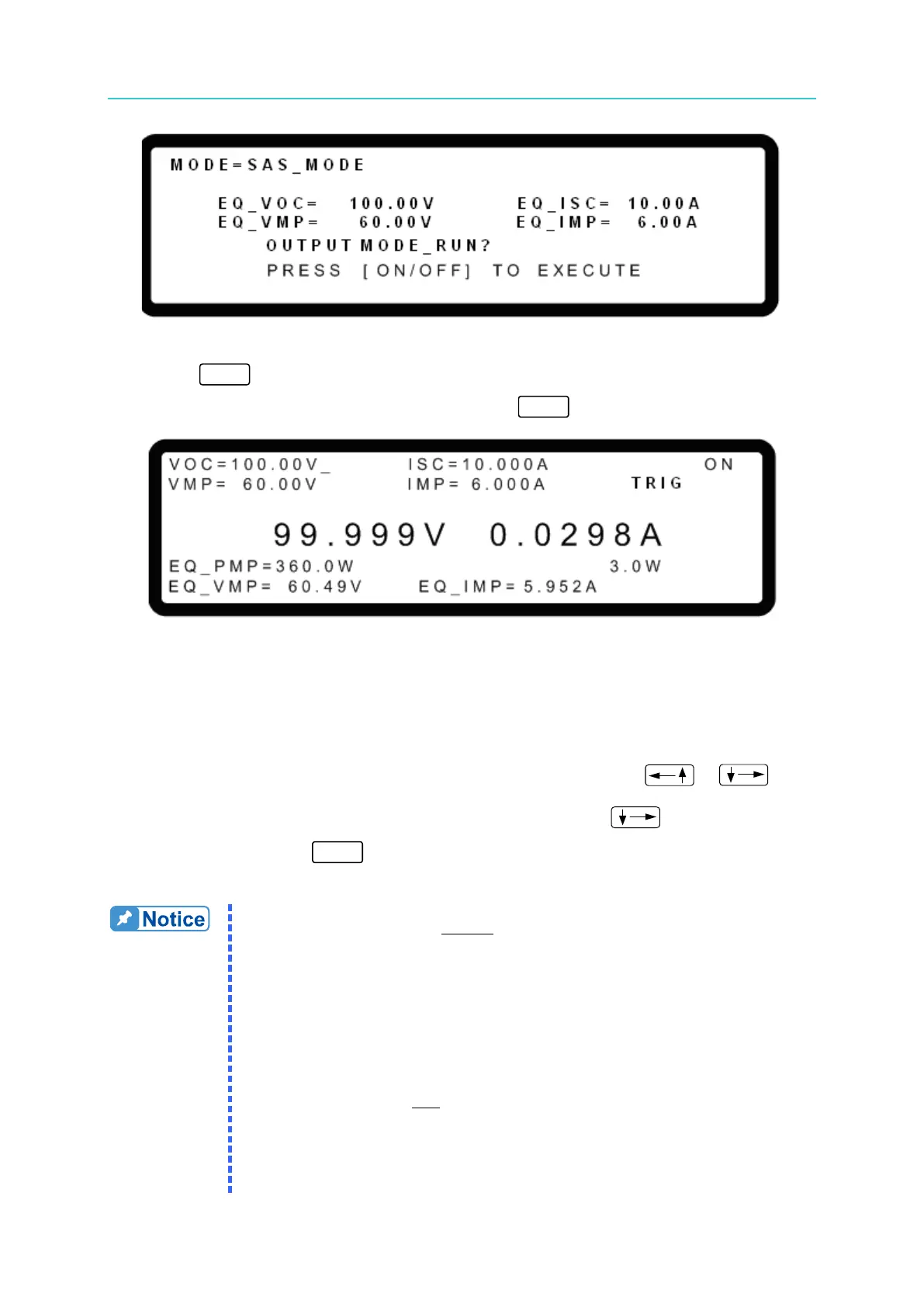
Figure 3-163
6. Press “
” again to start program execution. The SAS MODE main screen will
display as shown in Figure 3-164. To quit, press “ ” to return to the MAIN PAGE.
Figure 3-164
Figure 3-164 shows the screen during SAS MODE output. The EQ_PMP, EQ_VMP and
EQ_IMP are the actual operating points that are calculated from the user settings for VMP
and IMP using the built-in formula. Since the model formula will use the entered Vmp and Imp
to get the maximum power point, the calculated Vmp and Imp may be different.
The VOC, ISC, VMP and IMP parameters can be changed using the “
”, “ ”
function keys. When any of the parameters are modified, use the “
” keys to move the
cursor to TRIG and press “ ” to confirm. The IV curve and EQ_PMP, EQ_VMP and
EQ_IMP parameters will be immediately updated.
1. Fill Factor (FF):
2. Voc, Vmp, Isc and Imp parameter limits:
a.
b.
c.








 To Next Page