C ylind rica l e n g r a ving
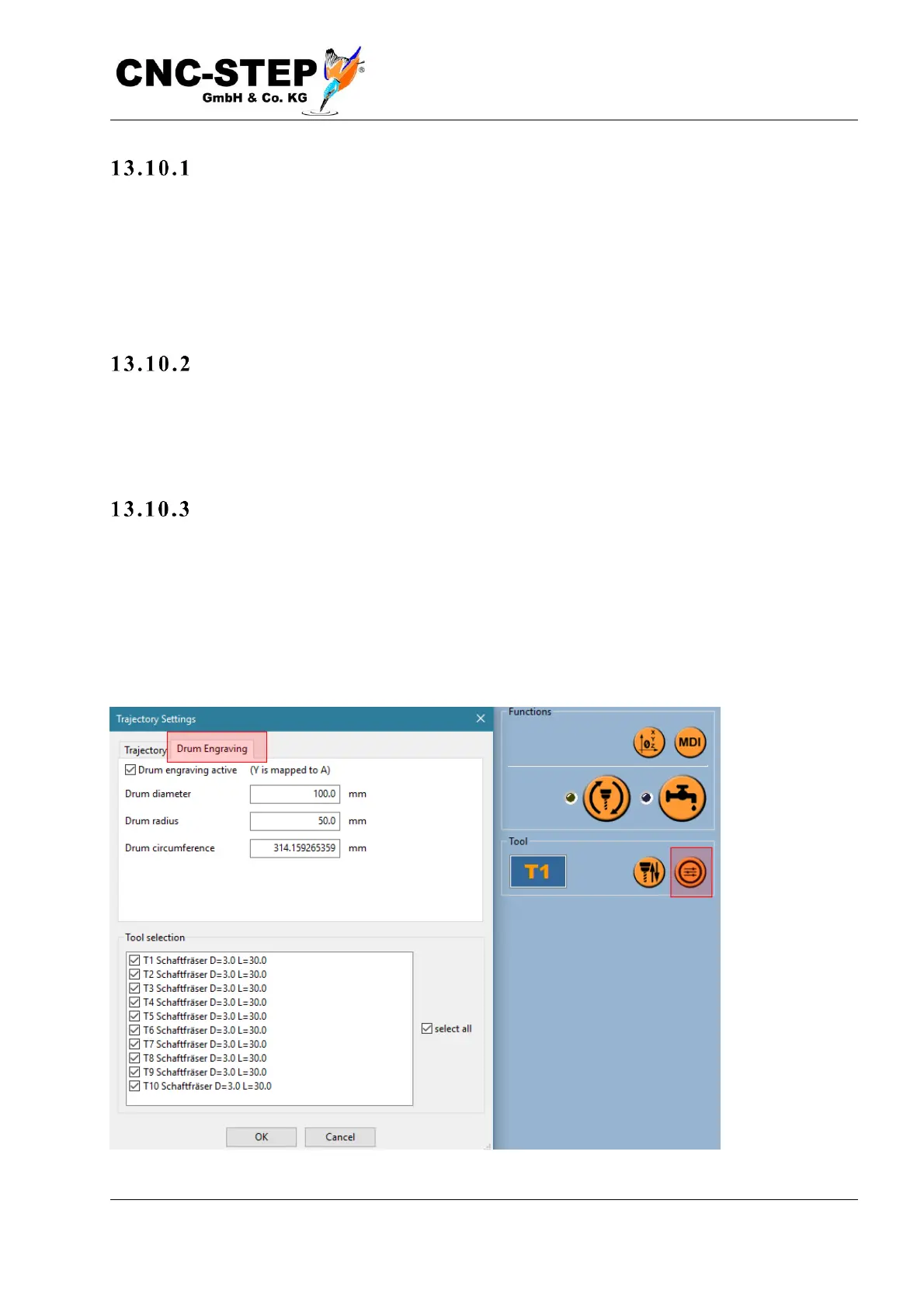
Drum engraving is the simplest machining method with a rotary axis. The normally flat working
plane (XY) is "wound up" on the circumference of a cylindrical surface. If the axis of rotation is
aligned parallel to the X axis, the axis of rotation (A) is moved, for example, instead of the Y axis.
To avoid distortion of the image, the workpiece diameter must be known. This is necessary for the
controller to calculate how many degrees of turn it takes to travel a certain distance on the surface.
Si mp ly without CAM
For drum engraving, no special CAM program with rotary axis support is required. You can even
use an existing NC program that was originally designed only for flat plate flat machining, later for
drum engraving.
W here is t h e ro tary axis mo u nt ed?
All you have to do in the machine configuration (configuration->machine->special->drum
engraving) (see picture above) is see if the axis of rotation is parallel to the X or Y axis.) Normally
the axis of rotation will be parallel along the long side of the machine In this case, select "Y-axis is
projected on A-axis" and activate the option "Position is determined from current zero point" as
shown below: workpiece diameter and Y and Z position of the axis of rotation are still irrelevant at
the moment and will be specified later.



 To Next Page