Out p uts and to o l sp indl e
Switches the tool spindle in the corresponding direction of rotation.
Depending on the machine type, only one of these buttons may be displayed.
Turn on flood or spray cooling. Depending on the machine type, it may be that
only one of the two types of cooling exists.
The co o rdi n ates di s pla y
In the middle column, the coordinate displays are located at the top, where the positions of the axes
are displayed. The position values always refer to the current zero point, which can be selected with
the selection button below.
Off sets
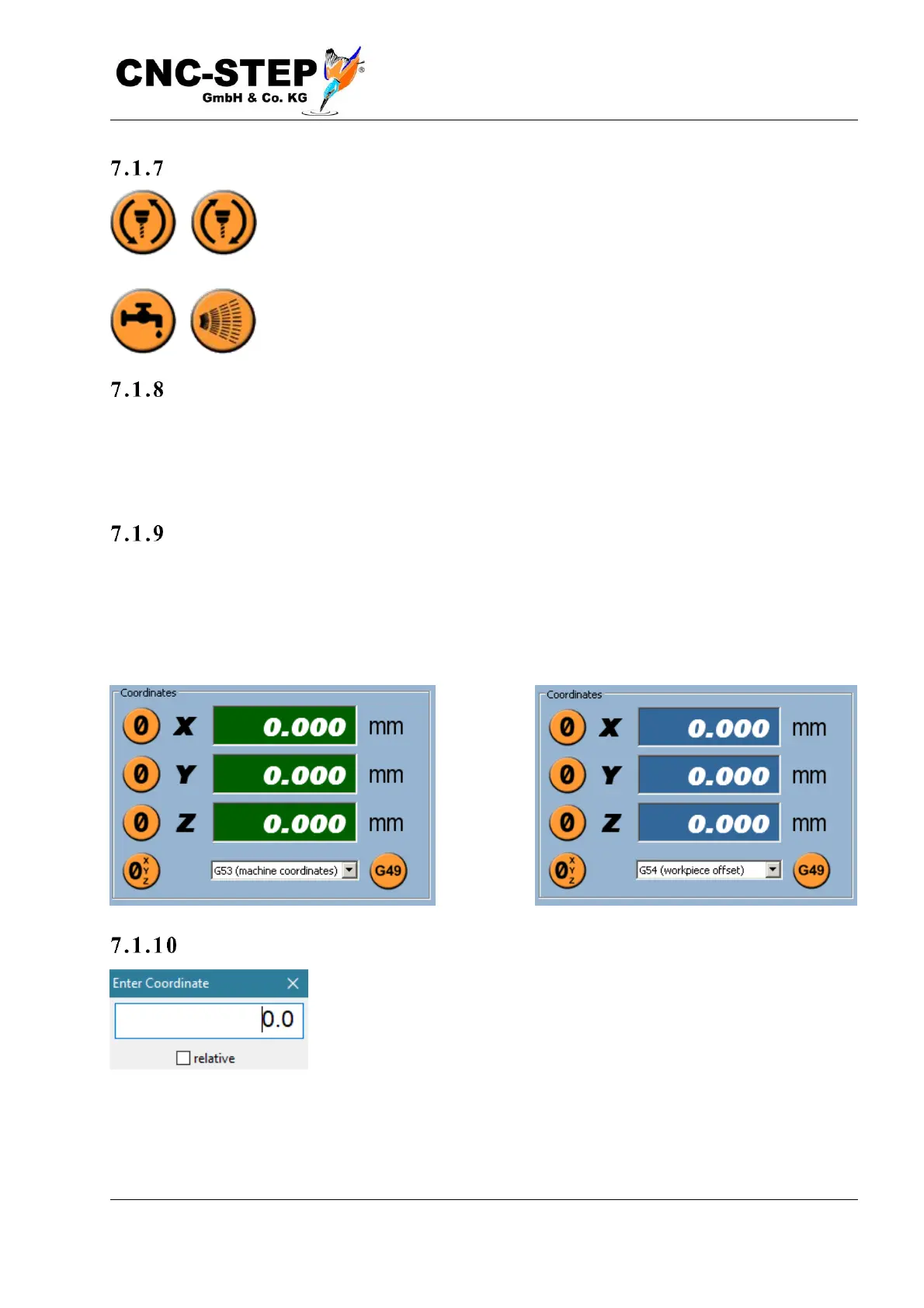
For G53 the coordinates are absolute (machine zero) and are shown in white on green, all other
choices are workpiece related offsets and are displayed in white on blue. All workpiece offsets G54
to G59 are permanently stored on the hard disk of the computer and are retained even after the
software has been exited and restarted.
Set t h e co ord ina t es
By double-clicking with the left mouse button on a number, a coordinate
can be entered manually. The selection "relative" means that the number
input is added to the current coordinate.
For example, the coordinate Z is currently at a value of 50,000. A manual input of 30,000 would set
the coordinate to a value of 30,000, and if the option "relative" would be used, an input of 30,000
would set the coordinate to a value of 80,000.



 To Next Page