Ca mer a -cent eri ng
An alternative method for determining edge or bore positions is to use a miniature camera as a
centering microscope. For this purpose, special cameras are commercially available, usually with
USB port and a cylindrical shank, which can also be used in the recording of the tool spindle.
Working with height probe
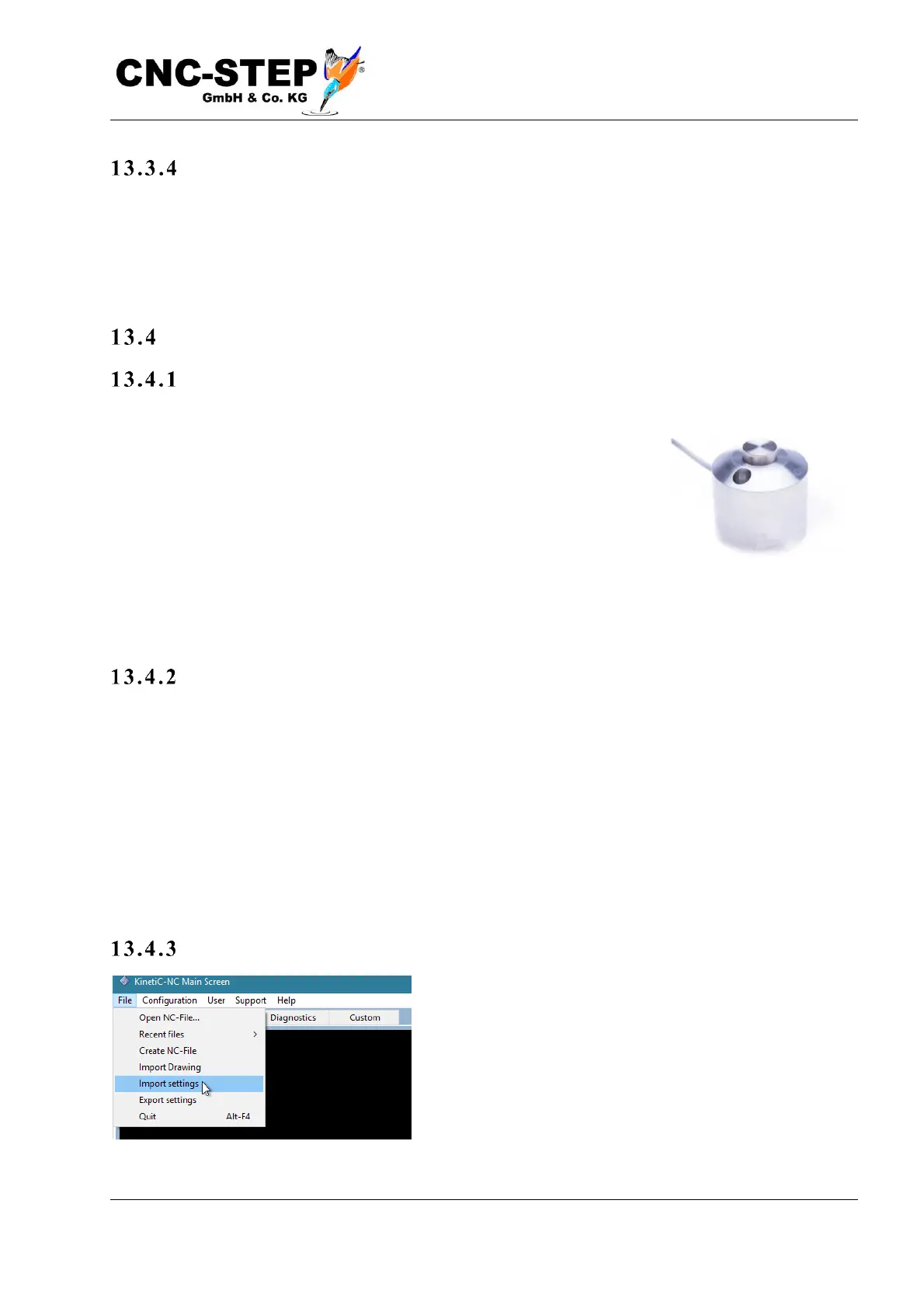
What is a hei ght p robe?
A height probe is a small device that gives an electrical signal to the
controller when it is driven from above with a tool. It can either be used -
permanently installed - to measure the length of the tool after a tool
change. In this case we speak of a tool length sensor. Or it is used mobile
to determine the height of the workpiece surface, and to set the zero
point automatically. This is a significant reduction in labour compared to
the direct "scratching" of the workpiece surface or the "paper method"
mentioned above.
The p rocedure
The procedure is as follows: The button is connected to the controller and placed on the material
surface. The tool is moved vertically over the button of the probe. Then a macro is called, which
means a small program is started, that does the measurement automatically. The tool moves slowly
on the probe until the switching point is reached. The height of the probe itself, from the top button
to the bottom of the case, is subtracted from the position reached, and the result is stored as the Z
coordinate of the workpiece offset. Thus, after that, the coordinate zero point is located exactly on
the workpiece surface.
Conn e cti o n
The height probe is normally connected to an extra socket
on the machine or controller. For more detailed
information, please refer to the documentation for your
control hardware. To use the macro for hight
measurement, you must first import it.



 To Next Page