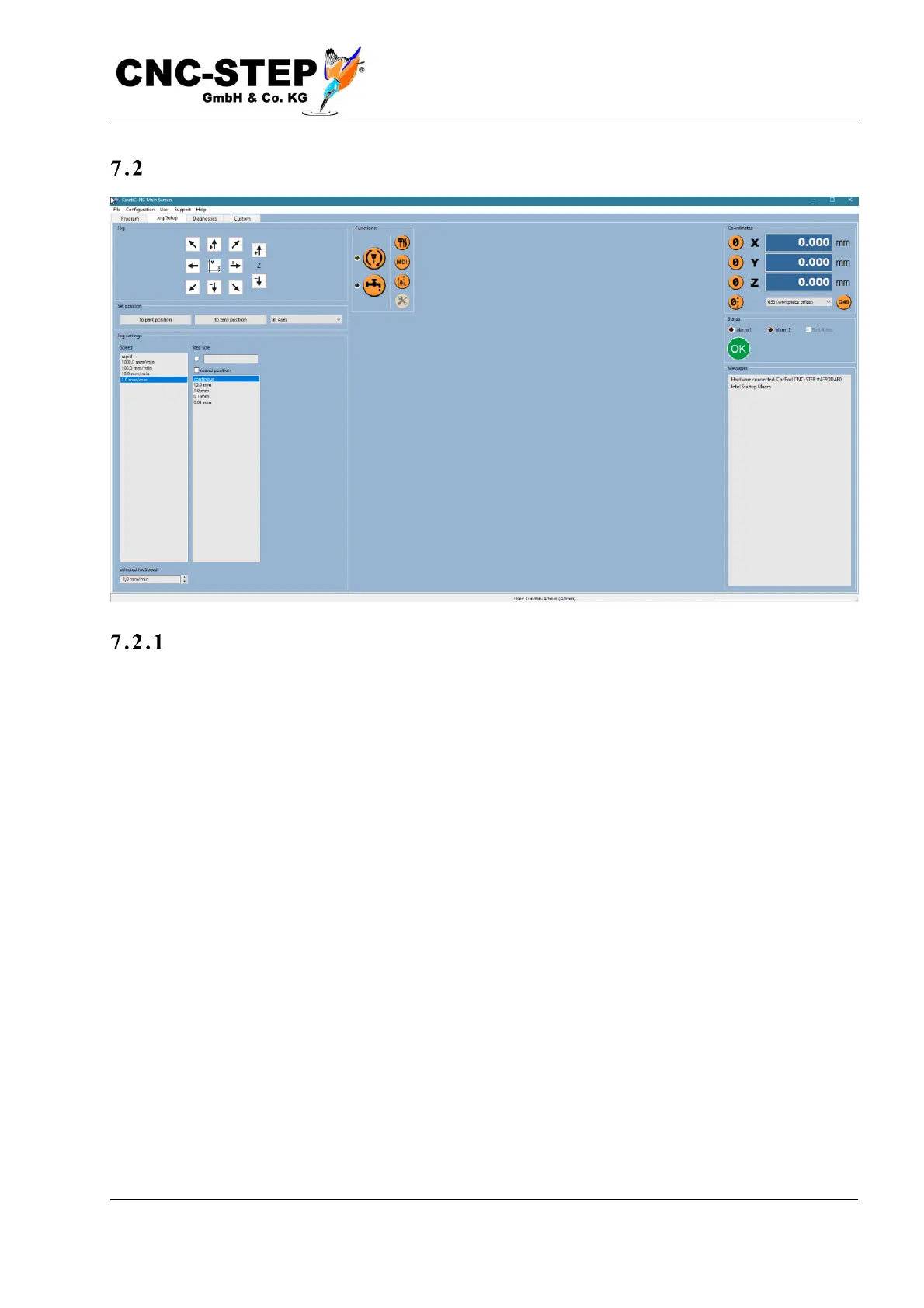
The setup screen
The jo g buttons
This page is intended for setup. Just as with the program page, there is the coordinate display on the
right, the message texts in the bottom right corner and the emergency stop display in the middle.
Instead of the program text and graphics window, however, controls for manually moving the axes
(jog) are available. The buttons with the arrows start directly a drive of the associated axis in the
appropriate direction. The speed and step size can be selected using the selection buttons below.
"Continuous" means the axis is moving as long as the arrow button is pressed and stops when
released. For finite step sizes, and when "Position rounding" is active, the axis travels a maximum
until the next position value rounded to the step size (with increments of "10mm", the axis travels a
maximum of, for example, 481 to 490mm). The arrow button still has to be pressed for the axis to
move, or in other words, if you release the button before the step size expires, the axis will stop
immediately. This is to prevent a collision, if one has misjudged the free distance.



 To Next Page