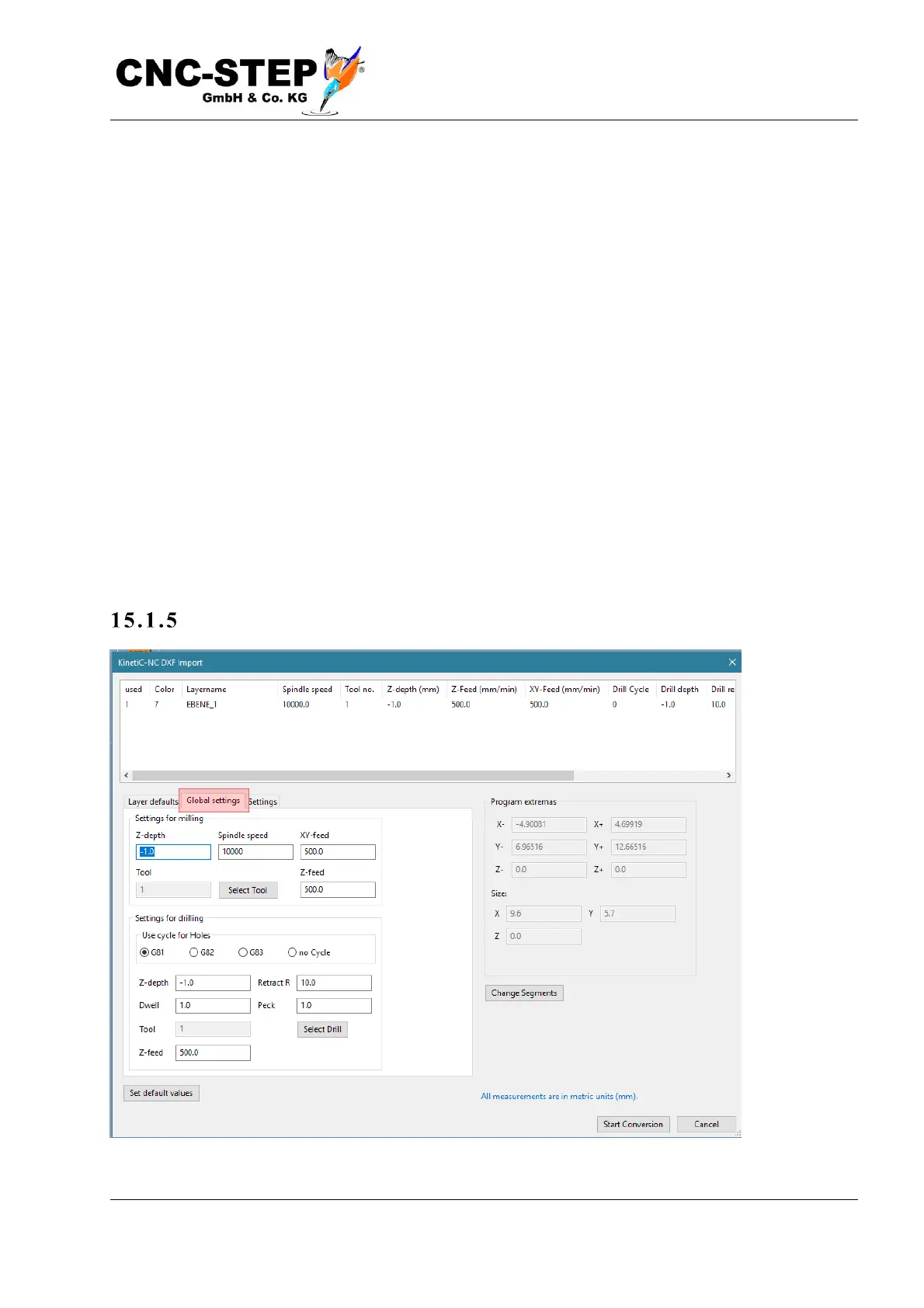
Z-depth
1) For all layers, the Z depth set in the Global Setting field is used for milling / drilling.
2) Each layer is set with individual values.
3) (only active if layer contains 3D data) The Z values from the layer data are used.
Feed
1) For all layers, the value specified in the Global Setting field is used.
2) Each layer has individual feed values.
Zero offset
1) The zero point is not changed but remains as specified in the file.
2) The zero point is placed in the lower left corner of the workpiece.
3) The zero point is placed in the middle of the workpiece.
Tools
1) For all layers, the value specified in the Global setting field is used.
2) Each layer has its own tool.
Tab: Gl o bal Setti ngs



 To Next Page