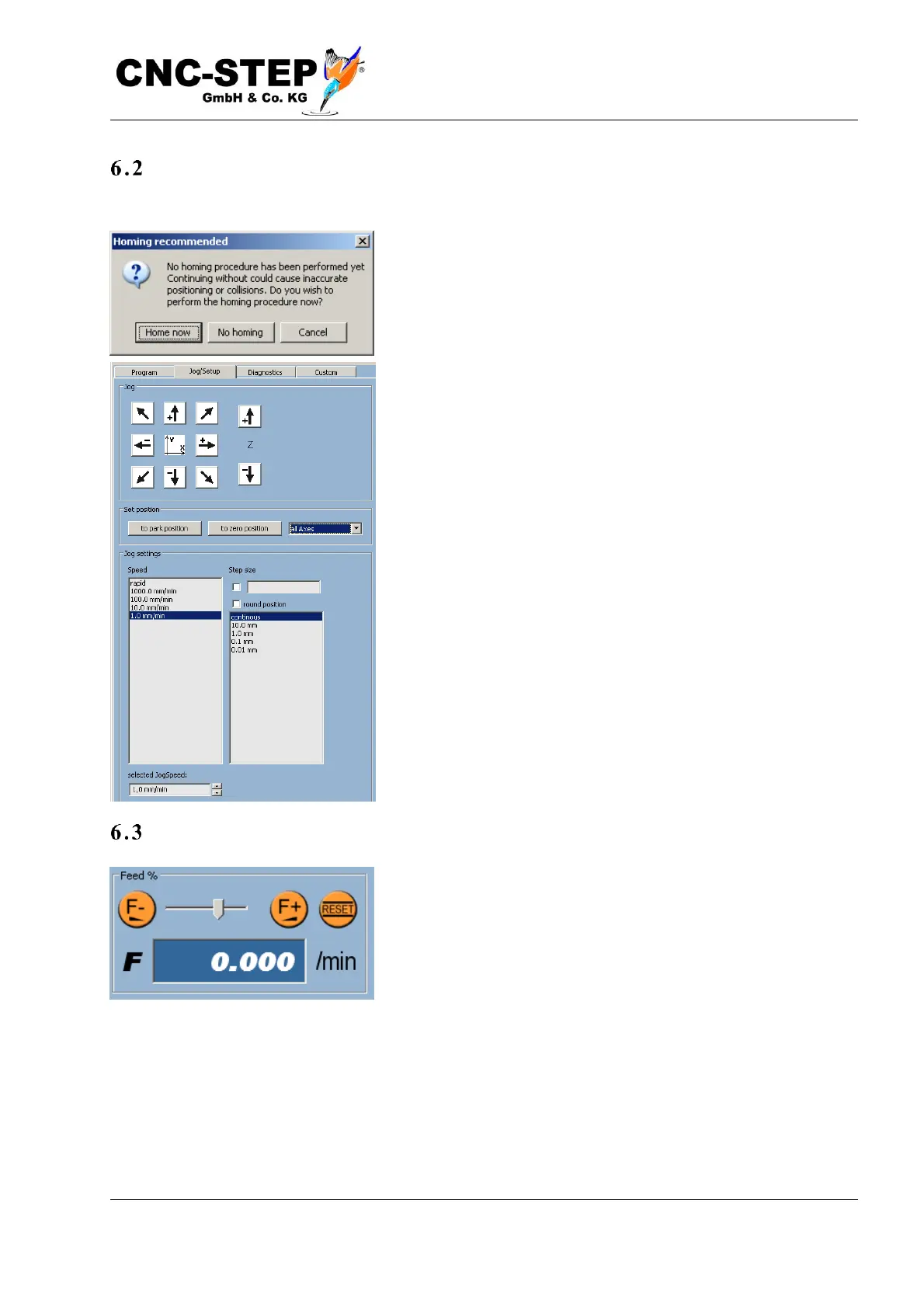
Reference movement
If no homing has been performed yet, a dialog with a warning appears.
Select "Now Homing" to perform homing. Then use the arrow
buttons in the X and Y direction so that the tool is above the
workpiece.
Now you can move the tool down until it is about 10mm
above the top. Now the speed should be reduced.
In the list of speeds, click "100.0 mm / min."
Carefully continue to drive down until the tool is only about
one millimeter from the workpiece. Reduce the speed further
to 10 mm / min.
Now put a piece of paper on the workpiece. Continue to drive
slowly down until the paper stops moving and is clamped
under the tool.
Now press the "0" button next to the Z coordinate display. The
coordinate jumps to zero.
Speed setting
Set the speed back to 1000mm / min and drive Z up a few
millimeters. Now you can use X and Y to move the tool over
the left (X) lower (Y) corner, and also set these two axes to
zero.
Now the X and Y coordinates should be zero and the Z
coordinate should be a few millimeters (positive).
Be careful when approaching the workpiece, the machine table or any other object. You can cancel
the movement at any time by releasing the button. With hard material and sensitive tools just a few
1 / 100mm too much can lead to tool breakage. Therefore, it is best to use a workpiece made of
flexible material such as wood or hard foam for practicing.



 To Next Page