C ont ro l o f the dr a w i ng
However, if you experience problems with
frequent stops, jerky movements, and
unnecessary insertion, first check your
drawing to see if the start and end points of
the lines are clean and the transitions are
constant tangent.
P resentati o n i n the gra phi c
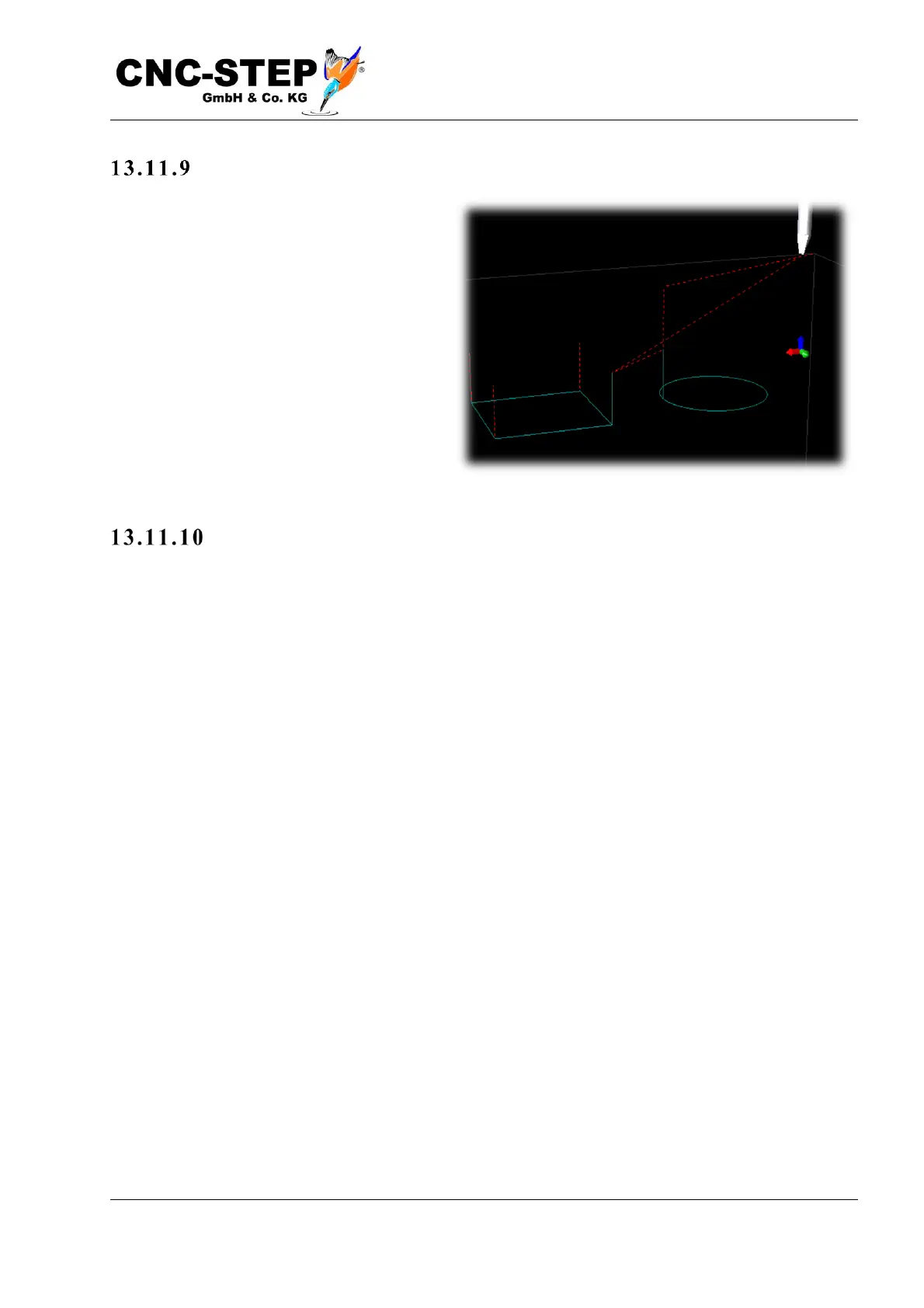
The points at which the knife is lifted out can be recognized as vertical lines in the path preview
(see picture on the right at the corners of the rectangle and on the left at the circle). If lifting
motions are present at locations on the web where they should not actually be, this is an indication
that there are either tiny gaps or intersections, possibly not visible, depending on the magnification,
or the transitions are not continuous, too big "kink" (angle). Excavation movements at (intentional)
90 ° corners as in the picture on the right are quite normal.



 To Next Page