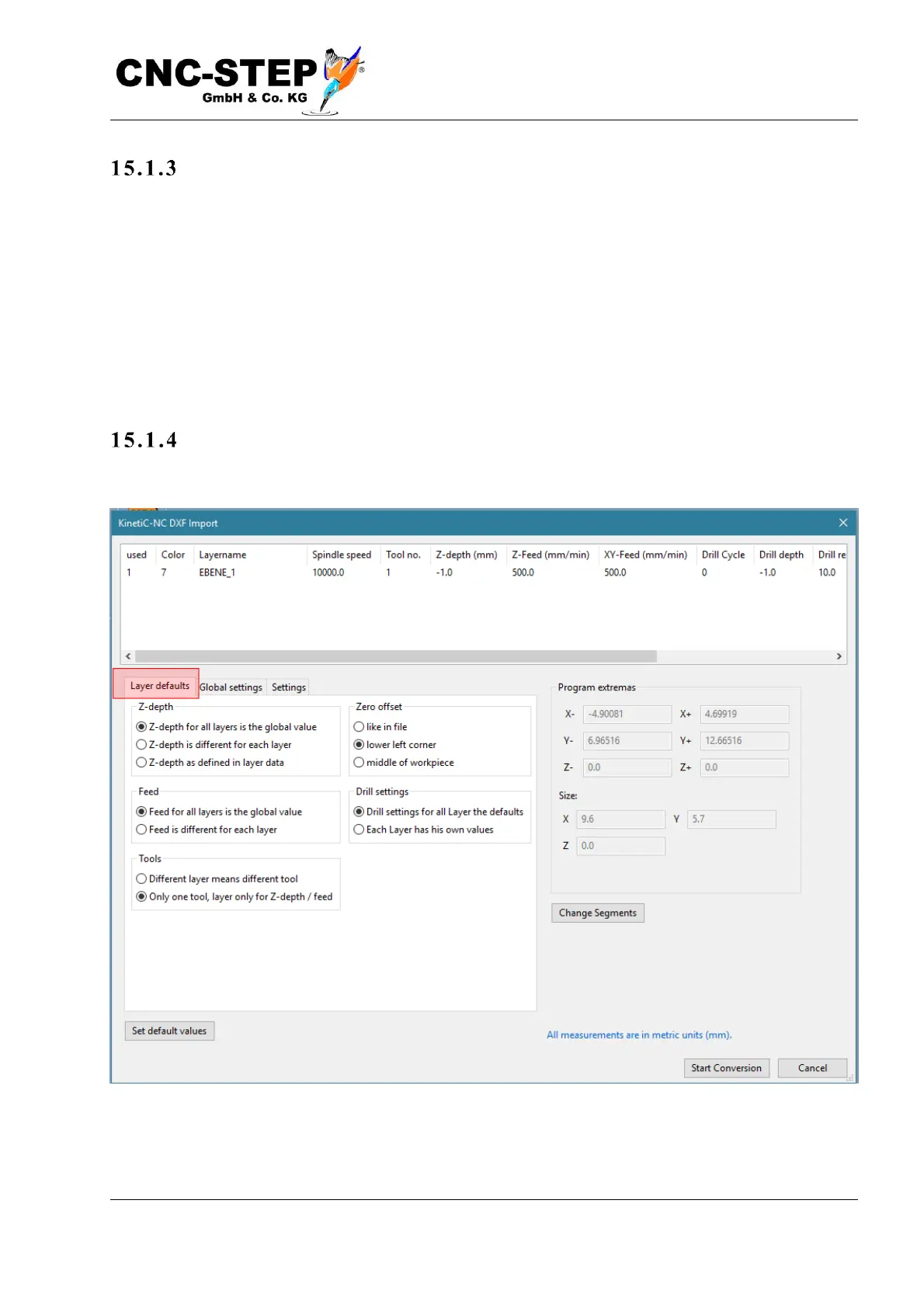
The i mport pro cess :
The file to be imported is selected and opened under Menu / Import Drawing. If this file contains
correct, readable DXF data, the following dialog opens:
In the upper field, the layers are displayed with data. Layers in the file that contain no evaluable
data are not displayed. Layers can be activated / deactivated individually. Only active layers will be
imported. The size of the data to be imported is always updated and applies only to the active layers
/ segments. By clicking on the tabs of the left side, the following additional settings appear:
Tab: La y er d e faul ts
Here it is determined which data should be used to convert the individual layers.


 To Next Page