Erro r w hi le o pen i ng
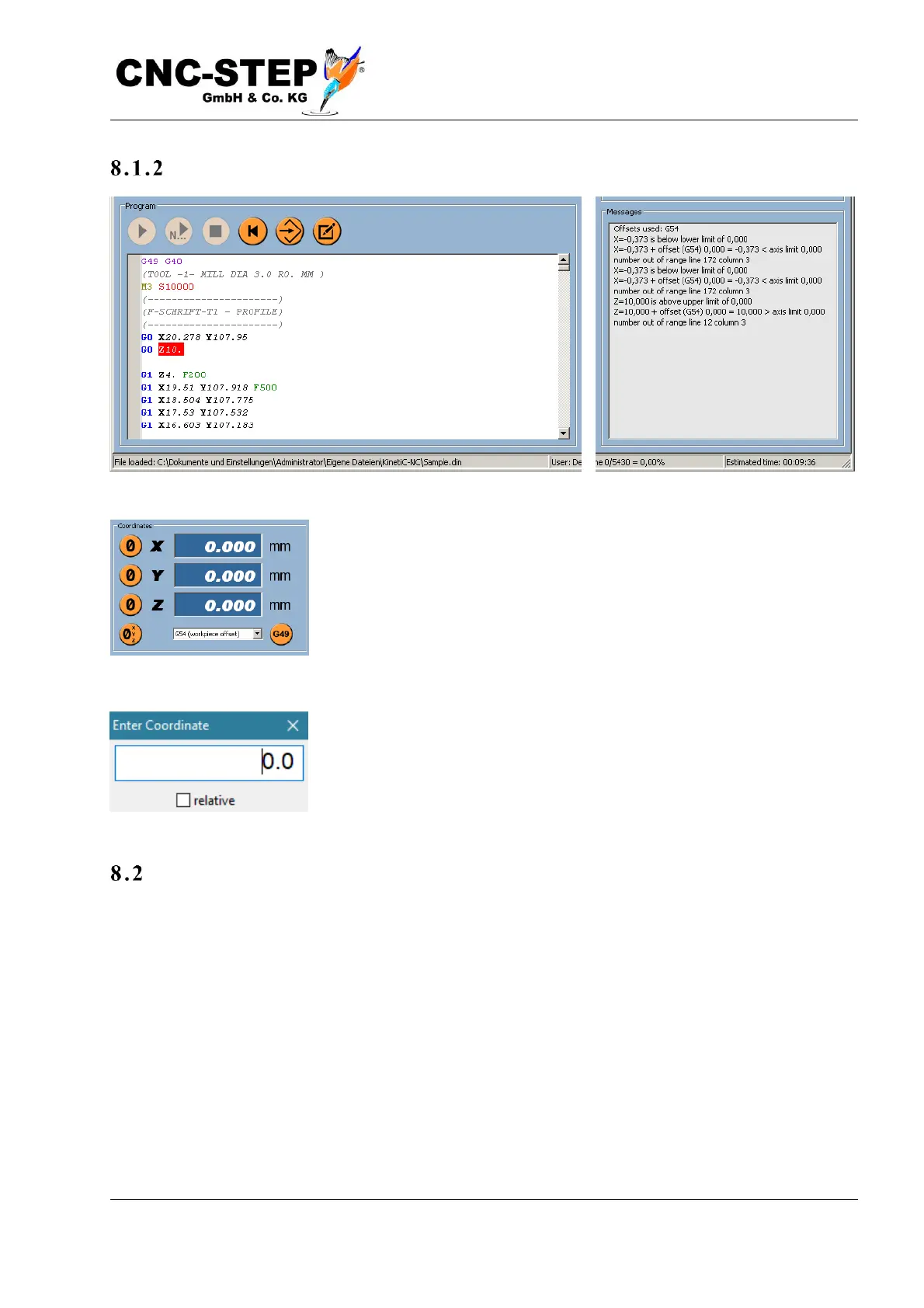
After selecting the file, it is loaded and the tool path is displayed in the
graphics window. If errors are detected, the structure of the tool path is
aborted at this point and a message is displayed in the lower right text
window. The most common error is a "number out of range", which is
usually due to a false or not yet set zero point. In this case, either select
the correct zero point (G54 to G59) below the coordinate display or set
a new zero point.
The location of the zero point may e.g. can be changed by moving the
axis to the correct position using the arrow keys (Setup page) and
pressing the zero button next to the corresponding coordinate display.
Alternatively, you can double-click on the Coordinate display and enter
a number if you need a specific offset measure.
Recently used files
It often happens that you want to reload files that you have already used before. So that you do not
have to remember the file names and enter them again, this submenu displays the last ten files used.



 To Next Page