HPGL-Import filter
Short des crip t ion
The HPGL import filter is used to convert HPGL data into G-code for the KinetiC-NC control
software. HPGL data files usually have the extension .hpgl or .plt and are provided by most drawing
programs. These types of files are originally intended for controlling character plotters and cutting
plotters.
La ngu age s upported:
The HPGL import filter supports the following commands:
IN, DF, IP, SC, VS, WU, PW, SP. PU, PD, PA, PR, AA, AR.
All other HPGL commands are ignored.
The i mport pro cess
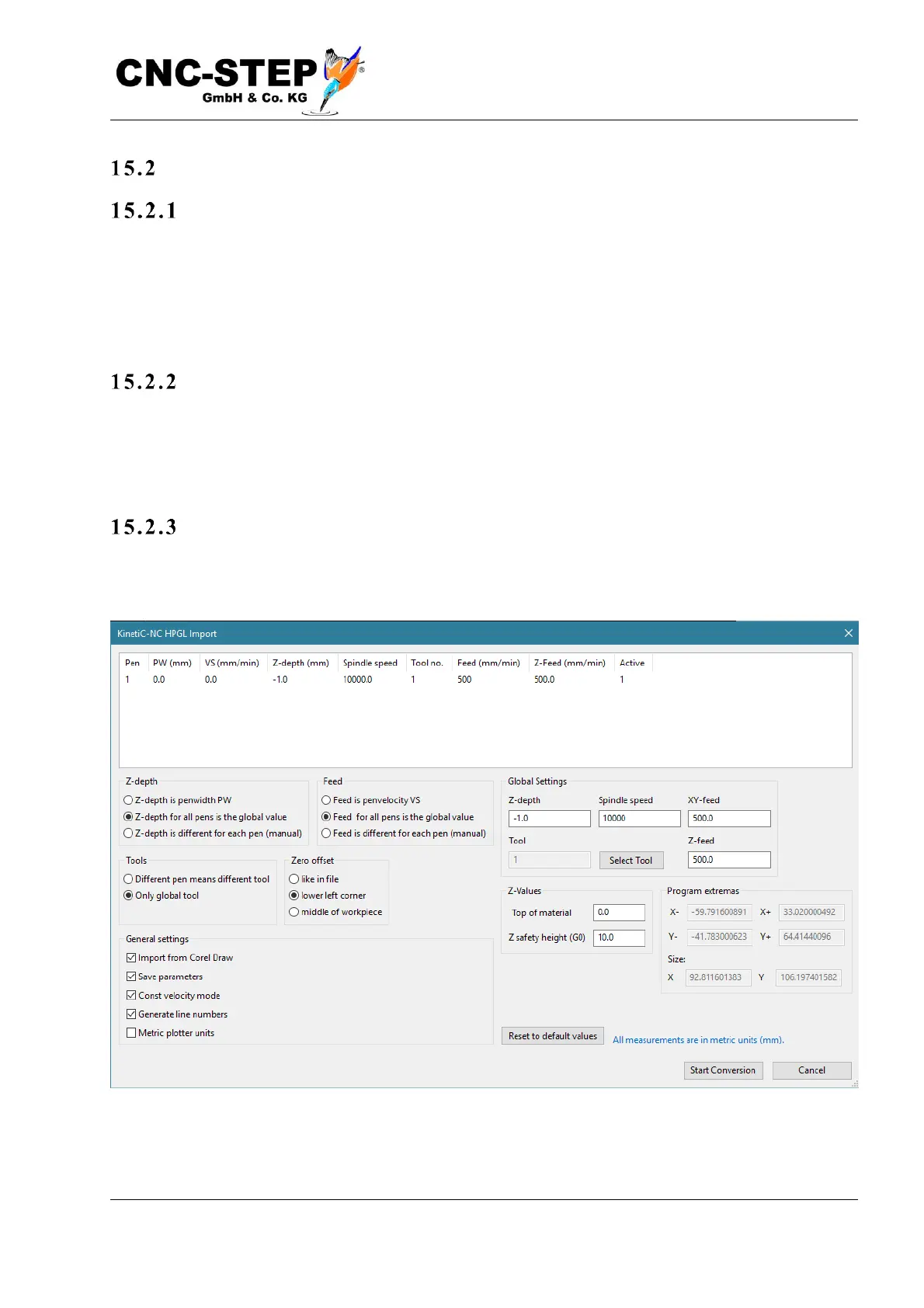
To import an HPGL file, open it via "Menu-> File-> Import drawing". If the file is a valid, readable
HPGL file, the following dialog opens:


 To Next Page