P robl e ms? How to s top?
If a problem occurs during machining, for example, swirling chips around the tool, or the tool
breaks off and needs to be changed, you can stop program execution at any time by pressing the
Stop button. After a short delay until the spindle motor has come to a standstill, the start button is
released again. After eliminating the problem, you can resume editing at the same location.
C ont i nue a ga in
However, after a tool break, the controller may have allowed a small part of the program to
continue without the (broken) tool being engaged. In order not to omit any piece of the tool path,
you would actually have to rewind this section again. Depending on how far you have travelled
since the break, you can scroll up a few lines in the text window and double-click on the desired
line.
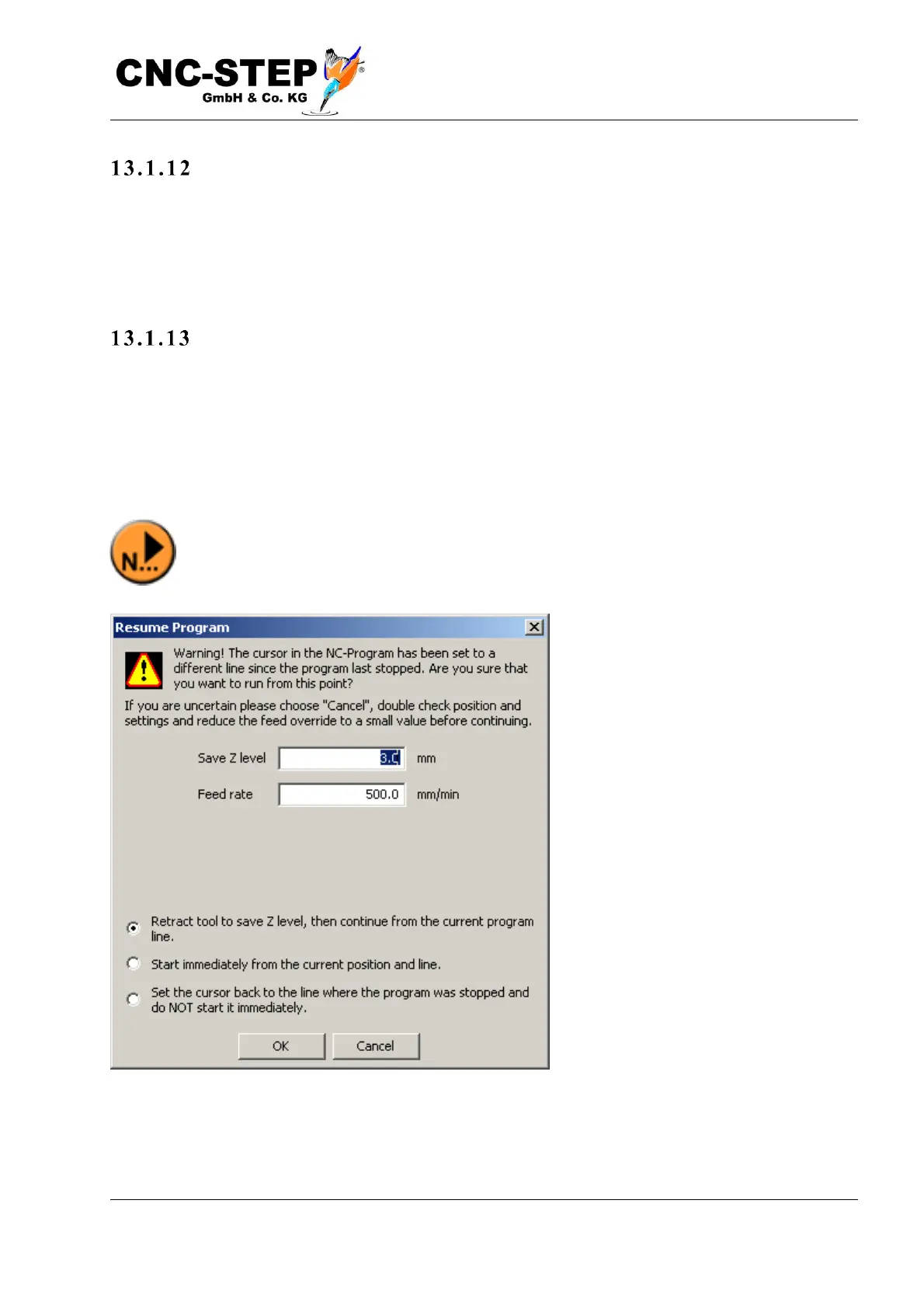
The left start button is disabled (gray) and the second button to the right is activated.
When starting with this button, a window now appears with a warning as shown in the
picture below.



 To Next Page