Hardware
The hardware dialog is used to link the PC software to the connected hardware, in this case the
CNC module of the machine used. This is normally only required once and is described in the
chapter „Initial commissioning “
Later, you only need the hardware dialog to restore the connection after a possible interruption, or if
you later want to install expansion modules, have to replace a module due to a repair, or to switch to
demo mode (operation without hardware).
Hotkeys
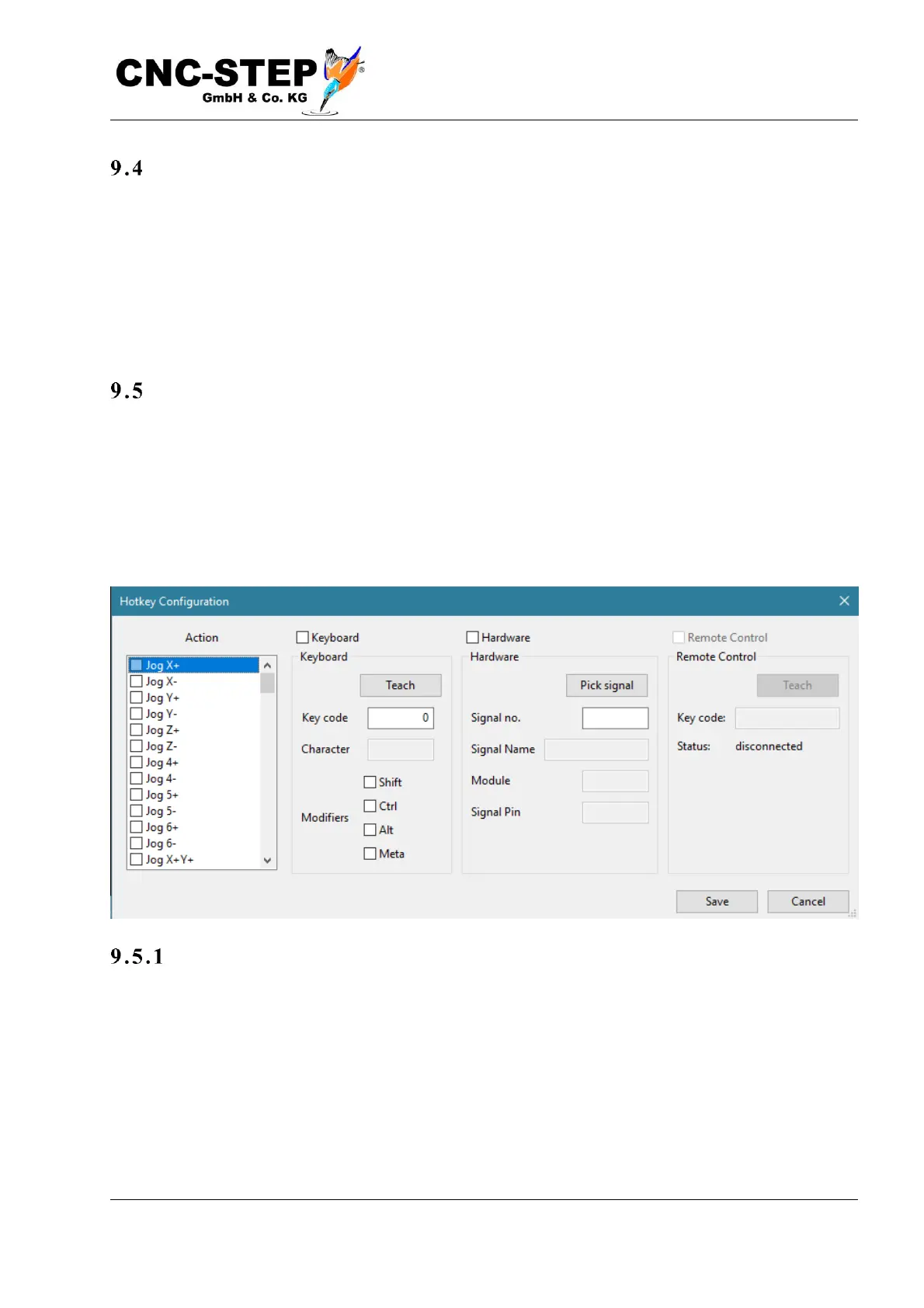
The control software supports so-called "Hotkeys", which means that you can trigger certain
functions via the keyboard and also determine which keys should be. By default, for example, the
arrow keys of the numeric keypad for manual driving (jog) are allocated so that you can change the
tool position at any time without having to change to the Setup-Page of the main window. So that
machine movements are not triggered unintentionally while typing, all Hotkeys are deactivated
while text input fields are selected.
As s i gn ke ys
With the hotkey dialog the assignment of the keys can be changed. Since not all keys are assigned
to a visible character, the assignment takes place via a "key code", which is difficult to remember,
which is why there is a learning function. First select a function in the list on the left and set the
function top right from "not occupied" to "keyboard". If the "learn" button is pressed, the code of
the next key press is automatically determined and entered.



 To Next Page