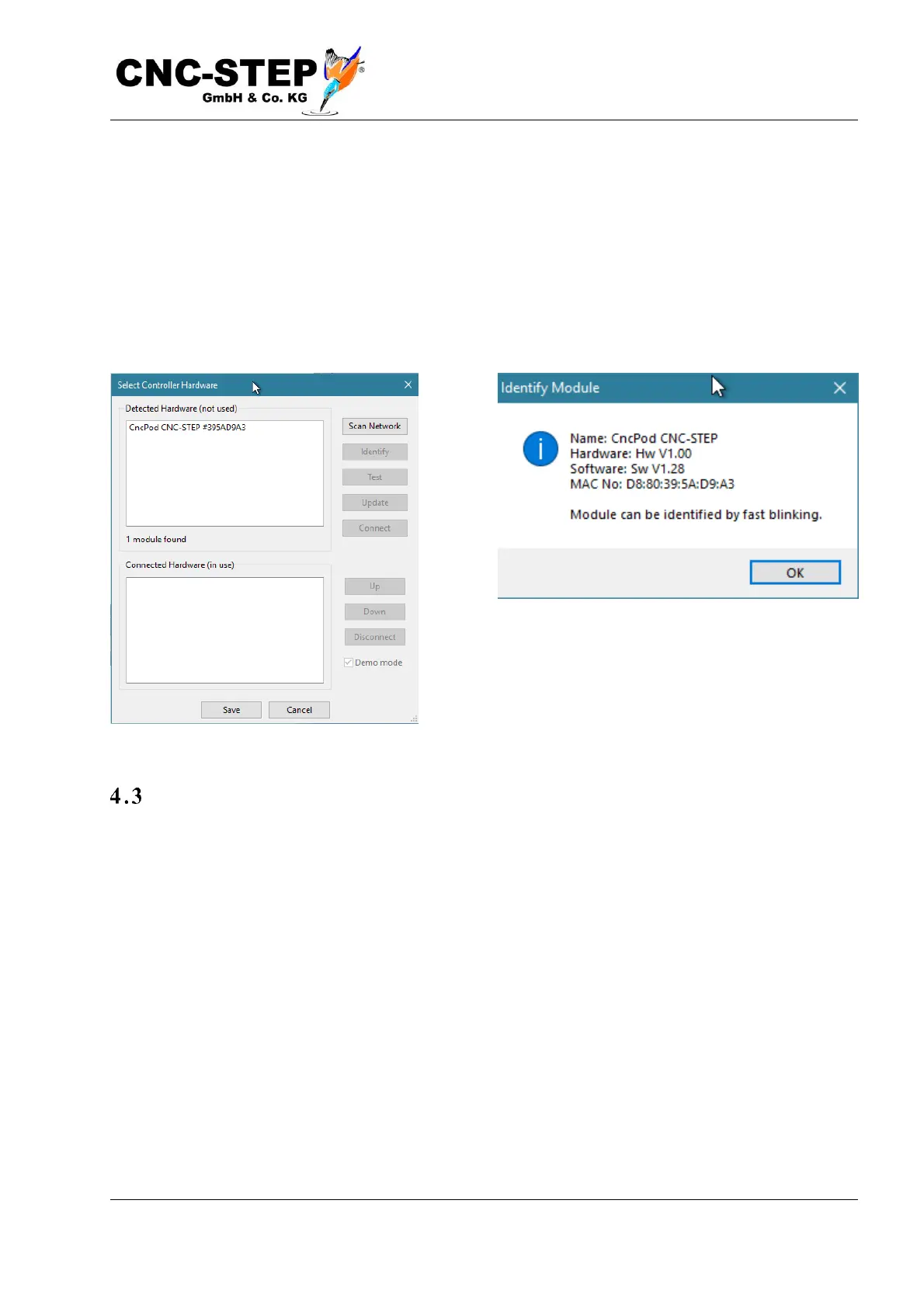
If everything is connected correctly, in the upper part of the window under "detected hardware
(unused)" the CncPod with a number similar to the one in the picture should be displayed. If
nothing is displayed there, check that the CncPod with the network cable is properly connected to
the PC and is powered by the USB power supply. At least the right, green LED on the network
connection of the CncPOD should light up (connection status). With "Search net" you can redisplay
the list. If several CncPODs are listed, which can be found on several existing machines in a larger
network, you can use "Identification" to find out which one is the right one. The currently selected
CncPOD is to be recognized by its flashing left, yellow Traffic LED.
Establish connection
After selecting CncPod in the list, you can connect using "connect". The CncPOD is then displayed
in the lower part under "Connected hardware (used)".



 To Next Page