103
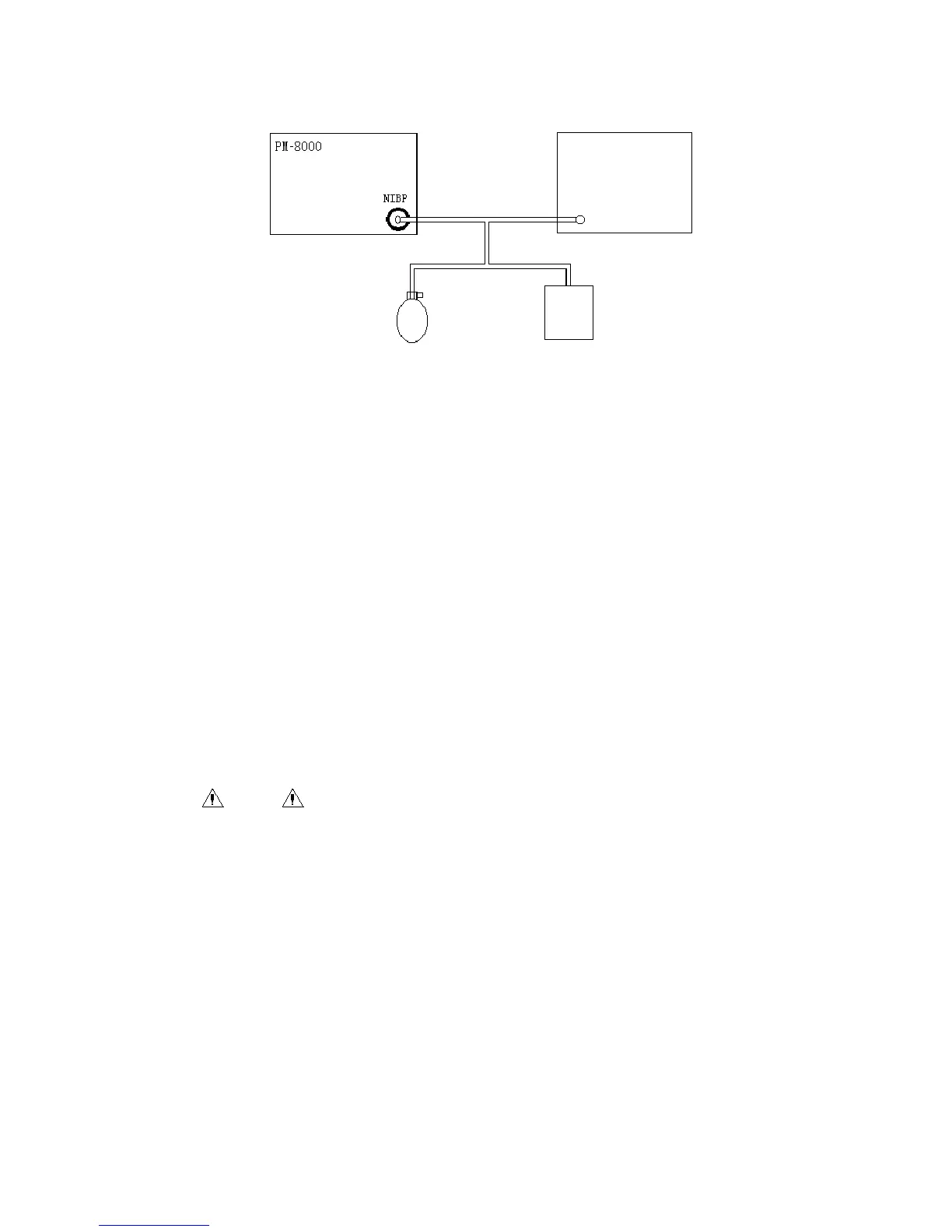
Fig 13-6 Connection for NIBP calibration
14.6 Gas leakage detection
This button is used to detect gas leakage from the NIBP measurement pump. Users, after
connecting with a NIBP cuff, can use this button to start NIBP pumping process so as to observe
whether the NIBP gas route is sealed well. If such a gas leakage test gives a good result, the
system will make no reminder, otherwise there will be the corresponding error reminder in the
NIBP information area.
Default Setting
Users can select this item to enter the “NIBP Default Setting” dialogue box, then further select
“Manufacturer Default” or “User Default”. After making a selection, the system will eject a dialog
box for confirmation of selection by users.
Warning
This gas leakage test, different from as described in the EN 1060-1 Standard, is only for
users to simply detect gas leakage during NIBP pumping process. In case the system
shows there is NIBP gas leakage, please contact with our maintenance engineers.
14.6.1.1 Gas leakage detection process:
Properly connect the cuff with the NIBP hole of the monitor.
Wrap the cuff onto a column body in proper size.
Enter the “NIBP Setting” menu
Rotate the knob, move the cursor onto the “Gas Leakage Detection” item, then press the knob.
There will be a reminder of “Gas leakage detection in progress” at bottom of the NIBP parameter
area of the screen, meaning the system has started executing gas leakage detection
The system automatically pumps to the pressure of 180mmHg.
Gas pipe
Standard
pressure meter
Round pump
Metal vessel



 To Next Page