101
NM upper limi:22-165 mmHg lower limit: 20-163 mmHg
14.4 NIBP setting in measurements
Users can rotate the knob and move the cursor onto the SPO2 hotkey in the parameter area, then
press the knob to enter the NIBP Setting menu.
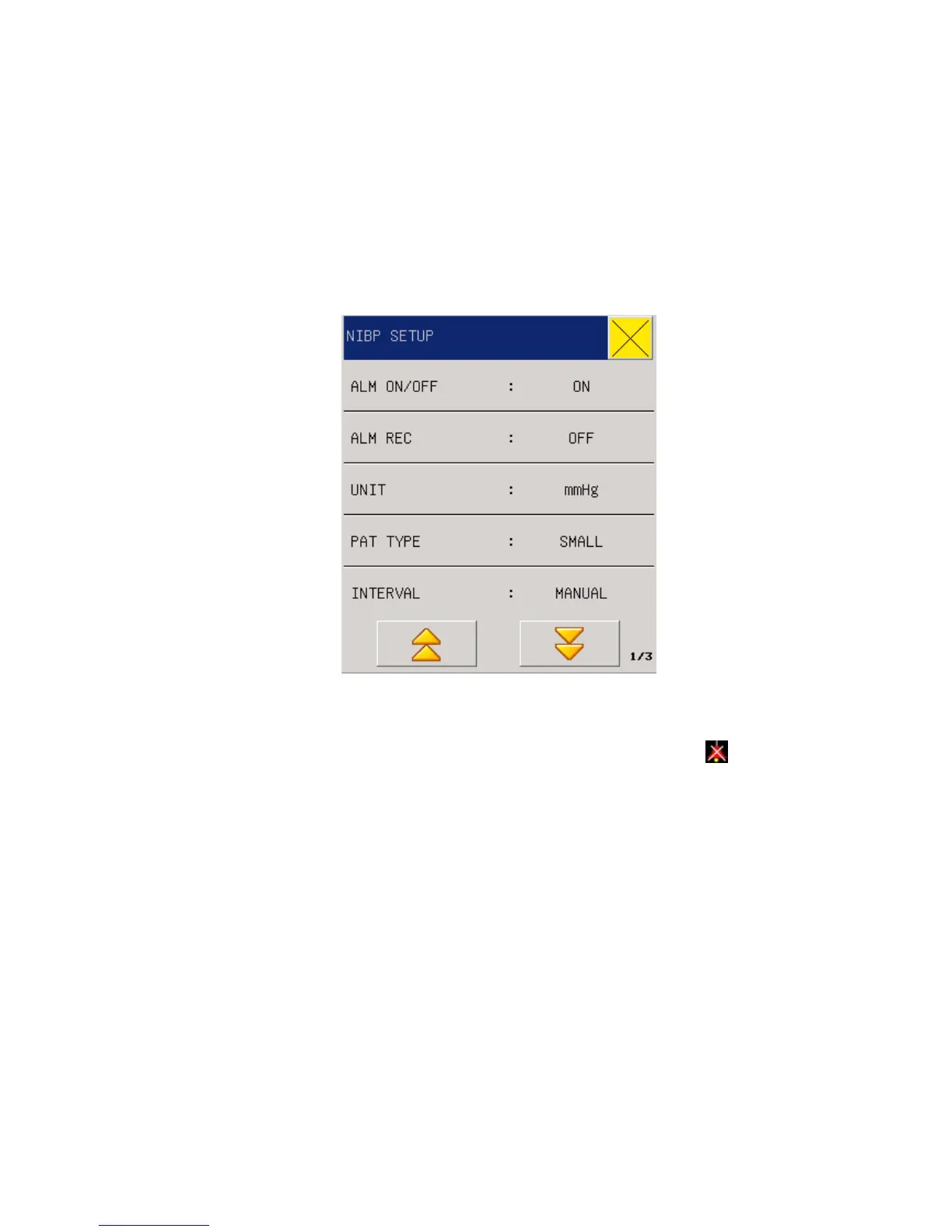
Fig 13-5 NIBP Setup
ALM ON/OFF: Where “ON” is selected, the alarm prompt and saving will proceed when the
pressure is alarmed; where “OFF” is selected, alarming will not happen, but
will be
prompted beside NIBP in the screen parameter area.
ALM REC: Users can select “On” to output through recorder when blood pressure alarms
happen
Unit: mmHg/kPa
MEASURE MODE:big or small
INTERVAL: Time interval (Unit: minute) for automatic measurement: 1, 2, 3, 4, 5, 10, 15,
30, 60, 90, 120, 180, 240, 480 minutes, Manual, and Continuous. After users select an
interval, there will be a display of “Please press the ‘START/STOP’ button” in the NIBP
reminder area, then users just press the button to start pumping for the first time of automatic
measurement. To end the automatic measurement and return to the manual mode, users need
only select “Manual” during the measurement interval.
DISP Colour: green, cyan, red, yellow, white, blue, violet.
NIBP SYS / NIBP MEA / NIBP DIA ALM STEUP: set the valve of NS ,NM ,ND high
limit ,middle limit ,low limit.
RESET : reset of measuring status of blood pressure pump. Press the reset button, the inflated



 To Next Page