9
parameter.
5. NIBP STARTt: press this button to start/stop NIBP measurement.
6. FROZEN: the screen freezes when press this button, turn the knob to review all the waveform
stored for the last 4 minutes.
7. TREND GRAPH, TREND TABLE (TREND Figure), NIBP RECALL: refer to chapter 3 for
details.
8. PRINT: press this button to record waveforms and patient information.
9. SCR LOCK: In order to avoid non-operators misuse Monitor, the instrument has a touch
screen lock function. Click on the "lock screen" button to lock the touch screen in the main
interface. For To unlock the the continuous point lived unlock the screen "option for three seconds,
you can unlock the screen is locked
1.4 External Socket
1.4.1 Left Panel
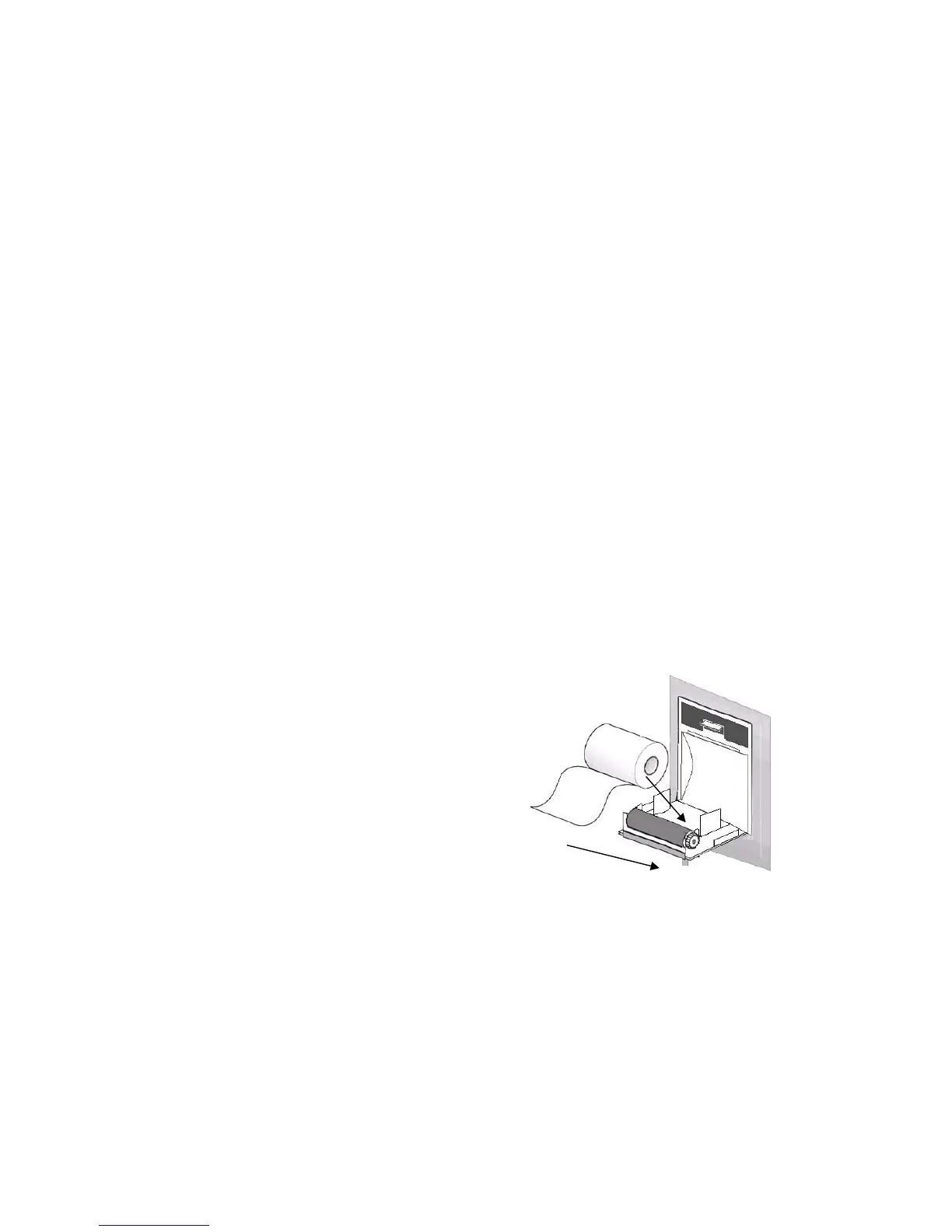
Recorder is optional
1. Open the recorder door.
2. Take away the no-paper rod
3. Fix the new paper correctly, tip of paper out from the
head of printer.
4. 3mm paper must out of recorder door, close the door.
5. Press PRINT to check if the paper fixed well or not.
If no printing, prease re-fix the paper.
Fig 1-4 Recorder
1.4.2 Right Panel
On the right side of the monitor are sockets for each transducer



 To Next Page