90
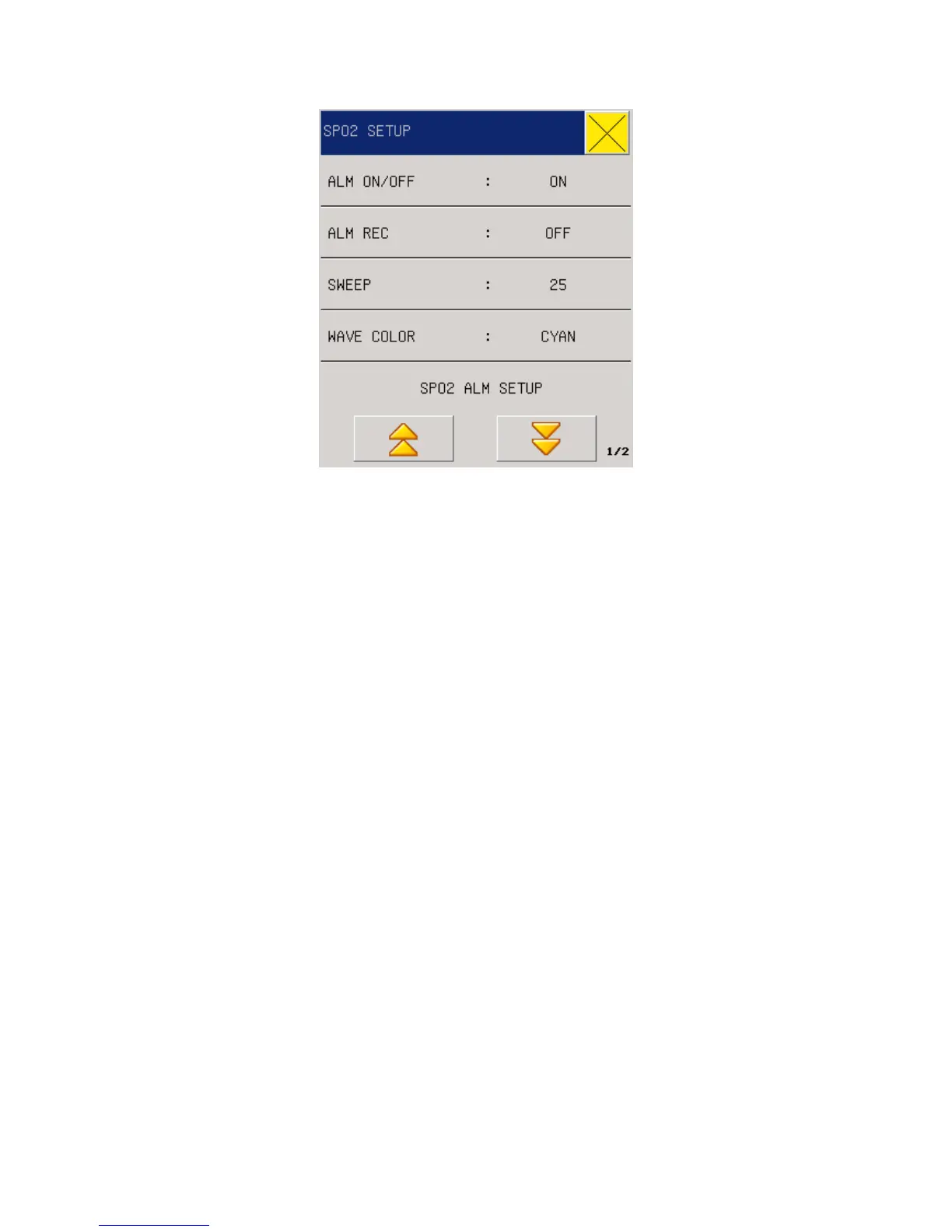
Figure 13-4 SPO2 setup
ALM ON/OFF: see the content of this chapter parameter area the SPO2 set the “ALM
ON/OFF”
ALM LEV: see the content of this chapter parameter area the SPO2 set " ALM LEV ".
ALM REC: see this chapter parameter area the SPO2 set “ALM REC”.
SWEEP: see this chapter waveform area the SPO2 set "SWEEP”.
WAVE COLOR:.see this chapter waveform area the SPO2 set "WAVE COLOR”
BRAIN ALARM(intelligent alarm): 10, 25, 50, 100 seconds, disable, for example, intelligent
alarm range is set to 50, then when NELLCOR oximeter alarm limit 97, and the lower limit is
90, and the measured oxygen value is 99, then from exceeding the alarm limit commences
consecutive exceeds the alarm limit of 25 seconds as soon as they sound and light alarm at
the same time the oxygen values next to the circle and draw back to square one. The
intelligent alarm to reduce false alarms, allow doctors to more accurate and timely master
oxygen changes. (This feature is only effective NELLCOR oxygen)
SPO2 ALM SETUP: see the content of this chapter parameter area the SPO2 set alarm
settings.
PR ALM SETUP: see the content of this chapter parameter area the SPO2 set alarm settings.
If the oxygen probe in the machine NELLCOR probe "SPO2 alarm settings, PR (pulse rate) alarm
settings set upper and lower limits of the alarm limit.
DEFAULT: Select this option to enter the the SPO2 default configuration dialog box, the user can
choose "yes" or "no" to "will be the default configuration" or "original configuration will be set.
13.8 Alarms & Reminders



 To Next Page