28
Chapter4 System Work Interface
4.1 Work Interface Selection
In the Main Menu, select the “FACE SELECT” to enter the dialog box in the following Figure.
Here there are such seven interfaces to choose:
STANDARD, LIST FACE, TREND SCREEN, oxyCRG SCREEN, BIG FONT, 7CH
MULTI-LEADS DISPLAY, and Anesthesia-gas screen.
4.1.1 STANDARD
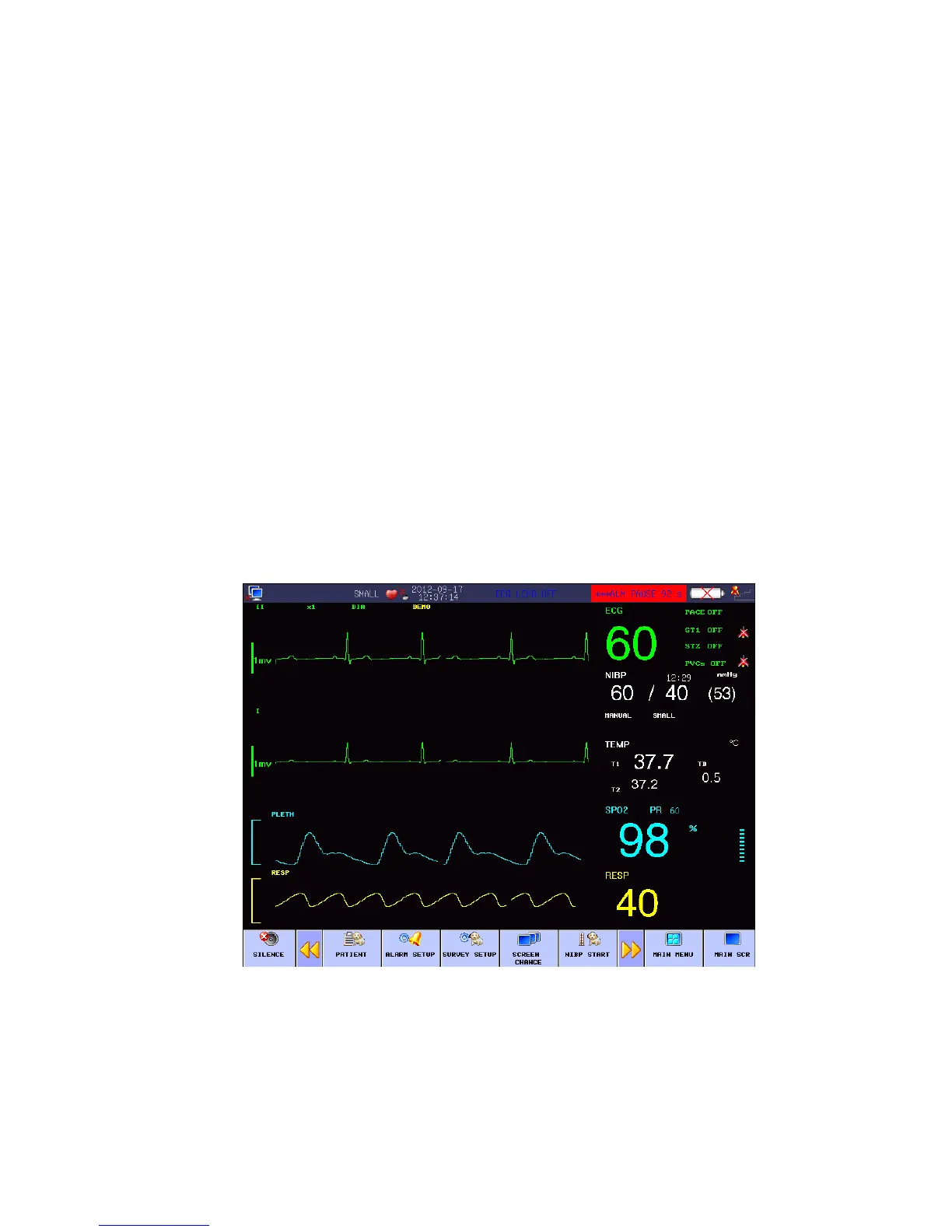
In the “FACE SELECT” menu, select the “STANDARD” to enter the standard work interface. The
Standard interface provides us the parameter waveforms under monitoring and displays the
parameters in the parameter area, as shown in the following picture:
Fig 4-1 Standard Interface
4.1.2 LIST FACE
In the “FACE SELECT” menu, select the “LIST FACE” to enter the LIST FACE work interface.



 To Next Page