11
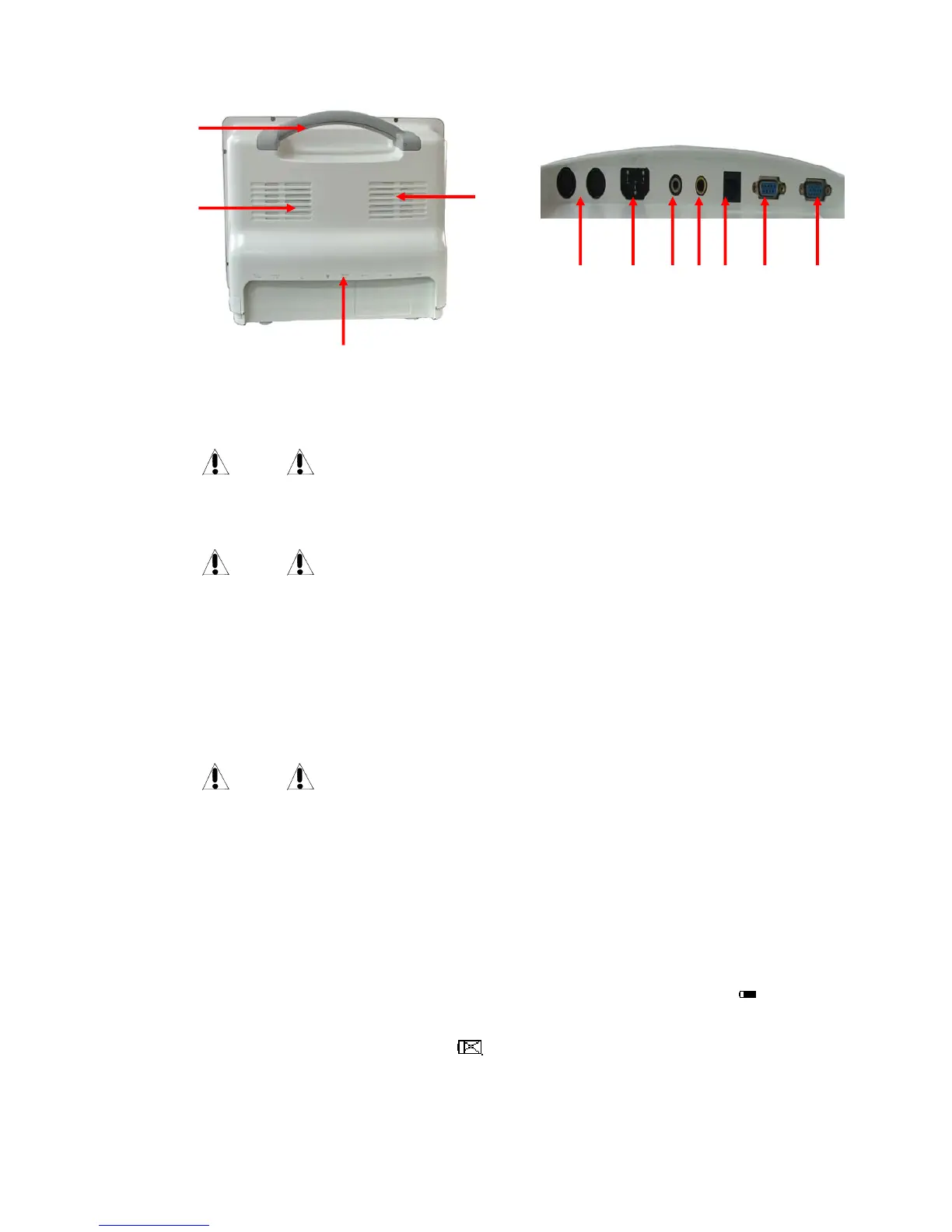
Fig 1-7 rear panel socket
Fig 1-6 Rear Panel
Handle 2.Fan 3.rear panel socket(Fig 1-7 ○1Fuse-holder,○2Power socket,○3 Equipotential
socket,○4Nurse call socket,○5Network socket,○6Channel socket,○7VGA socket,4.Speaker
Warning
This network port can only be connected with CARL NOVEL’s central monitoring
system.
Warning
All the simulated or digital equipments connected with this monitor must be certified
under the designated IEC standards (such as IEC 60950 Data Processing Equipment
Standard and IEC 60601-1 Medical Equipment Standard). And all configurations must
comply with effective versions of IEC 60601-1-1 system standards. Persons in charge of
connecting additional equipments with the input/ output signal terminals should
configure the medical system and be responsible for compliance of the system to IEC
60601-1-1 standard. For any enquiries, please contact the supplier.
Warning
Patient cable interface, network interface and other interfaces connected to different
equipments, the leakage current should not exceed the limit.
1.5 Built-in charge battery
The multi-parameter monitor has a built-in charge battery. When connected with AC power, the
battery will charge automatically until it is full. On the right side of the screen, there is a “
”, it
means charging state. Its yellow part means the quantity of the battery. If this monitor has no
built-in battery, the battery state will display “
”, it means no battery or defective battery.
②
①
③
④
○
1
○
2
○
3
○
4
○
5
○
6
○
7



 To Next Page