111
15.3 TEMP setting in measurements
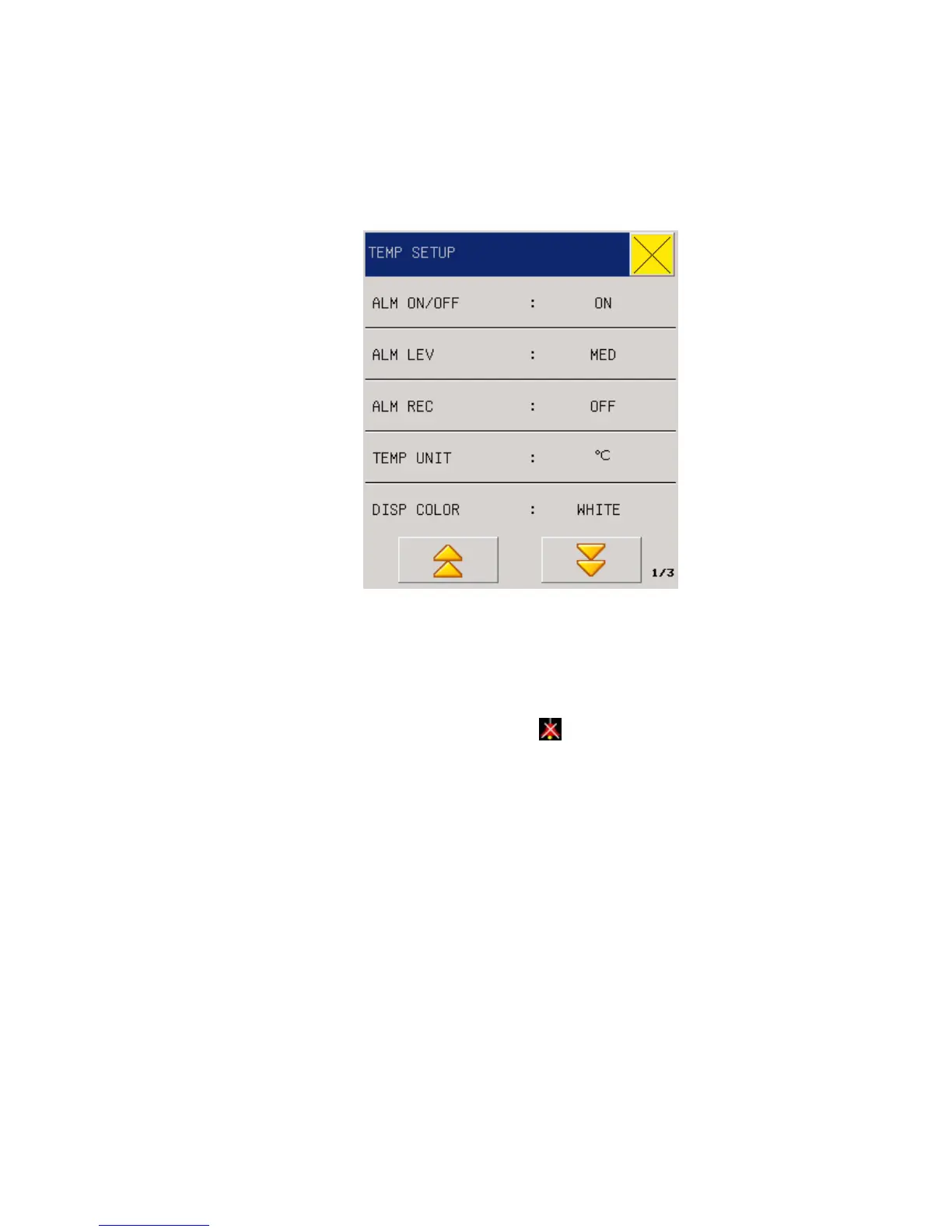
Fig 14-2 TEMP setting
Alarm Switch: Select “ON” and the alarm prompt and saving will proceed when TEMP is
alarmed; select “OFF” and no alarm will happen, but
will be prompted beside TEMP in
the screen parameter area.
Alarming levels: High, Middle or Low to be selected by users to set alarming levels.
Alarm Record: it is mainly used in starting/closing the output function of TEMP alarm record.
If “On” is selected, the present TEMP alarm will be outputted through the recorder.
TEMP unit:
℃
or
℉
Disp Color: green, cyan, red, yellow, white, blue, violet.
T1\T2\TD ALM HI/LO:
Temperature alarm is set high limit and low limit alarm when the
temperature exceeds the high limit or below the lower limit.
Default Setting: Please refer to the “ECG Default Setting” in the “ECG/TEMP Monitoring”.
15.4 Alarm information and prompt information
In case the alarm record function under relevant menus is enabled, those physical alarms caused



 To Next Page