88
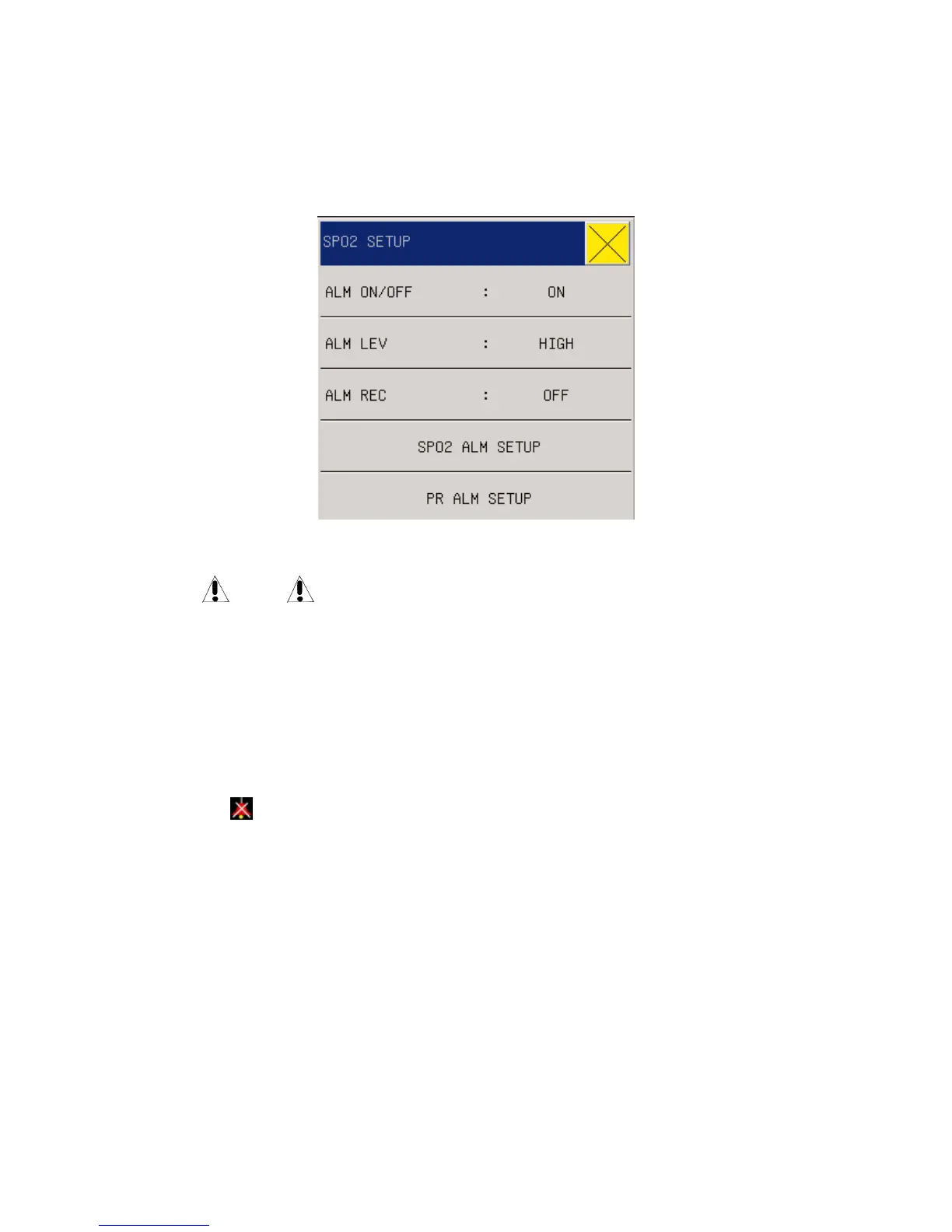
13.5 SpO2 Setting in the parameter area
Users can rotate the knob and move the cursor onto the SPO2 hotkey in the parameter area, then
press the knob to enter the SpO2 Setting menu.
Fig 12-7 SPO2 Setup
Warning
Setting the SpO2 alarm upper limit to be 100% means to release the upper limit.
However, high SpO2 level will make early-born infants infected with retrolental
fibroplasias, thus the SpO2 alarm upper limit must be carefully selected based on
common acknowledged clinical practice.
ALM ON/OFF(Alarm Switch): Where “ON” is selected, the alarm prompt and saving will
proceed when SpO2 (BOS) is alarmed; where “OFF” is selected, alarming will not happen,
but
will be prompted beside SpO
2
in the screen parameter area.
ALM LEV(Alarm level): used to set alarm levels and, during SpO
2
alarming, for alarm
reminder and saving. Options include “High”, “Middle”, and “Low”; “High” for the most
serious alarm.
ALM REC(Alarm record): If “On” is selected, the recorder will output during SpO
2
alarming.
SPO2 ALM SETUP: setup SPO2 hight limit ,middle limit ,low limit of the upper and lower
limits .
PR ALM SETUP: setup pulse rate hight limit ,middle limit ,low limit of the upper and lower
limits .
If the monitor SPO2 is NELLCOR ,the “SPO2 ALM SETUP” and “PR ALM STEUP” , according
to the set upper/lower limit, alarm will happen when SpO
2
is higher than upper limit or lower than
lower limit.



 To Next Page