46
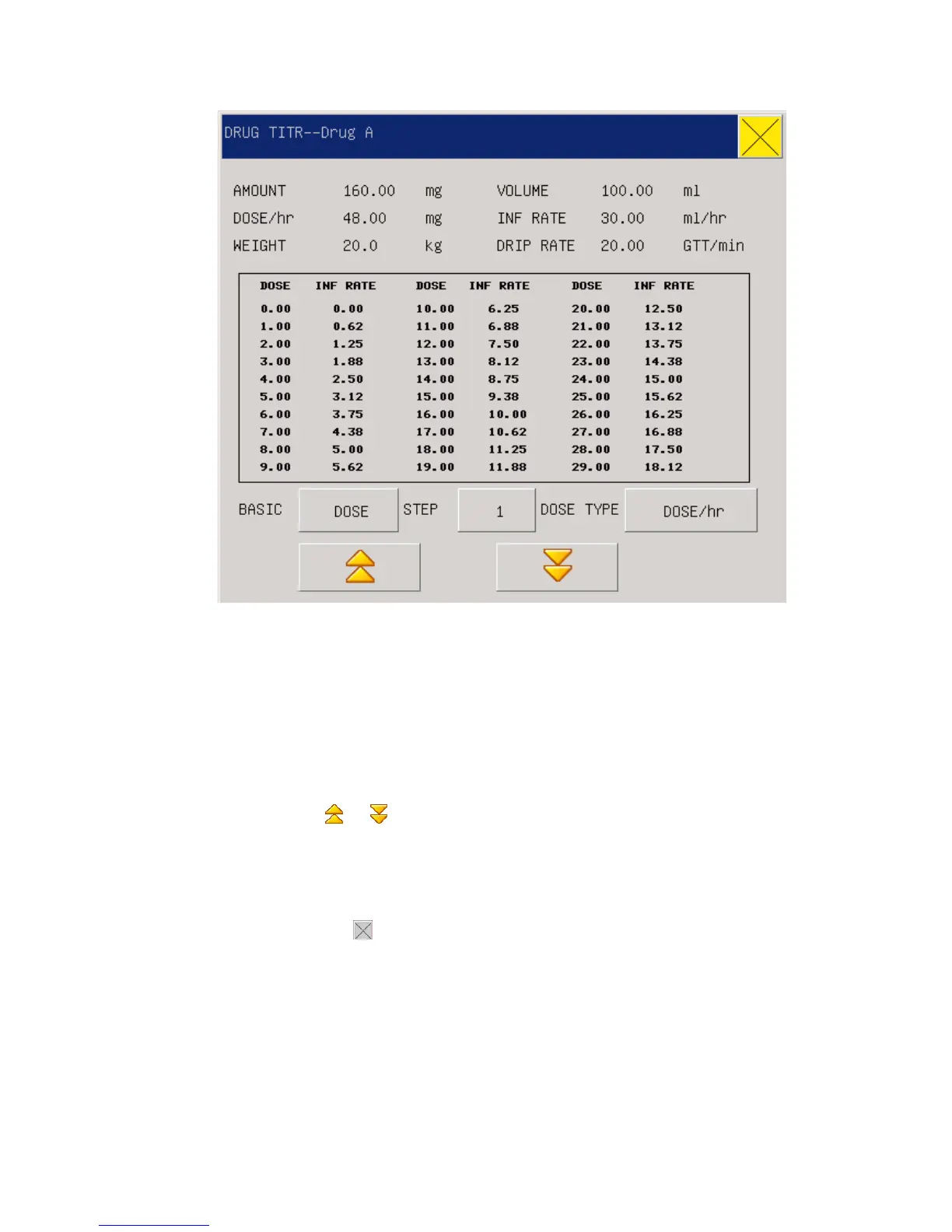
Figure7-2 Titration List
The specific operations are as follows:
In the Titration list, move the cursor to the “Reference Item” with the knob first, and then press the
knob to select the required item. “Dosage” and “Injection Speed” are two options.
Move the cursor to the “Step Length” and press the knob to select the step length in the range of
1~10.
Move the cursor to the “Dosage Type” and press the knob to select the dosage unit.
Move the cursor to the “
or ” button and press and turn the knob to check the previous and
next pages of the list.
Move the cursor to the”Record” and press the knob to output the Titration list data on the current
display interface.
Move the cursor to the” ” and press the knob to return to the “Medicine Calculation” menu.



 To Next Page