Chapter 6 RAID Group Management
6.1 RAID Group Status
ETERNUS Web GUI User’s Guide
116
Copyright 2011 FUJITSU LIMITED P2X0-1090-02ENZ0
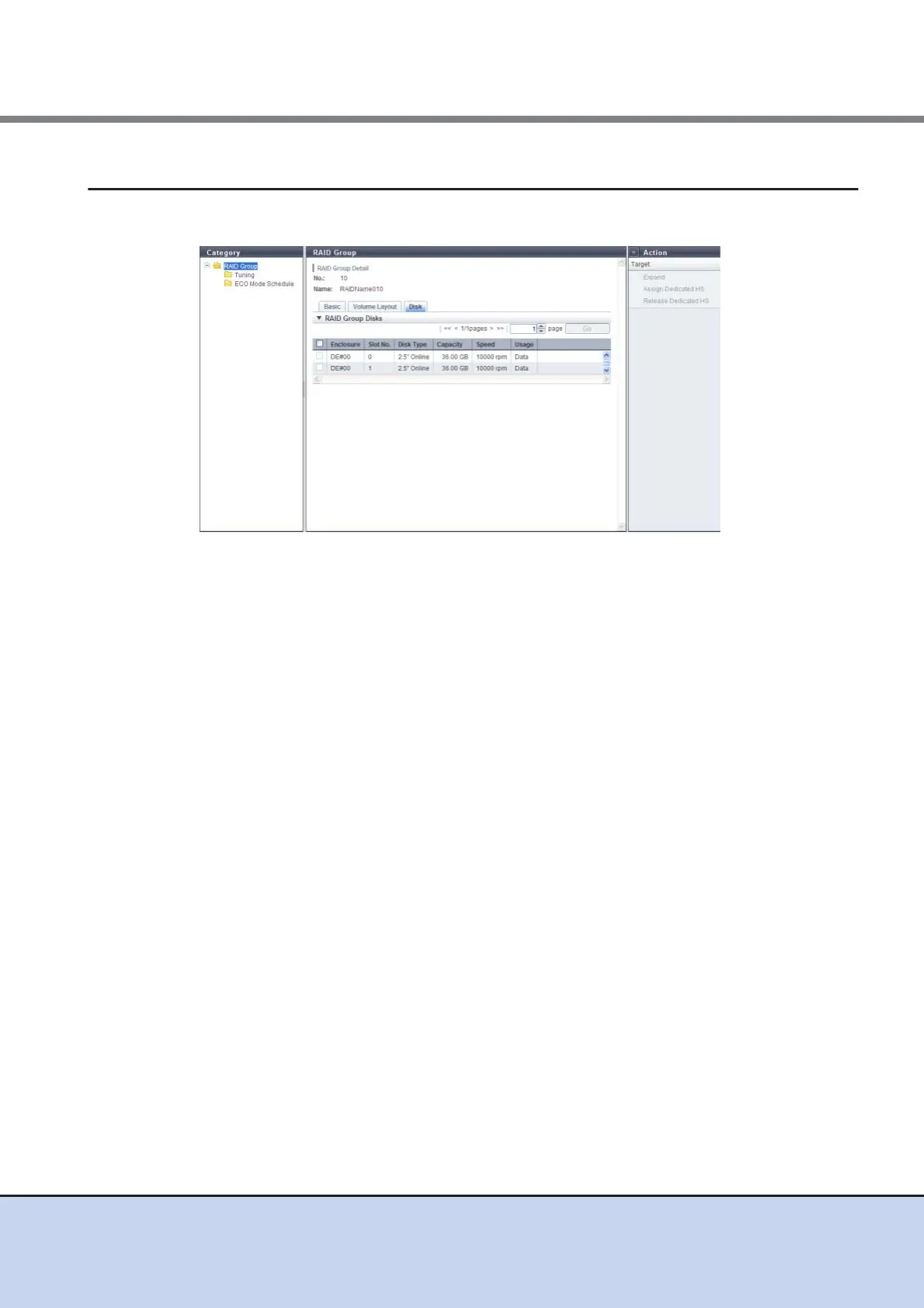
6.1.5 RAID Group (Disk)
Detailed information of disks that configure the RAID group is displayed.
The following items are displayed in the Main area:
• Enclosure
The number of the enclosure where the drive is installed is displayed.
• Slot No.
The number of the slot where the drive is installed is displayed.
• Disk Type
The drive type is displayed.
- 2.5" Online
2.5-inch SAS disk
- 3.5" Online
3.5-inch SAS disk
- 3.5" Nearline
3.5-inch Nearline SAS disk
- 2.5" SSD
2.5-inch SSD
- 3.5" SSD
3.5-inch SSD
• Capacity
The capacity of the drive is displayed.
• Speed
The drive speed is displayed. For SSD, "0 rpm" is displayed.
• Usage
The usage of the drive is displayed.



 To Next Page