Chapter 11 System Management
11.1 System Status
ETERNUS Web GUI User’s Guide
444
Copyright 2011 FUJITSU LIMITED P2X0-1090-02ENZ0
• Write Through (Pinned Data)
A large amount of pinned data occurred in the ETERNUS DX Disk storage system.
• Write Through (Battery)
The battery charge level is low.
• Write Through (Maintenance)
The following maintenance operation is currently being used:
- Switch Controller Firmware
- Change Controlling CM
- Add Controller Module
• Connecting Module
The CM to which the GUI is connected is displayed.
11.1.2 Network
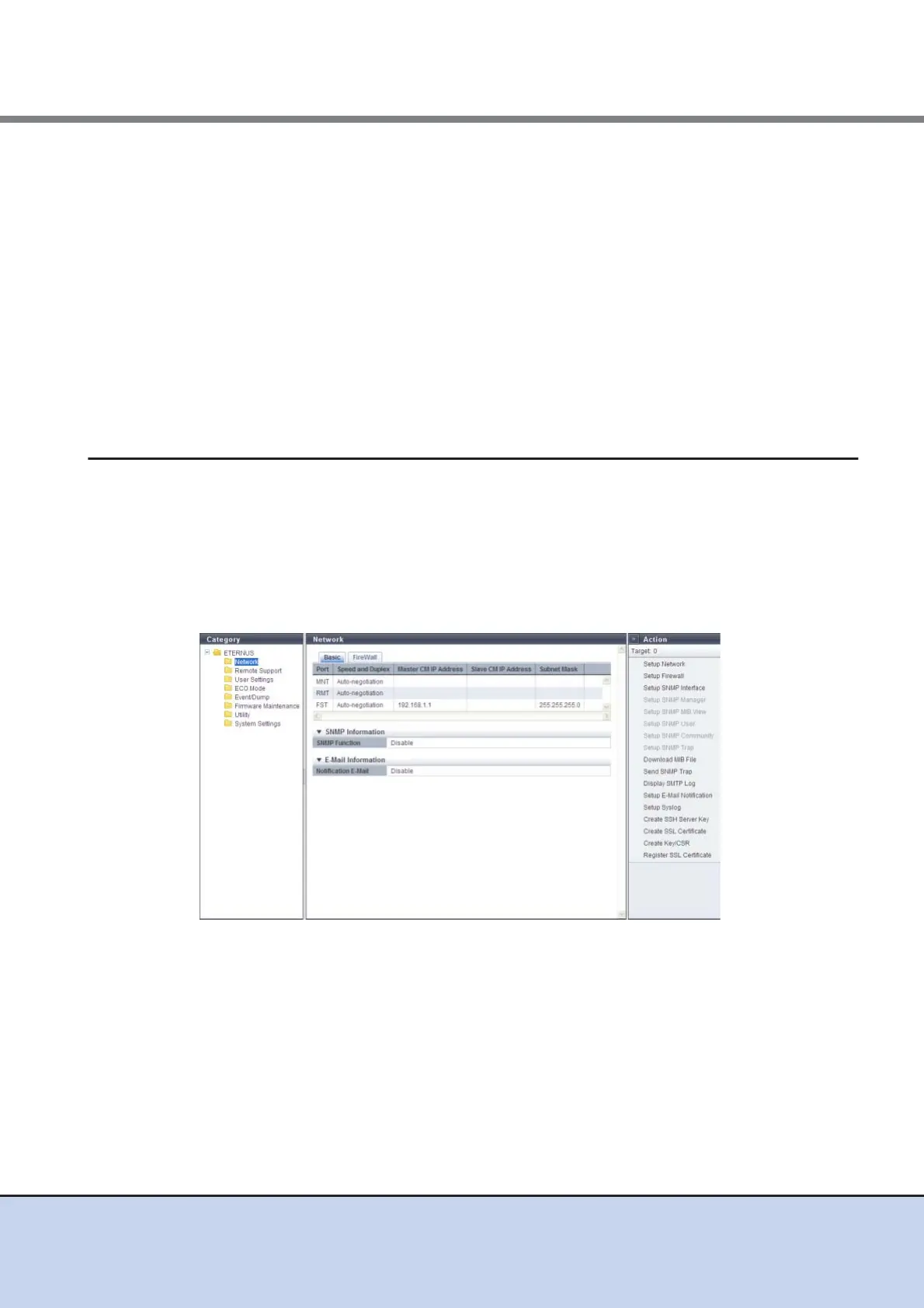
This function displays the network environment of each port in the ETERNUS DX Disk storage
system.
■ Basic
The network environment of each port, the SNMP information registered in the ETERNUS DX
Disk storage system, and the E-mail information are displayed.
The following items are displayed in the Main area:
• Port
The port type is displayed.
- For ETERNUS DX80 S2/DX90 S2: MNT or RMT
- ETERNUS DX410 S2/DX440 S 2: MNT, RM T, o r F ST
• Speed and Duplex
The transfer speed and the communication method are displayed.
- Auto-negotiation
- 1Gbit/s
- 100Mbit/s Half



 To Next Page