Chapter 10 Component Management
10.2 Functions in the Action Area for Component
ETERNUS Web GUI User’s Guide
440
Copyright 2011 FUJITSU LIMITED P2X0-1090-02ENZ0
10.2.7 Release Dedicated Hot Spare
This function releases a drive from being a Dedicated Hot Spare.
A drive that is released from being a Dedicated Hot Spare can be used as a Global Hot Spare or
as a Dedicated Hot Spare for other RAID group.
The procedure to release a Dedicated Hot Spare is as follows:
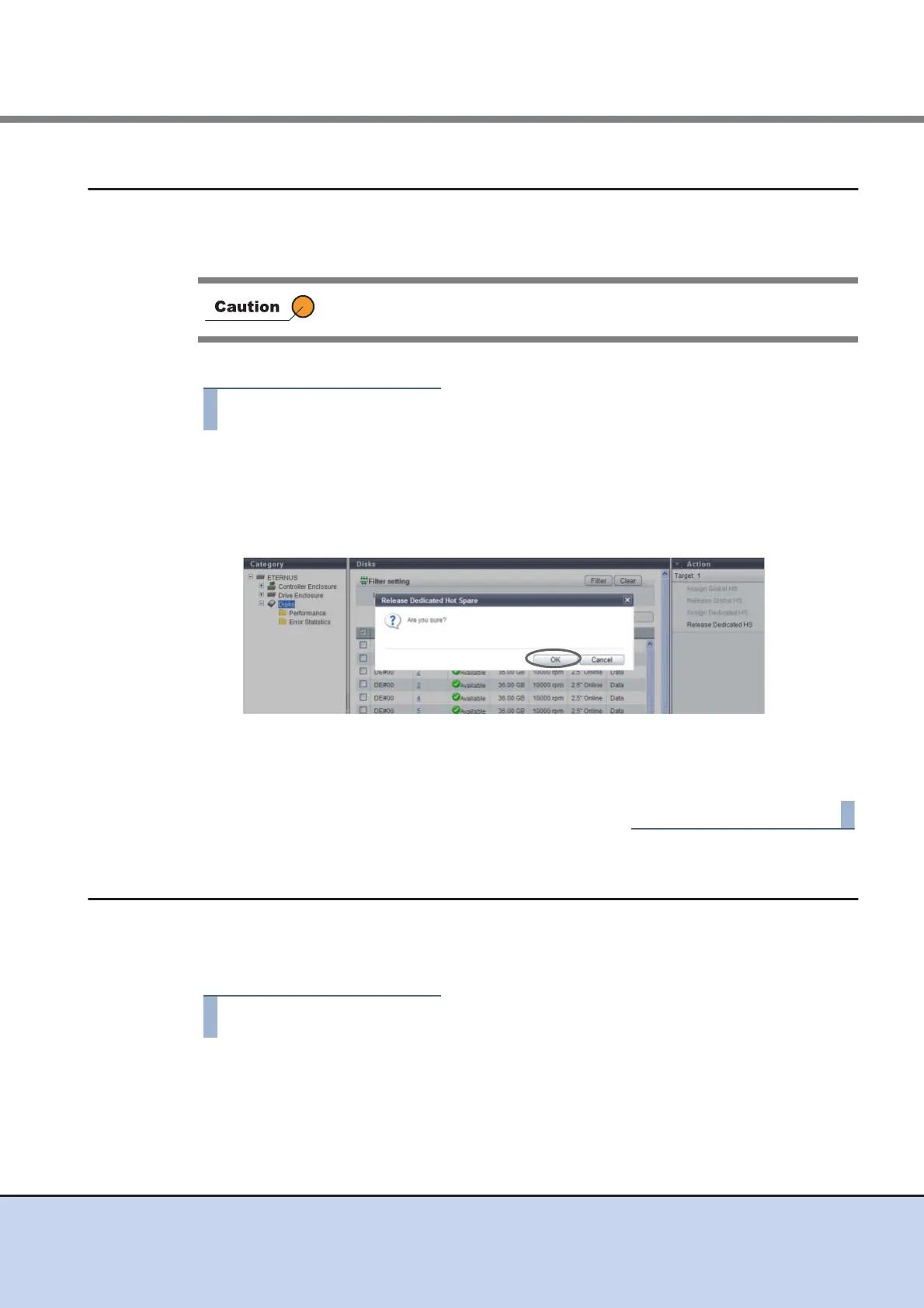
1 Select a drive (multiple selections can be made) that is to be released from
being a Dedicated Hot Spare and click [Release Dedicated HS] in [Action].
→ A confirmation screen appears.
2 Click the [OK] button.
→ Deletion of the Dedicated Hot Spare starts.
3 Click the [Done] button to return to the [Disks] screen.
10.2.8 Clear Disk Error Statistics (All Disks)
This function deletes the error information from all of the drives.
The procedure to delete error information from all the drives is as follows:
1 Click [Clear All Error] in [Action].
→ A confirmation screen appears.
This function cannot be used when the drive is already used as a hot spare.



 To Next Page