Chapter 10 Component Management
10.2 Functions in the Action Area for Component
ETERNUS Web GUI User’s Guide
434
Copyright 2011 FUJITSU LIMITED P2X0-1090-02ENZ0
10.2.3 Add Channel Adapter Port
This function enables a CA port to be added without stopping the ETERNUS DX Disk storage
system.
The procedure to add a CA port is as follows:
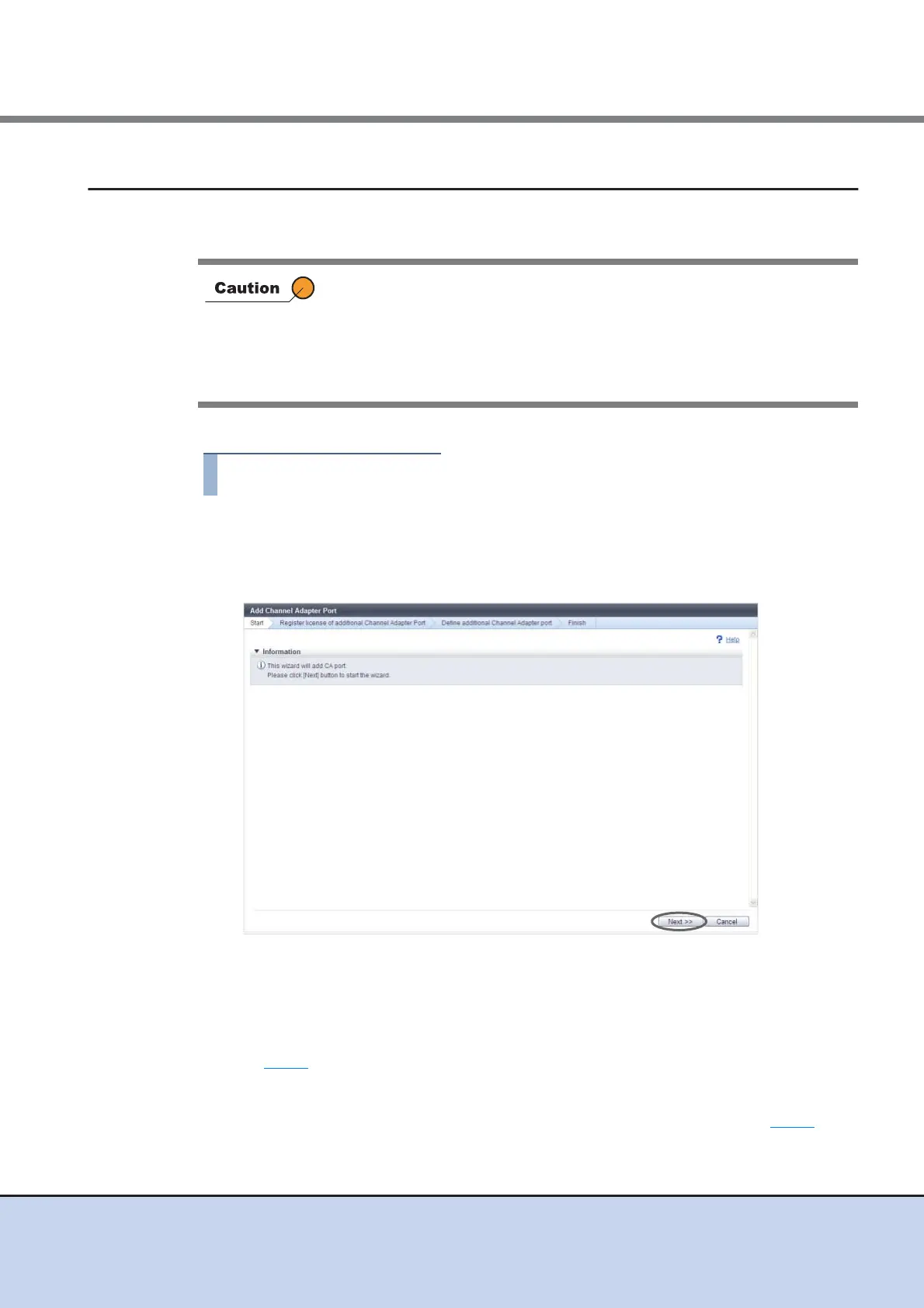
1 Click [Add Channel Adapter Port] in [Action].
→ The [Start] screen appears.
2 Click the [Next] button.
The displayed screen may vary depending on whether the installation of license key is
required or not.
■ When the license key is not registered
→ The [Register license of additional Channel Adapter Port] screen appears. Proceed to
Step 3
.
■ When the license key is already registered
→ The [Define additional Channel Adapter port] screen appears. Proceed to Step 4
.
• This function is available only for the ETERNUS DX80 S2/DX90 S2
model that is using one port for each CM.
• CA ports for Fibre Channel, iSCSI, or SAS host interfaces can be
added.
• When the general status of the ETERNUS DX Disk storage system is
not normal, a CA port cannot be added.



 To Next Page