Appendix B Status List
B.2 Volume Status
ETERNUS Web GUI User’s Guide
613
Copyright 2011 FUJITSU LIMITED P2X0-1090-02ENZ0
B.2 Volume Status
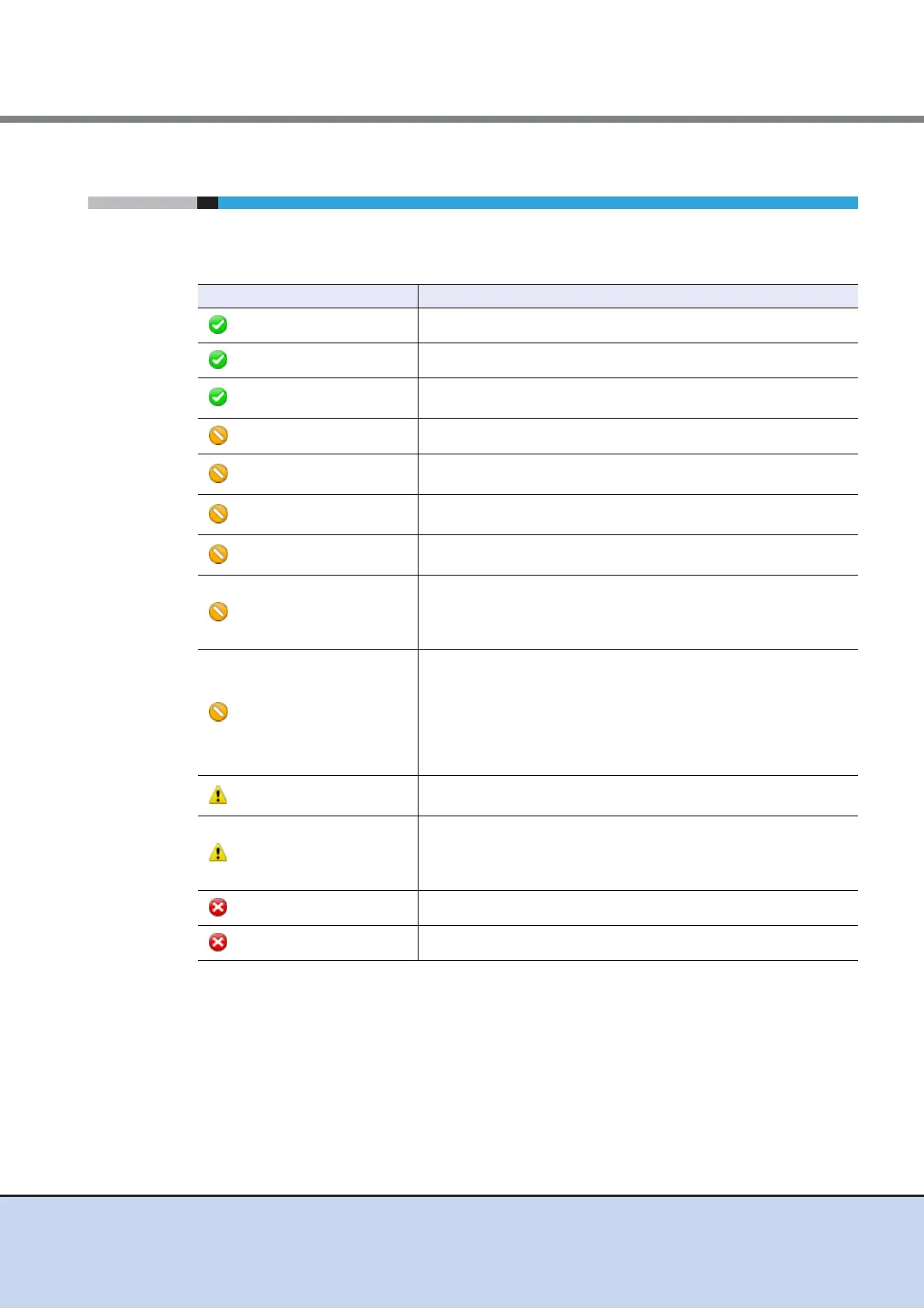
Volume status is displayed with an icon and the status name. The volume status is described
below.
Status Description
Available
The volume is operating normally.
Available (Initializing)
The SDV is being initialized.
Spare in Use
The RAID group to which the volume belongs manages redundancy
by using the hot spare disk.
Readying
The volume is not formatted.
Rebuild
Rebuilding from a failed data disk to the hot spare disk is being
performed in the RAID group to which the volume belongs.
Copyback
Copyback is being performed in the RAID group to which the volume
belongs.
Redundant Copy
Redundant copy is being performed in the RAID group to which the
volume belongs.
Partially Exposed Rebuild
Rebuilding from the first failed data disk to the hot spare disk is being
performed in the RAID group to which the volume belongs.
This status is displayed only when the RAID type of the RAID group
to which the volume belongs is "High Reliability (RAID6)".
Exposed Rebuild
Two of the data disks for the RAID group to which the volume
belongs have failed. Rebuilding from the first failed data disk to the
hot spare disk is being performed. In addition, all the hot spare disks
have already been used. As a result, the second failed data disk is
waiting for the hot spare disk to become available.
This status is displayed only when the RAID type of the RAID group
to which the volume belongs is "High Reliability (RAID6)".
Exposed
The RAID group to which the volume belongs lost redundancy due
to disk failure.
Partially Exposed
One of the disks that configures the RAID group to which the volume
belongs has failed.
This status is displayed only when the RAID type of the RAID group
to which the volume belongs is "High Reliability (RAID6)".
Not Ready
The RAID group to which the volume belongs is blocked.
Broken
The volume is broken.



 To Next Page