Chapter 11 System Management
11.2 Functions in the Action Area for System
ETERNUS Web GUI User’s Guide
570
Copyright 2011 FUJITSU LIMITED P2X0-1090-02ENZ0
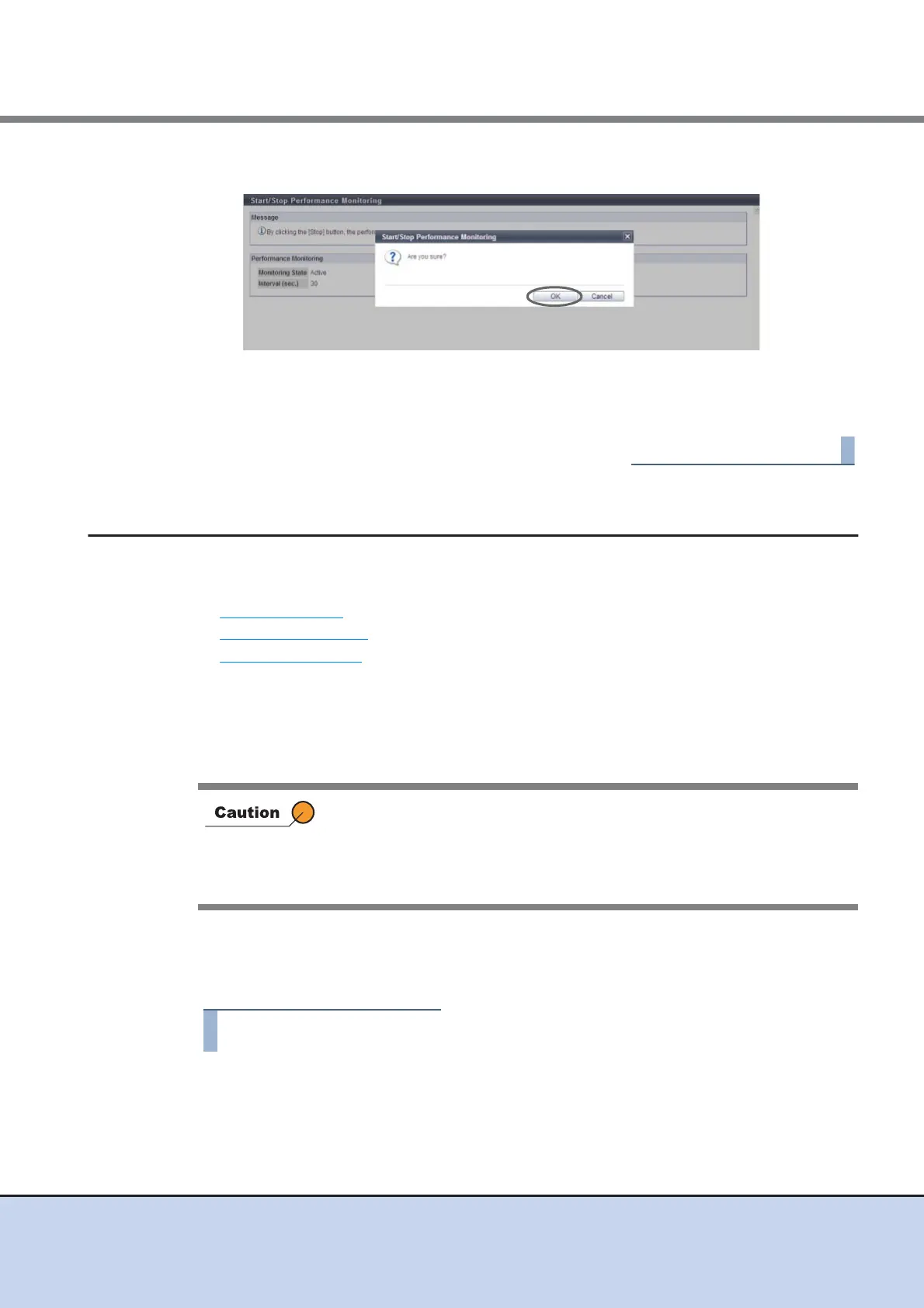
3 Click the [OK] button.
→ Acquisition of performance information stops.
4 Click the [Done] button to return to the [Display Event Log] screen.
11.2.8 Utility Management
This section describes utility management.
Utility management provides the following functions:
• Shutdown/Restart
• Backup Configuration
• Export Configuration
11.2.8.1 Shutdown/Restart
When the ETERNUS DX disk storage system cannot be shut down directly, perform the shut-
down or restart on the screen.
■ Shutdown the ETERNUS DX Disk storage system
The procedure to shut down the ETERNUS DX Disk storage system is as follows:
1 Click [Shutdown/Restart] in [Action].
• This function cannot be performed when the ETERNUS DX disk storage
system is in the machine down status.
• Restart the browser after completion of the process, and then access
the login screen after rebooting of the ETERNUS DX disk storage
system is complete.



 To Next Page