Chapter 5 Volume Management
5.1 Volume Status
ETERNUS Web GUI User’s Guide
60
Copyright 2011 FUJITSU LIMITED P2X0-1090-02ENZ0
• Process
A process that is being performed for the volume is displayed. If no process is being per-
formed, a "-" (hyphen) is displayed.
- Encrypting
- Formatting
- Migrating
- Balancing
• Forbid Advanced Copy
The copy destination protect status of the volume is displayed.
- Yes
The volume is protected. The volume cannot be used as a copy destination volume.
- No
The volume is not protected. The volume can be used as a copy destination volume.
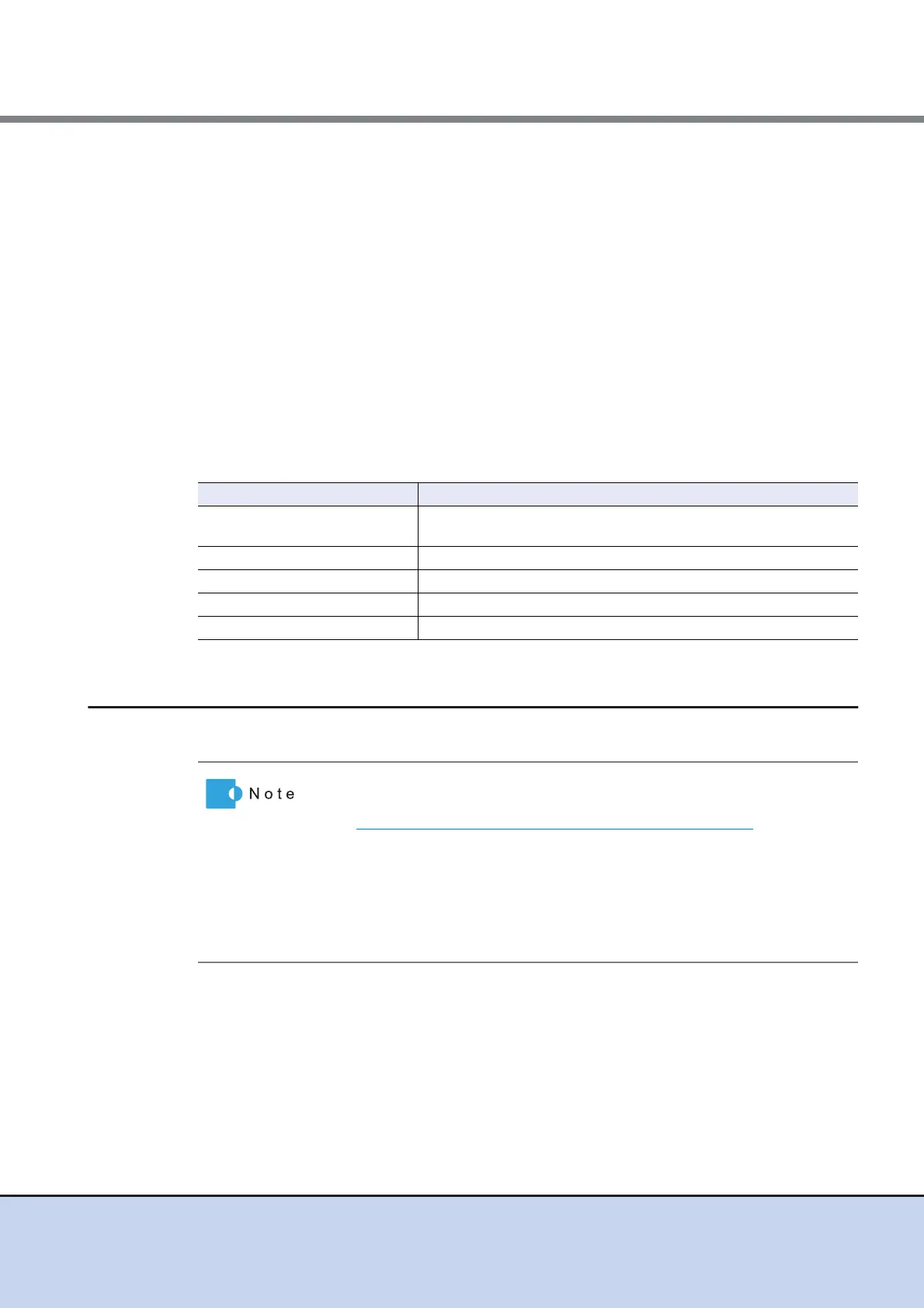
Filter setting
5.1.2 Performance (Host I/O)
This function displays the performance information of the volumes for Host I/O.
Filter Description
Name
Input the volume name that is to be displayed.
When not using the volume name for filtering, leave this item blank.
Status Select the volume status that is to be displayed.
Type Select the volume type that is to be displayed.
Encryption Select the encryption status of the volume that is to be displayed.
Process Select which current process for the volume is to be displayed.
• Performance information is obtained when performance monitoring is
operated from GUI, CLI, or any other monitoring software. Refer to
"11.2.7.5 Start/Stop Performance Monitoring" (page 568)
for details on
how to start performance monitoring with GUI.
• The interval for acquiring performance information can be specified
when starting the monitoring. When using GUI, the default interval is 30
seconds.
• The average performance values during the specified interval are dis-
played.



 To Next Page